
Highwings 8K 10K 4K HDMI Cable 48Gbps 6.6FT
4.7Editor score
48Gbps Ultra High Speed bandwidth
4K gaming up to 240Hz
Variable refresh rate support
Our HDMI 2.1 Cable for PS5 Gaming guide compares ten certified cables for 4K gaming, HDR, VRR, durability, audio, and setup value.
An HDMI 2.1 cable can help a PlayStation 5 deliver the features modern televisions and monitors were designed to support, including 4K gaming at high refresh rates, variable refresh rate, and high-resolution HDR. A quality cable also gives you confidence that the connection will remain stable when the console, display, and audio equipment share a complex home-theater setup.
This guide compares ten HDMI 2.1 cables using their stated bandwidth, resolution support, gaming features, certification, audio capabilities, construction, length, and compatibility. The list includes officially licensed, officially certified, and other broadly compatible options, covering both six-foot models and a longer PlayStation-branded cable without overlooking practical setup considerations.
Each review explains the strongest reasons to consider a particular cable, along with any limitations visible in the available specifications. The top selections highlight the best balance of performance, value, and premium design, while prices and promotional availability can change at any time, so readers should confirm current listings and device requirements before purchasing.
4.7Editor score

4.8Editor score

4.8Editor score
This comparison highlights each cable's bandwidth, maximum gaming resolution, refresh-rate support, and practical advantages for a PS5 installation, with certification and construction details helping distinguish general-purpose options from premium and multi-cable choices.





The UGREEN 8K HDMI 2.1 Cable stands out as the most complete general-purpose choice in this guide. It carries a 4.8 rating and combines HDMI 2.1 certification, 48Gbps bandwidth, 4K gaming at up to 240Hz, 8K at 60Hz, VRR, Dynamic HDR, and eARC. That combination makes it particularly appropriate for PS5 owners who want more than basic 4K connectivity and expect to add or upgrade displays over time.
We may earn a commission when you buy through this link, at no additional cost to you.
The cable's strengths are closely connected to real PS5 use. Its 48Gbps bandwidth provides ample headroom for high-refresh 4K output, while support for variable refresh rate and quick frame transport helps compatible displays synchronize their refresh timing with the console. Dynamic HDR and 12-bit color support suit modern televisions, while eARC can carry full-resolution audio from a compatible television to a soundbar or receiver. The listed device support also extends beyond consoles to streaming boxes, projectors, PCs, and current-generation gaming hardware.
Construction is another differentiator. UGREEN uses an aluminum alloy housing, nickel-plated connectors, and a nylon braided jacket, with the stated design emphasizing resistance to repeated bending without sacrificing flexibility. The six-foot-plus length is practical for most entertainment units where the PS5 sits near a television or on a compact stand. Its main limitation is that even a capable cable cannot create a feature the television, game, or soundbar does not support, and the package does not mention a cable tie or other installation accessory.
This is the recommendation for most PS5 gaming setups because it balances certification, high-refresh capabilities, audio support, and robust construction without specializing in only one use case. Choose it if your television supports 4K at 120Hz or higher, you want VRR and HDR, or you simply want a dependable cable intended for a broad range of home entertainment devices. A shorter run and a different brand may offer a more appropriate choice if your setup is especially compact, needs two cables, or prioritizes official PlayStation branding.
With stated support for 4K at 120Hz, 144Hz, and 240Hz, the cable can take advantage of compatible high-refresh displays. The PlayStation 5's own high-end 4K modes commonly require a television with matching refresh-rate support, so buyers should verify both the game and television before expecting the maximum mode.
The braided jacket, aluminum housings, and nickel-plated connectors target the repeated handling expected in entertainment setups. At 6.6 feet, the cable also provides more reach than a short desktop lead without taking on the routing demands of a ten-foot installation.
We may earn a commission when you buy through this link, at no additional cost to you.
The PowerA Ultra High Speed HDMI Cable is the premium choice for PS5 owners who value official PlayStation licensing, installation flexibility, and a clear warranty. Its 4.8 rating reflects a strong customer reception, while the product title makes its intended ecosystem immediately clear. It supports 48Gbps bandwidth, 4K at 120Hz, 8K at 60Hz, Dynamic HDR, and eARC, covering the major capabilities a modern PS5 display setup can use.
We may earn a commission when you buy through this link, at no additional cost to you.
The ten-foot length is the cable's most useful practical distinction. It can be easier to route from a PS5 positioned in a media cabinet to a wall-mounted television, especially when the television sits higher than the console or the cable must pass behind furniture. PowerA also includes a cable tie, making the extra length easier to manage. That thoughtful inclusion reduces one of the common drawbacks associated with buying a longer cable for a tidy installation.
Official licensing offers a different kind of reassurance from certification alone. The cable is described as licensed by PlayStation and includes a two-year limited warranty, which may be especially persuasive for console-focused buyers. Its stated support for up to 48Gbps and 4K at 120Hz makes it fully relevant to high-performance gaming, while backward compatibility allows it to work with earlier HDMI devices. As with every cable in this roundup, the TV, game, and audio hardware determine which features can actually be used.
PowerA is the right recommendation when the PS5 is the centerpiece of the setup, the television is mounted or otherwise difficult to reach, and official brand authorization matters. It may be unnecessary for a compact entertainment stand where a six-foot cable is easier to conceal, but the extra reach, included tie, warranty, and licensed status justify it as the premium-oriented PS5-specific pick. Buyers should still check the final placement and ensure the cable can be routed without creating a trip hazard or tight bend.
Ten feet of length offers meaningful routing flexibility when a wall-mounted television is high above a low console shelf. The included cable tie helps bundle excess length, although careful planning remains important to protect the connectors from sharp bends.
PlayStation licensing and a two-year limited warranty distinguish this cable for buyers who want a console-specific accessory. The performance specifications remain consistent with the broader HDMI 2.1 category, but the branding directly aligns with the intended gaming hardware.
We may earn a commission when you buy through this link, at no additional cost to you.
The Highwings 8K 10K 4K HDMI Cable delivers the specifications many PS5 shoppers prioritize without moving into the premium licensed tier. It has a 4.7 rating, carries a 48Gbps bandwidth claim, and is described as a certified Ultra High Speed cable. Its stated support for 8K at 60Hz and 4K at 120Hz, 240Hz, and lower modes makes it a credible match for modern gaming displays.
We may earn a commission when you buy through this link, at no additional cost to you.
Variable refresh rate is the feature that deserves particular attention in a console-oriented cable. On a television or monitor that supports the corresponding PS5 mode, VRR can help the display adjust its refresh timing to match the console's output. The result is designed to produce smoother motion with less visible tearing. Highwings also states backward compatibility with HDMI 2.0b, 2.0a, 1.4, 1.3, 1.2, and 1.1, so the cable can serve more than one generation of equipment.
The physical design is aimed at regular use. An upgraded anti-bending tail and military-grade tensile nylon material are intended to protect the areas most vulnerable to flexing, while the classic housing keeps the overall design uncomplicated. At 6.6 feet, it suits most nearby television stands and gaming desks. Compared with the UGREEN and PowerA selections, however, its published feature summary focuses more heavily on video and gaming than on eARC, immersive audio formats, or included setup accessories.
This is the strongest value-oriented recommendation for a PS5 player who wants high-refresh video and VRR capability in a conventional six-foot form. It is also a sensible choice for a mixed PC-and-console setup because the same 48Gbps connection can serve high-resolution monitors and televisions. Choose the UGREEN model instead if official HDMI certification verification, detailed eARC support, and a broader device list matter more to you, or select PowerA when official PlayStation licensing and a ten-foot length are the deciding factors.
VRR is especially relevant when a game and television both support the feature, as it synchronizes refresh timing and can reduce visible tearing. The cable is only the link in that chain, so compatible console settings and display capabilities remain essential.
Broad backward compatibility makes the cable useful across current and older HDMI devices. It is particularly convenient for gamers who move between a PS5, a PC, and a secondary display without wanting a different cable for every setup.
We may earn a commission when you buy through this link, at no additional cost to you.
The Silkland Certified HDMI 2.1 Cable is a feature-rich option for PS5 gamers who want a detailed list of high-resolution, audio, and content-protection support. It carries a 4.7 rating and advertises 48Gbps bandwidth, 4K gaming up to 144Hz, 8K at 60Hz, 5K at 90Hz and 120Hz, and 2K at 165Hz and 240Hz. A QR code is included for verifying its HDMI certification, adding a useful layer of transparency for buyers.
We may earn a commission when you buy through this link, at no additional cost to you.
Its feature set extends beyond resolution. Dynamic HDR, 12-bit color, HDCP 2.2 and 2.3, eARC or ARC, and support for formats such as Dolby Atmos and DTS:X make the cable relevant to a complete entertainment setup. The stated 4K 120Hz capability aligns with an important PS5 target, while the 144Hz option can be helpful when the same cable is used with a compatible PC gaming monitor. The game itself must support the selected mode, and the television or monitor must have matching capabilities.
Silkland's E-Braid construction uses a double-layer fishnet winding and nylon braid, while copper cores and ferrite magnetic beads are intended to support stable signal transmission. Those measures make sense for a cable expected to sit behind a television, power a game system, and occasionally be moved. The tradeoff is that the feature-rich internal design and ferrite components can make a cable less flexible or more visually substantial than a minimalist lead.
This is a good recommendation for a buyer who wants verifiable certification and broad capability in one lead. It suits a PS5 connected to a high-end 4K television and a compatible soundbar, especially when HDR and eARC are priorities. It may be more than necessary for a 1080p television, where the advanced modes will never be reached, but it remains a well-rounded choice for a setup intended to evolve with newer displays and gaming hardware.
The included QR-code verification method makes it possible to check the cable's certification status. This adds reassurance because cable labeling can otherwise be confusing, especially when sellers use HDMI 2.1 terminology inconsistently.
Dynamic HDR, 12-bit color, HDCP, eARC, and major surround-audio formats make this more than a basic display lead. The combination is useful for PS5 owners connecting a television and soundbar while retaining the option to add PC gaming later.
We may earn a commission when you buy through this link, at no additional cost to you.
The Acer HDMI 2.1 Cable combines a 4.7 rating with a broad set of display modes and broad device compatibility. Its headline specifications include 48Gbps bandwidth, 8K at 60Hz, and 4K at 120Hz, 144Hz, and 240Hz. The cable also supports lower 4K, 2K, and 1080p modes, making it adaptable to televisions, computer monitors, projectors, and other equipment in a mixed home setup.
We may earn a commission when you buy through this link, at no additional cost to you.
For PS5 gaming, the cable lists compatibility with the console, Xbox Series X, gaming monitors, and TVs, while VRR support is designed to reduce screen tearing on compatible systems. Audio capabilities include eARC or ARC and support for Dolby Vision and Dolby Atmos when the connected hardware supports them. This makes it a sensible bridge between console gaming, streaming, and home theater use, particularly for someone who wants the same cable to connect a PC as well as a PS5.
Its physical design uses a high-purity copper core, aluminum alloy housing, and braided jacket. Those materials are intended to resist electromagnetic interference, bending, and normal wear. The 6.6-foot version suits an entertainment center or desk, and the product information indicates that 3-foot, 6-foot, and 10-foot variants are available, although the listing featured here specifically identifies the 6.6-foot size.
The Acer model is most appropriate for a buyer who values flexibility across consoles and PCs but does not need official PlayStation branding. Its 4K high-refresh support is more than sufficient for common PS5 television use, and the broad compatibility list reduces the need for separate display cables. Compared with the Silkland model, it offers a similarly broad feature set but places less emphasis on certification verification. Compared with UGREEN, it is another strong option when gaming performance, durability, and broad equipment support matter most.
High-refresh 4K support and stated compatibility with gaming computers make this cable practical for a desk that handles both work and play. The same physical lead can move between a PS5, PC, monitor, television, or projector without relying on lower-bandwidth legacy cables.
The braided exterior and aluminum housing are designed for routine handling, while compatibility with HDMI 2.0 and earlier standards broadens the range of older devices it can serve. This is useful in homes where consoles and displays are replaced at different times.
We may earn a commission when you buy through this link, at no additional cost to you.
The Ubluker 10K 8K 4K HDMI Cable is one of the most specification-rich options in the comparison. Its 4.7 rating is supported by a product description that covers 48Gbps bandwidth, 10K output at 60Hz, 8K at 60Hz, multiple 5K and 4K refresh rates, and support for a long list of gaming and audio features. The package includes an official HDMI certification label, which is a meaningful distinction for buyers comparing similarly named cables.
We may earn a commission when you buy through this link, at no additional cost to you.
The PS5-relevant gaming functions include VRR, ALLM, QMS, QFT, and a stated low-latency figure. These features can help manage frame pacing, switching, and television processing when the console, game, and television support them. The product also lists Dynamic HDR, HDR10+, HDCP 2.2 and 2.3, and DSC support. Resolution options extend from 4K at 240Hz to 1080p at 360Hz, giving the cable a strong foundation for high-end PCs and displays as well as consoles.
Audio support is similarly extensive. The listing names eARC, ARC, DTS Master Audio, DTS:X, Dolby TrueHD, Dolby Vision, and Dolby Atmos among the supported formats. That makes it appropriate for a PS5 connected through a television to an advanced soundbar or receiver, provided each device in the chain supports the selected format. The stated compatibility list includes PS5, PS4, PS3, Xbox Series X and S, gaming PCs, Apple TV, OLED televisions, projectors, and several streaming platforms.
This recommendation is best suited to technically minded gamers who appreciate a comprehensive feature list and may move between console and PC environments. The potential drawback is that not every listed function will be relevant or accessible in a particular PS5 setup, and many depend on compatible software, games, displays, or audio systems. Buyers should avoid treating the specification count as a substitute for matching their actual equipment. Within that context, the cable provides unusually broad stated capability at a conventional 6.6-foot length.
VRR, ALLM, QMS, and QFT address different parts of the gaming and switching experience. When supported across the PS5, game, and television, they can improve synchronization, latency handling, and mode-switching behavior.
Support for high-end audio formats and numerous display modes makes the cable useful in an integrated media setup. A matching soundbar, receiver, television, and source device remain necessary to realize those capabilities.
We may earn a commission when you buy through this link, at no additional cost to you.
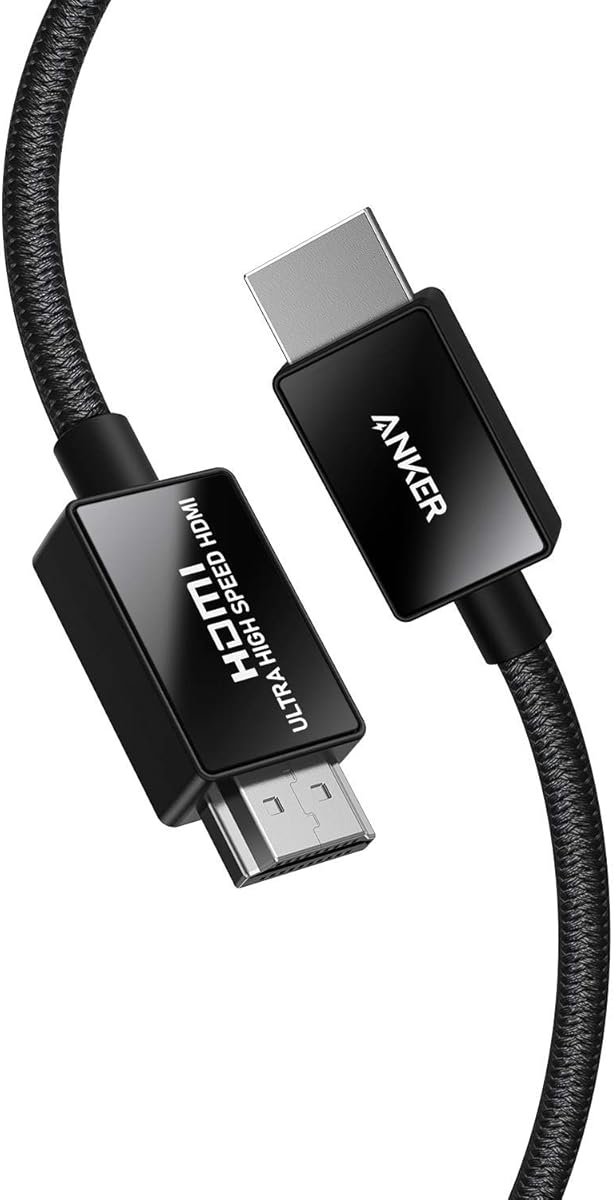
The Anker HDMI 2.1 Cable is a polished, well-supported option for PS5 owners who want official certification and established accessory-brand support. It holds a 4.8 rating and supports 48Gbps bandwidth, 8K at 60Hz, and 4K at 120Hz. The stated compatibility with PlayStation 5, Xbox Series X and S, Sony 8K UHD televisions, Apple TV, and Roku Ultra makes it clear that the cable is intended for a broad modern entertainment ecosystem.
We may earn a commission when you buy through this link, at no additional cost to you.
Anker emphasizes that its cable is among the first to receive official Ultra High Speed HDMI certification, with electromagnetic-interference testing included in the certification process. That distinction can be useful for buyers who want more than a cable that merely uses HDMI 2.1 terminology. The cable also carries an 18-month warranty, a welcome guide, and access to customer service, adding support elements beyond the physical lead itself.
Construction is another selling point. Carbon steel connector housings, gold-plated pins, and a double-braided nylon exterior are designed to resist repeated use, with the product information specifying a capability of plugging and unplugging the cable up to 10,000 times. Those features do not prevent every kind of damage, but they show attention to the connector and jacket areas that receive the most handling in a console setup.
This cable is a strong recommendation for a buyer who values certification, brand support, and refined materials more than having the largest possible refresh-rate list. Its stated 4K at 120Hz capability covers the primary high-refresh experience many PS5 televisions are designed to deliver. For someone using a 144Hz or 240Hz PC monitor and seeking the maximum listed mode, the UGREEN, Highwings, Ubluker, Acer, or second UGREEN option may offer a more appropriate specification sheet. Otherwise, Anker's combination of certification, materials, rating, and warranty makes this an excellent general choice.
The stated 10,000-plug cycle capability and reinforced connector construction target one of the most common sources of cable failure. Careful handling still matters, especially when routing the cable behind a tightly placed console.
Official Ultra High Speed certification and an 18-month warranty provide reassurance beyond the stated bandwidth. The included guide and customer support make this a polished package for first-time PS5 setup or cable replacement.
We may earn a commission when you buy through this link, at no additional cost to you.
The Highwings 8K HDMI 2.1 Cable 2-Pack offers a practical solution for gamers who need more than one connection. It has a 4.7 rating, includes two 6.6-foot cables, and supports a stated 48Gbps bandwidth along with 10K, 8K at 60Hz, and 4K at 120Hz and 240Hz modes. The two-cable format is particularly convenient for connecting a PS5 to one display while keeping a second cable ready for a PC, projector, soundbar, or another television.
We may earn a commission when you buy through this link, at no additional cost to you.
The gaming features align with the high-end PS5 market. Variable refresh rate is listed, allowing compatible displays to synchronize refresh timing with the source and helping reduce visible tearing. The stated jump from 18Gbps to 48Gbps also provides a useful margin for high-resolution gaming and future display standards. A buyer who currently uses a 4K television may see the immediate benefit as freedom from bandwidth limitations rather than a visible difference in an ordinary 60Hz picture.
Highwings uses aluminum alloy housings, upgraded anti-bending tails, and military-grade tensile nylon material in this package. Those construction details are especially helpful for a two-cable set because buyers can keep one installed while moving the other between devices. The product information also says each cable is put through performance testing before assembly. The package does not provide a detailed list of eARC or advanced audio support, so buyers focused on soundbar integration should confirm the relevant requirements separately.
This is the ideal recommendation when two full-featured leads are useful, whether for a temporary second console, a PC and PS5 arrangement, or a cable stored as a replacement. It can also eliminate the temptation to move a single cable back and forth, which reduces wear on connectors. If only one connection is needed, a single-cable option is more straightforward, but the two-pack adds convenience that can justify its broader package for a multi-device gaming household.
Two cables let a PS5 and PC remain connected at the same time or provide a ready spare for temporary setups. This is particularly helpful for shared gaming rooms, rotating consoles, and displays located away from cable-management openings.
Aluminum housings and upgraded anti-bending tails target the stress points around each connector. The nylon material adds another layer of protection for leads that remain permanently installed or are moved regularly.
We may earn a commission when you buy through this link, at no additional cost to you.
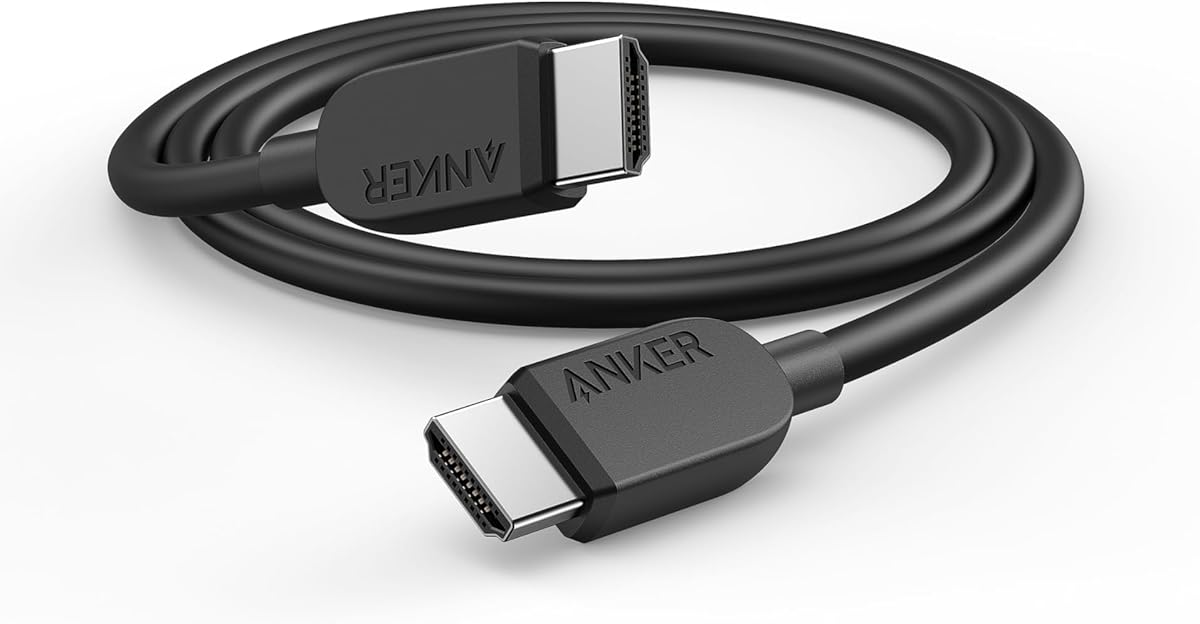
The Anker HDMI 2.1 Cable, 4K 240Hz HDMI Cord, 48Gbps Certified Ultra High-Speed offers a straightforward high-bandwidth connection for a PS5. It carries a 4.7 rating and is described as a certified 48Gbps cable with support for 8K at 60Hz, 4K at 120Hz, and 4K at 60Hz. Although the product title references 4K at 240Hz, the supplied feature summary does not repeat that mode, so buyers should confirm the exact display capabilities and specifications in the final listing.
We may earn a commission when you buy through this link, at no additional cost to you.
The most important strength is the combination of 48Gbps bandwidth and certification. This gives PS5 users a suitable link for high-bandwidth 4K output and leaves room for demanding future standards. A six-foot length fits most entertainment-center and desktop arrangements without creating a large loop behind the television, and the cable can serve tablets, laptops, projectors, and desktop screens as well as consoles.
The product information says the cable is designed to withstand up to 1,000 bends, giving it a stated durability target for regular installation and repositioning. Buyers also receive a welcome guide, an 18-month warranty, and access to customer service. The feature summary does not go into detail about VRR, ALLM, eARC, or specific surround-sound formats, so this model is best evaluated primarily as a certified high-bandwidth display cable rather than a fully documented home-theater feature package.
This is a sensible choice for a PS5 owner who wants a recognized brand, official certification, and a straightforward six-foot lead. It may be particularly attractive for users who do not need advanced audio functions or a very long installation. The UGREEN and Highwings single-cable options offer more detailed gaming and audio specifications, while the PowerA cable supplies official PlayStation licensing and extra length. Within those alternatives, this Anker model remains a compact, approachable option for everyday PS5 gaming.
A certified 48Gbps link provides the bandwidth foundation required for modern high-resolution gaming. Certification helps distinguish the cable from products that use HDMI 2.1 language without providing a clear certification trail.
The stated length suits a PS5 positioned close to a television or monitor and avoids excess cable behind furniture. Its documented bend resistance also targets the repeated movement associated with reconnecting and rearranging a console.
We may earn a commission when you buy through this link, at no additional cost to you.
The UGREEN HDMI 2.1 Cable Certified 8K 6.6FT is a capable all-round option for PS5 gaming. Its 4.7 rating, 48Gbps bandwidth, and HDMI 2.1 certification align with the key requirements of a modern 4K gaming setup. The stated resolution support includes 8K at 60Hz and 4K at 120Hz, 144Hz, and 240Hz, while Dynamic HDR and 12-bit color support target displays that can take advantage of higher-detail content.
We may earn a commission when you buy through this link, at no additional cost to you.
Home-theater functionality is another strength. The cable supports eARC for carrying full-resolution audio from a television to a compatible soundbar or receiver, including formats such as Dolby Atmos and DTS:X. It is also Ethernet-enabled, and its compatibility list covers a very broad collection of PS5, PlayStation, Xbox, Nintendo, streaming, computing, television, projector, monitor, and home-theater devices. This makes it a useful single lead for a setup containing several kinds of hardware.
The construction details focus on longevity. UGREEN describes nickel-plated connectors, a nylon braided jacket, and testing for more than 2,000 bends. The six-foot-plus length is long enough for common furniture arrangements, while the flexible jacket should tolerate ordinary routing. As with the other cables here, proper handling remains important: sharp bends near the plugs and crushing under furniture can reduce cable life regardless of the stated materials.
This cable is recommended for PS5 owners seeking a certified, durable connection with both high-refresh video and advanced audio support. It overlaps considerably with the higher-ranked UGREEN model, so the distinction ultimately comes down to the current listing, construction details, and availability. Buyers comparing the two should verify the exact certification, supported modes, and included warranty information. Either option is more compelling than a basic legacy cable for a PS5 connected to a modern high-refresh television.
Nickel-plated connectors, a braided jacket, and a stated bend-testing program make this suitable for a fixed entertainment-center installation. Routing the lead loosely and avoiding tight curves will help preserve its expected service life.
The unusually broad compatibility list includes current consoles, legacy gaming systems, streaming boxes, computers, displays, projectors, and audio equipment. This versatility makes the cable easy to reuse when a living-room configuration changes.
We may earn a commission when you buy through this link, at no additional cost to you.
The right PS5 cable depends on the television or monitor, supported game modes, room layout, and audio system. Paying attention to certification, bandwidth, refresh rates, length, and connector construction produces a more useful purchase than choosing solely from a product's HDMI version label.
Look for a cable that is officially certified to the HDMI 2.1 Ultra High Speed specification rather than merely described as compatible with HDMI 2.1. Several selections here mention certification, an official certification label, a QR verification method, or certification by the HDMI Forum. That evidence gives buyers a clearer basis for comparison because sellers sometimes apply HDMI 2.1 terminology loosely. Certification also indicates that the cable has undergone relevant bandwidth and interference testing.
Choose an officially certified cable when possible, especially for high-refresh 4K gaming. If certification is unclear, examine the stated 48Gbps bandwidth and other supported modes, but keep in mind that label language alone does not guarantee performance.
The PS5 can output 4K at 120Hz, and high-end PC gaming displays may offer even higher refresh rates. A cable with 48Gbps bandwidth provides the necessary headroom for these demanding combinations and is the defining capacity of the Ultra High Speed HDMI 2.1 generation. The cable does not have to use all that bandwidth in every game, but the extra capacity makes it less likely to become a limiting factor as display standards evolve.
Prioritize a stated 48Gbps rating for a modern gaming setup. Remember that the source, cable, and display must all support the same resolution and refresh rate for the higher mode to operate.
For most PS5 gaming displays, the important target is 4K at 120Hz. Several cables in this guide also list 144Hz and 240Hz 4K modes, which can be useful for a PC display but will not make a 60Hz television run faster. Users should check whether their television or monitor accepts 4K at 120Hz over HDMI, especially when connecting through an intermediate receiver or switch. Game support also varies, so a high refresh rate is not available in every title.
Match the cable to the actual display rather than buying solely for the largest number. 4K at 120Hz is the key PS5 target, while 144Hz and 240Hz primarily benefit compatible PC gaming setups.
Variable refresh rate allows a compatible display to adjust its refresh timing to the content being produced by the console. This can reduce visible tearing and make motion appear smoother. Features such as ALLM, QMS, and QFT can also improve latency handling or source switching, but each requires compatible equipment. A cable can preserve the necessary signal path; it cannot independently activate a feature that the television, console, or game does not support.
For a PS5 television setup, VRR support is a valuable priority. Check the television's gaming menu and confirm that the selected game supports the mode before making a final purchase.
A capable HDMI cable should support the features used by your complete entertainment chain. Dynamic HDR, 12-bit color, HDCP 2.2, and 2.3 can improve compatibility with high-end televisions and protected content. For sound, eARC allows a television to return full-resolution audio to a soundbar or receiver, and formats such as Dolby Atmos and DTS:X require compatible hardware. If the PS5 connects directly to an audio system, the relevant support is different from an eARC television return path.
Prioritize Dynamic HDR and eARC if your setup includes a modern 4K television and soundbar. If the television lacks these features, the added cable capability will not produce a visible benefit.
A six-foot cable is usually sufficient when the PS5 sits on the same stand as a television or close to a desk monitor. Six-and-a-half-foot options provide modest extra reach, while the ten-foot PowerA cable is better suited to wall-mounted televisions, furniture that hides connections, or consoles placed lower than the screen. Longer cables are not automatically better, because excess length can make cable management more difficult and introduce unnecessary loops.
Measure the intended route and choose the shortest length that reaches comfortably. For wall-mounted or distant displays, the official licensed ten-foot PowerA option offers useful flexibility and includes a cable tie.
The most vulnerable points on an HDMI cable are the connectors and the sections immediately beside them. Braided nylon jackets, reinforced strain relief, metal connector housings, and nickel- or gold-plated pins are all intended to withstand repeated bending and plugging. Anker states a 10,000-plug capability for one model, while other products cite bend-test thresholds. These figures come from manufacturers and should be considered alongside correct handling rather than as permission to leave sharp bends in the cable.
Look for braided jackets, reinforced tails, and metal housings, especially if the cable will remain permanently installed. Route it without crushing it under furniture or folding it tightly at the plug.
Official PlayStation licensing is distinct from technical HDMI certification. The PowerA cable provides that console-specific assurance, while other models emphasize HDMI Forum certification, general compatibility, or a two-cable package. A two-pack can be valuable for gamers with multiple consoles, a PC and PS5, or a desire to keep a spare lead ready. It is less economical in practical terms when only one permanent connection is required.
Choose the licensed model for PlayStation-focused peace of mind, and choose a two-pack when both primary and secondary devices need permanent connections. For one standard setup, a certified six-foot cable is the simpler choice.
Connect one end of the cable to the HDMI output on the PS5 and the other to the correct HDMI input on the television or gaming monitor. If the display has several inputs, select the one associated with the connected console, then enable the matching input in the television's settings. On compatible televisions, review the picture, sound, and gaming menus to enable the intended 4K, HDR, VRR, ALLM, and eARC functions.
Treat the connectors gently and avoid pulling the cable by its plug when repositioning the console. Route the lead through furniture openings without creating tight bends, sharp angles, or tension on the connector. If excess cable needs to be stored, use the included cable tie where available or form a loose coil. Do not place the cable beneath heavy furniture, where it could be crushed and compromise the internal conductors.
Test the setup after every major equipment or television change. Confirm that the expected resolution and refresh rate appear in the television's information display, and verify that HDR and audio are working as intended. If a feature is missing, check that it is supported by the television, game, sound system, and source device, and make sure the correct television input and gaming features are enabled. Periodically inspect the jacket and connectors for damage before replacing a cable that has been bent, pinched, or pulled forcefully.
The PS5 uses a standard HDMI connection and does not require a proprietary cable. A certified Ultra High Speed HDMI cable with 48Gbps bandwidth is appropriate for high-bandwidth features such as 4K at 120Hz. The PlayStation 5 originally shipped with a cable, but it is reasonable to replace it for routing, durability, or equipment-matching reasons.
No. The cable is only one part of the connection. The television must support 4K at 120Hz over HDMI, the PS5 must be connected to the correct input, and the game must offer a compatible high-resolution mode. Firmware, television settings, and graphics options can also affect the result.
It is usually sufficient when the PS5 is close to the television or positioned on the same entertainment stand. A ten-foot cable is more useful for wall-mounted televisions, low console shelves, or concealed routing. Measure the complete path and allow a small amount of slack without forming tight bends.
If the PS5 is connected to a television and audio is returned from that television to a soundbar, the cable must support the required eARC or ARC path. The television and soundbar must also support Dolby Atmos and the selected audio format. Connecting the PS5 directly to an AV receiver can use a different arrangement, so the complete connection plan should be checked.
No. VRR requires support from the PS5, the game, and the television. A VRR-capable cable can carry the necessary signal, but the feature must also be enabled and supported across the equipment. The cable may therefore have VRR capability without a particular display actually using it.
No. HDMI 2.1 is an umbrella that can include different feature categories, and some cables labeled HDMI 2.1 have lower bandwidth. Look for explicit Ultra High Speed certification and a 48Gbps claim. The UGREEN, Highwings, Silkland, Ubluker, Anker, and PowerA options in this guide make varying levels of certification information explicit.
A 48Gbps cable is still an appropriate choice, but most PS5 gaming focuses on 4K at 120Hz rather than 4K at 240Hz. The higher refresh rate matters primarily for compatible PC gaming displays. For a television, prioritize 4K at 120Hz, VRR, HDR, reliable construction, and a length that fits the installation.
Open the PS5 settings, select the connected television or display under Video Output, and check the resolution information. Compatible televisions often provide a status overlay showing the active resolution and refresh rate when the appropriate input is selected. If the output is lower than expected, verify the television input setting, game mode, cable connection, and display capability.
The UGREEN 8K HDMI 2.1 Cable is the strongest all-around recommendation, combining certification, 48Gbps bandwidth, high-refresh 4K support, VRR, Dynamic HDR, eARC, and durable construction. The Highwings single cable is the best budget-oriented option for gamers prioritizing high refresh rates and variable refresh rate, while the officially licensed PowerA cable is the premium choice for a PS5-focused, neatly routed installation.
For most buyers, prioritize official Ultra High Speed certification, 48Gbps bandwidth, 4K at 120Hz support, and compatibility with the exact television or monitor in the room. Add VRR, HDR, and eARC when the rest of the equipment supports them. Cable length and connector durability should follow the physical setup, while a two-pack is most useful for gamers with multiple connected devices.
Product listings, promotions, and availability can change, so confirm the current specifications, certification details, warranty, and compatibility information before purchasing. Most importantly, check that the console, game, display, and audio equipment all support the mode you want. With those requirements matched, any of the certified options in this guide can provide a more dependable PS5 connection than a basic legacy HDMI lead.