
HP Chromebook 14
4.3Editor score
Up to 14-hour battery
Intel Celeron N4120 processor
ENERGY STAR certified
Low power consumption laptops are designed to deliver useful computing while drawing less energy, producing less heat, and remaining mobile for longer. The strongest models pair efficient processors, capable batteries, sensible displays, and lightweight construction. This guide covers Chrome OS and Windows options suited to students, travelers, home offices, and everyday users.
We compared all ten products using their documented processors, battery claims, displays, memory, storage, connectivity, portability, and intended workloads. Particular attention was given to power-conscious chips, battery capacity or stated endurance, energy certifications, charging options, and whether a model is practical for travel and all-day use.
The list includes an HP Chromebook, several Windows 11 laptops with Intel N-series processors, and more compact alternatives for browsing and document work. Each review explains where a model stands out and where it falls short. Prices and availability can change, so confirm current listings before purchasing.
4.3Editor score

5.0Editor score

4.1Editor score
As an Amazon Associate we earn from qualifying purchases.
This side-by-side comparison highlights each laptop's processor, battery claims, display, and portability so buyers can identify the most suitable balance of efficiency, functionality, and everyday capability.

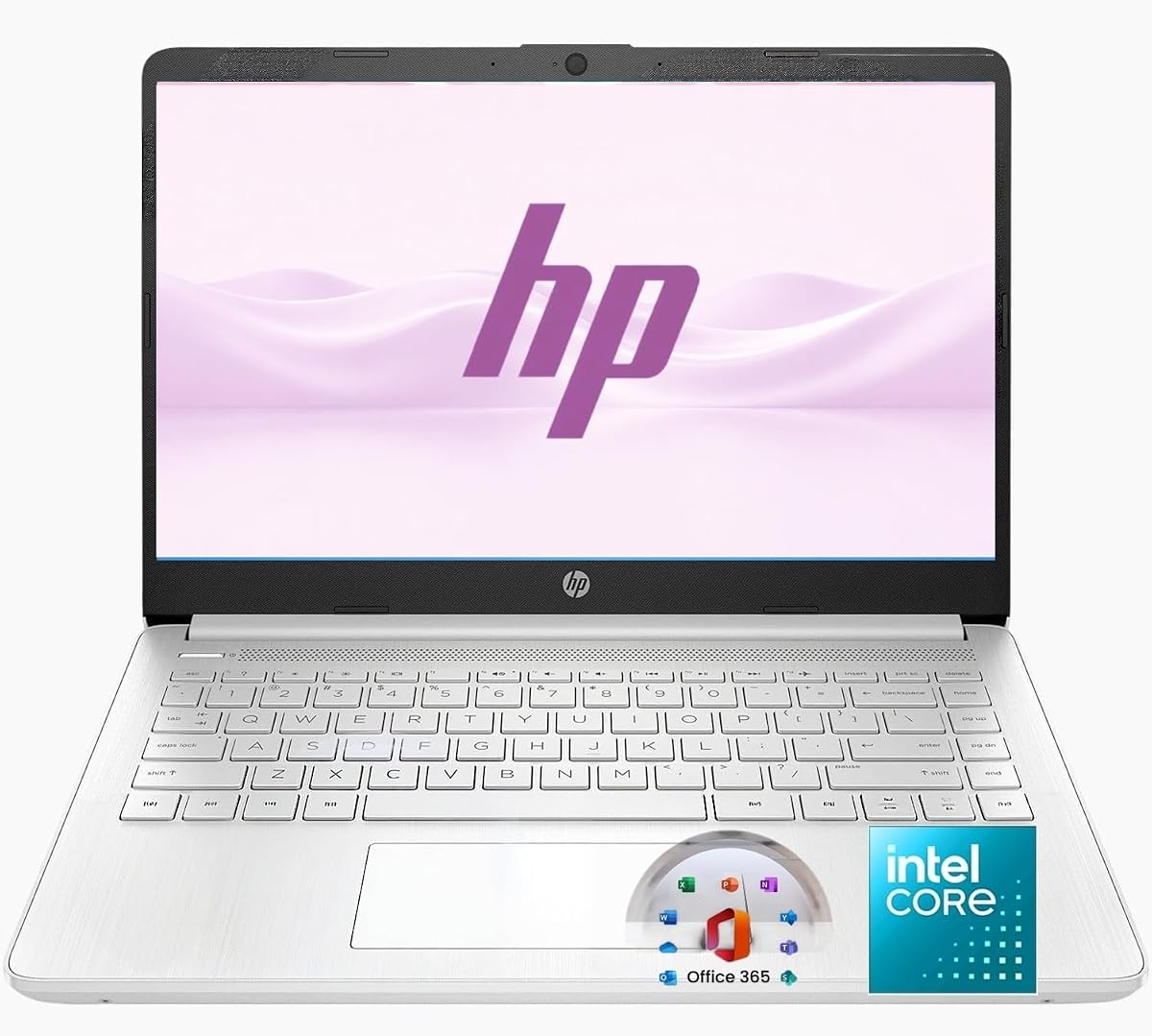


The HP Chromebook 14 earns a 4.3 rating and stands out as a particularly convincing low-power option for web-centered work, education, and travel. Its Intel Celeron N4120 is designed around efficient everyday computing, while the documented battery claim of up to 14 hours gives it the strongest stated endurance in this group. Chrome OS also helps keep routine system demands comparatively light.
We may earn a commission when you buy through this link, at no additional cost to you.
Its 14-inch anti-glare display uses a 1366 by 768 resolution and an efficient micro-edge design, making it suitable for writing, streaming, research, and online classes. The thin, lightweight enclosure is easier to carry than many full-size Windows laptops. Four gigabytes of memory and 64GB of eMMC storage are modest, but they align with a Chromebook centered on cloud services rather than large local libraries.
The trade-offs are important. Buyers who routinely edit large video files or depend on specialized desktop software may find 64GB too limited, and switching from Chrome OS to a Windows workflow can require a change in habits. HP Fast Charge also offers practical flexibility, taking the battery from 0 to 50 percent in approximately 45 minutes according to the product information.
This is the strongest recommendation for students, travelers, and home users who spend most of their time browsing, editing documents, attending classes, or streaming. The efficient processor, generous battery claim, and light design reduce both energy use and charging frequency, making it a sensible first choice in this roundup.
The up-to-14-hour battery claim is the Chromebook 14's most important efficiency feature. It gives commuters and students more flexibility to work through classes, meetings, and travel delays without searching for an outlet as frequently as they might with a higher-power notebook.
Chrome OS is well suited to Google Workspace, web applications, streaming, and lightweight Android apps. The N4120 and Intel UHD Graphics 600 can support 4K content, although local storage remains limited.
We may earn a commission when you buy through this link, at no additional cost to you.
The Lenovo V15 Business Laptop has a 4.3 rating and targets people who need a conventional Windows notebook without carrying a high-power mobile workstation. Its Intel N100 is built for browsing, email, documents, video streaming, and online learning, making it a sensible efficiency-focused option for routine office and school work. Integrated Intel UHD Graphics adds multimedia support without requiring a discrete GPU.
We may earn a commission when you buy through this link, at no additional cost to you.
Connectivity is unusually strong for this class. Wi-Fi 6, Bluetooth 5.2, two USB-A ports, USB-C with Power Delivery and DisplayPort, HDMI, an SD card reader, and a combined audio jack cover most common accessories. The 15.6-inch Full HD anti-glare panel has 250 nits of brightness and an 88 percent screen-to-body ratio, providing a productive workspace without an oversized chassis.
Its 4GB of LPDDR5-4800 memory and 128GB UFS 3.1 storage should be sufficient for essential applications and cloud-centric workflows, but they are modest for heavy multitasking. The included Windows 11 Home in S mode and Microsoft 365 Personal make the system approachable for office tasks. No specific battery endurance is supplied, so buyers should examine independent runtime information for the exact configuration.
Choose this model when connectivity and a roomy Full HD screen matter more than maximum battery life. It is well suited to home offices, students, and budget-conscious workers who routinely connect monitors, storage, or wired peripherals. The thin 0.70-inch body and 3.42-pound weight also preserve good portability.
USB-C charging, DisplayPort, HDMI, USB-A, and an SD reader give the V15 unusual flexibility for an efficiency-focused notebook. Users can connect a monitor, wired network accessories, and external storage without carrying a large collection of adapters.
The Full HD anti-glare screen is larger and more detailed than the HD panels offered by several alternatives. Its 250-nit brightness and low blue light certification also make it more suitable for extended document work and online classes.
We may earn a commission when you buy through this link, at no additional cost to you.
The HP New Everyday Slim Laptop has a 5.0 rating, making it the highest-rated product in the supplied lineup. Its Intel N150 processor, Windows 11 Home, 4GB DDR5 memory, and 128GB SSD form a practical platform for browsing, schoolwork, office applications, communication, and media consumption. The up-to-11.5-hour battery claim provides a strong indication that it can handle a full workday away from a charger.
We may earn a commission when you buy through this link, at no additional cost to you.
Portability is another major advantage. The laptop weighs 3.24 pounds and measures only 0.71 inches thick, making it straightforward to move between classes, offices, and home workspaces. Its 14-inch micro-edge HD display offers 220 nits, while dual-array microphones and temporal noise reduction improve the basics of video calls. A full selection of USB, HDMI, headphone, and memory-card connections supports varied accessories.
The main compromises are the 1366 by 768 screen resolution and 4GB of memory. It is less attractive for detailed photo editing, intensive multitasking, or professional software. The 128GB SSD is also modest, although the included 1TB OneDrive allocation provides a practical cloud option for documents and compatible files. Battery results will vary with screen brightness, workload, and wireless use.
This laptop is a strong all-around recommendation for students, families, and office users who want a full Windows environment with efficient hardware and long claimed endurance. It balances capability, portability, and convenience without attempting demanding workstation tasks, making it the most balanced pick in the roundup.
Up to 11.5 hours of stated use provides meaningful freedom for students and mobile workers. The claim is especially helpful when combined with a compact 3.24-pound body that is easy to carry between destinations.
The combination of Windows 11 Home, a 128GB SSD, and 1TB OneDrive provides a flexible starting point. Users can keep frequently used files locally while relying on cloud storage for less frequently accessed documents.
We may earn a commission when you buy through this link, at no additional cost to you.
The HP 2026 Everyday Slim Laptop uses the efficient Intel N150 processor to deliver browsing, online classes, office tasks, and streaming in a thin Windows 11 design. It is especially interesting for buyers who want Copilot access through a dedicated keyboard key. No customer rating is currently supplied for this listing, so its evaluation relies on the documented configuration rather than a large volume of visible feedback.
We may earn a commission when you buy through this link, at no additional cost to you.
The battery information is unusually specific: the product listing claims up to 11.5 hours of video playback or 7.5 hours of wireless streaming. Those two scenarios offer a useful distinction, although real-world results will vary. The 14-inch anti-glare screen provides 250 nits, 62.5 percent sRGB coverage, and a 79 percent screen-to-body ratio, improving comfort and immersion relative to many basic HD panels.
Its limitations mirror those of the other N150-based slim laptops in the group. The 1366 by 768 resolution does not provide the sharpness of Full HD, and the modest local storage may fill quickly if large files are kept on the device. Although the listing refers to generous storage in combination with cloud services, buyers should evaluate their own Microsoft 365 and cloud requirements carefully.
This is a good fit for students and general users who value efficiency, a long claimed battery, video-call features, and direct Copilot access. It should be considered alongside the other HP N150 laptop, paying particular attention to display brightness, available warranty information, and the current configuration shown in the listing.
Listing both video playback and wireless streaming estimates helps buyers compare expected endurance by activity. Streaming figures will generally be more relevant than video playback for students and office users working in a browser.
The 720p camera, temporal noise reduction, dual-array microphones, full-size keyboard, and multi-touch imagepad cover the essentials for online learning and remote meetings.
We may earn a commission when you buy through this link, at no additional cost to you.
The Lenovo Essential 15.6-inch FHD Laptop combines the efficient Intel N150 with 8GB of LPDDR5-4800 memory, giving it a more comfortable configuration for multitasking than the many 4GB competitors. Its 4.1 rating reflects a straightforward approach to business, education, browsing, document editing, streaming, and video calls rather than high-end performance.
We may earn a commission when you buy through this link, at no additional cost to you.
The Full HD anti-glare display has 250 nits of brightness and an 88 percent screen-to-body ratio. That extra resolution makes the larger 15.6-inch format more useful for side-by-side documents, spreadsheets, and browser windows. Wi-Fi 6, Bluetooth 5.2, two 5Gbps USB-A ports, USB-C with Power Delivery and DisplayPort, HDMI, an audio jack, and an SD reader offer broad accessory support.
The laptop weighs 3.42 pounds and has a slim 0.70-inch profile, so its larger screen does not translate into an excessively bulky design. MIL-STD-810H testing, a camera privacy shutter, fingerprint-based TPM 2.0, and ENERGY STAR 9.0 certification reinforce its business orientation. The 128GB UFS 3.1 drive supports quick access, although its capacity is modest.
This is the premium-feeling option in the list because the additional memory and Full HD display create a more refined everyday computing experience. It is recommended for business users, students, and families who want efficient hardware without settling for the lowest specification. Confirm current runtime information because the supplied listing does not provide a specific battery-hour claim.
Eight gigabytes of LPDDR5-4800 gives the system more headroom for multiple browser tabs, meetings, and documents. It does not transform the N150 into a performance machine, but it makes routine multitasking less constrained.
A physical camera shutter and firmware TPM 2.0 provide useful privacy and security controls. These details are especially relevant for students and employees who regularly join video calls or manage sensitive information.
We may earn a commission when you buy through this link, at no additional cost to you.
The Amzboy 15.6-inch FHD Laptop has a 4.6 rating and distinguishes itself through a fanless solid-state design. Silence during operation can be valuable in shared libraries, quiet offices, study spaces, and online meetings. The Intel N4020 is intended for daily browsing, documents, Zoom classes, and similarly light work, making this a focused low-power option rather than a high-performance system.
We may earn a commission when you buy through this link, at no additional cost to you.
Its 15.6-inch Full HD anti-glare screen offers a generous and reasonably detailed workspace, while the 3.3-pound body keeps the machine portable. Dual USB-C and USB 3.2 ports allow accessories to connect without a large hub. A 45W Type-C Power Delivery adapter reduces charger bulk, and the system can be recharged with a compact USB-C travel setup suitable for commuting.
The 4GB of RAM and 128GB eMMC are the main constraints. The external TF card slot supports expansion up to 1TB according to the supplied information, which can add convenient file storage. Fanless operation should reduce moving-part wear and dust intake, but there is no explicit runtime estimate provided, so battery performance should be verified for the exact configuration.
This laptop is a compelling choice for students and travelers who value silence, a large Full HD display, simple charging, and expandable storage. It suits web browsing, remote learning, document work, and video calls. Buyers who need extensive local files or demanding applications should look for more storage or a higher-tier processor.
The fanless solid-state design means there is no cooling fan to create a steady background hum. That can make the laptop more pleasant for lectures, libraries, home offices, and recorded or live virtual meetings.
The included 45W Type-C PD adapter simplifies recharging. USB-C connectivity offers a cleaner one-cord setup for compatible phones and accessories while reducing the need to carry a bulky proprietary charger.
We may earn a commission when you buy through this link, at no additional cost to you.
The ASUS Vivobook Go 15.6 has a 3.9 rating and brings a large Full HD display, a backlit keyboard, and a documented 42Wh battery to an entry-level configuration. The Intel Celeron N4500 is aimed at education, web browsing, communication, and multimedia rather than demanding software, making efficiency the central reason to consider this model.
We may earn a commission when you buy through this link, at no additional cost to you.
The 1920 by 1080 panel at 60Hz provides more sharpness than the HD displays in much of the group, which is useful for written assignments, research, and watching video. SonicMaster-branded speakers, a 720p camera with privacy shutter, and a backlit ergonomic chiclet keyboard round out the student-focused feature set.
ASUS states that fast charging can bring the battery to 60 percent in approximately 49 minutes through the USB-C port. The supplied specification identifies 4GB DDR4 memory and 128GB eMMC storage, both of which are now modest. Wi-Fi 5 and Bluetooth 5.1 also trail newer wireless standards, and the lower rating suggests that some buyers may have encountered limitations.
This Vivobook is best for a student who wants a large, sharp screen and backlit keyboard at the lower end of the market. It remains suitable for browsing, classes, documents, and basic streaming. Those wanting faster storage, more memory, or newer connectivity should examine the HP and Lenovo alternatives in this guide.
A 1920 by 1080 resolution makes text and web pages more distinct on a 15.6-inch panel. The 220-nit peak brightness is adequate for indoor use, though it may not be ideal in very bright environments.
The ability to reach approximately 60 percent in 49 minutes is valuable between classes or during a short lunch break. It reduces the disruption caused by waiting for a full charge before leaving.
We may earn a commission when you buy through this link, at no additional cost to you.
The HP 14-inch 2027 Edition carries a 4.5 rating and offers a compact Windows 11 design built around the efficient Intel N150. The processor includes four cores and four threads with speeds listed up to 4.4GHz, supporting routine browsing, office work, communication, and online learning. It is a straightforward low-power option for buyers who do not need demanding creative or gaming performance.
We may earn a commission when you buy through this link, at no additional cost to you.
The chassis weighs 3.24 pounds and is only 0.71 inches thick, supporting easy movement between home, office, and school. Its 14-inch non-touch display has 250 nits of brightness and an anti-glare coating, which is pleasant for prolonged document work. USB-C, USB-A, HDMI, and a combined headphone and microphone jack provide a practical mix of modern and universal connections.
The main limitation is the 4GB of DDR5 memory, which can become restrictive with many open browser tabs and applications. The 128GB SSD is also small, though 1TB of cloud storage is included. No precise battery endurance is given, so its low-power appeal comes primarily from the processor and portable construction rather than a documented runtime figure.
This model is well suited to students and travelers seeking a light Windows notebook with current productivity tools. Its anti-glare screen and mix of ports make it particularly useful for classrooms and mobile offices. Buyers should compare it with the other HP N150 models if battery specifications or 5GB-per-second USB ports are priorities.
At 3.24 pounds and 0.71 inches thick, the laptop is designed for mobility. Its dimensions are easy to manage in a backpack and more convenient than bulkier 15.6-inch alternatives for frequent commuting.
Windows 11 and one year of Microsoft 365 cover core document, spreadsheet, presentation, and communication needs. The included cloud allocation can also reduce pressure on the relatively compact SSD.
We may earn a commission when you buy through this link, at no additional cost to you.
The Jumper 15.6-inch FHD Laptop has a 4.8 rating and stands out for its generous 12GB of RAM, 256GB solid-state drive, and 15.6-inch Full HD IPS display. Its Intel Celeron 5205U is built on a 14nm process and is described as featuring ultra-low power consumption for extended use, making it relevant to buyers seeking efficient everyday computing.
We may earn a commission when you buy through this link, at no additional cost to you.
Memory is the model's most significant advantage. Twelve gigabytes provides more headroom for browser tabs, office applications, and light multitasking than the 4GB configurations found on most competing laptops. The 256GB SSD should also feel more spacious and responsive for local files, while the storage can reportedly be expanded to 512GB according to the supplied listing.
The display uses 1920 by 1080 IPS resolution, narrow bezels, anti-glare coating, and blue light filtering. That makes it a good fit for studying, document work, and extended viewing. The 38Wh rechargeable battery, dual stereo speakers, and comprehensive ports—including USB-C, HDMI, dual USB 3.0, audio, microSD, and DC charging—support a versatile setup.
The Intel Celeron 5205U is a dual-core, two-thread chip with a 1.9GHz base frequency, so demanding tasks remain outside its ideal range. This is nevertheless an excellent choice for students and office users who value memory, storage, screen quality, and low power over intensive performance.
Twelve gigabytes of RAM is unusually generous among the laptops compared here. It helps when several browser-based applications, meetings, and documents need to remain open at the same time.
A 256GB solid-state drive provides more room for applications and local files than the 64GB or 128GB configurations common in this category. It should make everyday navigation and application launches feel more responsive.
We may earn a commission when you buy through this link, at no additional cost to you.
The HP 14-inch Ultra Light has a 4.3 rating and combines the efficient Intel N150 with 8GB of RAM. That memory is more appropriate for everyday browsing, schoolwork, office documents, video calls, and light productivity than most 4GB entries in this roundup. Windows 11 and one year of Office 365 make the setup useful for students, families, and home office users.
We may earn a commission when you buy through this link, at no additional cost to you.
Its 14-inch HD display, 720p webcam, dual microphones, Wi-Fi 6, and Bluetooth 5.4 provide the expected fundamentals for communication and mobile work. The slim design is intended for movement between home, school, dorm, office, library, and travel. The product information specifically positions the laptop for browsing, streaming, remote learning, and document editing rather than heavy gaming or professional design.
Storage consists of 128GB UFS, but the bundle adds a removable 256GB SD card for documents, photographs, class files, and media. It also includes an external optical drive and a wireless silent mouse, making the package unusually complete for a new student. The HD display and modest internal storage are the main limitations for users who need sharper visuals or a large local media library.
This HP is a good choice for buyers who value a ready-to-use package, modern wireless connectivity, and adequate memory without moving to a more powerful laptop. The external drive and mouse reduce the need to purchase basic accessories immediately. Check the current package contents and warranty details before ordering, since bundles can change.
The included external CD/DVD drive, removable 256GB SD card, and wireless mouse make the laptop more useful out of the box. New users can begin organizing files and connecting accessories without separately buying several basics.
Wi-Fi 6 and Bluetooth 5.4 provide current wireless capabilities for online classes, video calls, and compatible accessories. These features complement the efficient N150 processor without adding the demands of a discrete graphics system.
We may earn a commission when you buy through this link, at no additional cost to you.
The right low-power laptop balances processor efficiency, battery endurance, display quality, memory, and mobility. Because the most efficient chip cannot compensate for insufficient memory or an unsuitable operating system, buyers should consider how each specification supports their actual daily workload.
The processor determines how efficiently a laptop handles routine work and influences heat, fan activity, and battery use. Intel N-series chips such as the N100, N150, and N4020 are designed around low-power operation and are appropriate for browsing, documents, email, streaming, online learning, and video calls. The Jumper's Celeron 5205U also emphasizes low power, while the HP Chromebook's N4120 is optimized for Chrome OS and lightweight tasks. Higher-power processors may provide more speed, but they generally consume more energy and are unnecessary for many productivity-focused users.
Battery endurance is one of the clearest indicators of practical efficiency. The HP Chromebook claims up to 14 hours, while two HP N150 models claim up to 11.5 hours, with one distinguishing video playback from wireless streaming. ASUS lists a 42Wh battery and supports fast charging, whereas the Jumper has a 38Wh rechargeable battery and the Amzboy uses a compact 45W Type-C PD adapter. Look for both a credible runtime estimate and a convenient charging method, while recognizing that screen brightness, wireless activity, and workload can change actual results.
Memory determines how comfortably a laptop handles several applications and browser tabs. Four gigabytes is common in budget machines, including the HP Chromebook, Lenovo V15, HP N150 models, ASUS Vivobook, and Amzboy. The Lenovo Essential offers 8GB, the HP Ultra Light includes 8GB, and the Jumper stands apart with 12GB. Storage ranges from 64GB eMMC to 256GB SSD. Solid-state drives generally provide better responsiveness, while cloud storage can reduce the need for local capacity. Expandability and included SD cards are useful when storage requirements grow.
Screen resolution, brightness, and surface treatment can make a large difference during long study or work sessions. Full HD models such as the Lenovo V15, Lenovo Essential, ASUS Vivobook, Amzboy, and Jumper provide more detail than 1366 by 768 HD alternatives. Anti-glare coating appears across many options and can reduce reflections in shared spaces. The two HP 2026 and 2027 models offer 250-nit displays, while some other panels specify 220 nits. For frequent media work, also consider IPS quality, color coverage, viewing comfort, and whether touch input is important.
Low-power laptops are especially useful when they can be carried comfortably. Most models in the list weigh about 3.2 to 3.4 pounds, with slim profiles between 0.70 and 0.71 inches. HP's 14-inch options favor a compact footprint, while the 15.6-inch Lenovo, ASUS, Amzboy, and Jumper models provide more screen area. Consider the size of your bag, your preference between compact and roomy displays, and whether a full numeric keypad matters. Fanless construction, backlit keyboards, privacy shutters, and tested durability can improve daily usability even without increasing processing power.
Chrome OS is ideal for users centered on web applications, Google Workspace, streaming, and Android apps, making the HP Chromebook especially efficient for that role. Windows 11 models support a broader range of traditional and specialized software, although some listed configurations use S mode and may have restrictions on installing certain software. Microsoft 365 bundles support common document and spreadsheet tasks. Confirm which applications you need, whether they are compatible with the listed operating system, and whether the bundled subscription meets your needs.
Efficient computing is more useful when accessories connect without excessive adapters. The Lenovo V15 has an especially broad selection, including USB-A, USB-C with DisplayPort and Power Delivery, HDMI, an SD reader, and an audio jack. Wi-Fi 6 and Bluetooth 5.2 are useful modern standards, while some alternatives provide Bluetooth 5.1 or 5.4. Check whether USB-C actually supports charging and external displays, and consider webcam quality, microphones, and a privacy shutter for video communication. The HP Ultra Light bundle adds an external optical drive, SD card, and mouse.
ENERGY STAR and EPEAT certifications can provide additional evidence of energy-conscious design. The HP Chromebook is ENERGY STAR certified and EPEAT Silver registered, while both Lenovo business-oriented models carry ENERGY STAR 9.0 and EPEAT Silver status. Certifications do not guarantee a particular runtime for every user, but they are useful when environmental impact and compliance with efficiency standards matter. They can also complement a durable chassis, efficient processor, and low-power wireless features in a well-rounded sustainable purchasing decision.
Begin by configuring your operating system, account, security settings, and preferred power profile. Update the system and applications, adjust display brightness to a comfortable level, and use the available battery-saver or balanced-power mode during travel. Connecting to trusted Wi-Fi, enabling encryption, and configuring automatic screen locking are sensible first steps for a new device.
To maximize efficiency, close unused browser tabs and applications, disable unnecessary startup programs, and avoid leaving external displays active when they are not needed. A lower screen brightness, reduced background activity, and modern browser settings can reduce demand. When possible, use the supplied or supported USB-C charger, because compatibility matters for negotiated charging speeds and safe operation.
Care for the battery by avoiding prolonged heat, keeping ventilation openings clear, and not treating the machine as if it were an external hard drive. Clean the screen with a soft microfiber cloth and avoid placing the laptop directly on soft bedding. Periodic software updates, responsible charging habits, and regular storage management will help preserve both efficiency and long-term usability.
Intel N-series processors such as the N100 and N150 are strong choices for browsing, documents, email, streaming, online classes, and video calls. Their focus is efficient everyday performance rather than demanding gaming or professional workloads. A Chromebook processor can also work well when most activity takes place in web-based applications.
Four gigabytes can handle basic browsing and document work, but it becomes restrictive with many tabs or applications running simultaneously. Eight gigabytes is a more comfortable minimum for regular multitasking, while the Jumper's 12GB provides additional headroom. Memory cannot compensate for a slow processor in unusually demanding work.
Runtime depends heavily on screen brightness, video quality, wireless activity, battery condition, and the workload. The products here make claims ranging from specific video-playback estimates to longer general-use claims, with the HP models stating up to 11.5 hours and the HP Chromebook stating up to 14 hours. Treat these as maximum-style estimates rather than guaranteed results.
No, but a larger or brighter display can increase power use. Full HD models may consume more than basic HD panels at the same brightness, while efficient processors and battery capacity can offset that difference. Screen size, resolution, brightness, and the user's workload should all be considered together.
Fanless designs avoid fan noise and may have fewer moving parts, but they do not automatically provide longer runtime. The processor's efficiency and battery capacity are more decisive. The Amzboy combines a fanless design with a low-power N4020, making it appealing for quiet environments, but buyers should still consider its basic memory and storage.
It can be sufficient when applications are modest and documents, photos, and media are stored in the cloud. Several models include cloud storage or a removable SD card to extend capacity. Buyers who keep large game files, high-resolution media, or extensive software libraries locally should consider a larger SSD.
Choose Chrome OS when your work centers on web applications, Google services, streaming, and Android apps. Choose Windows 11 when you depend on conventional desktop programs, a broader software catalog, or a more familiar productivity environment. Review the listed S-mode configuration and bundled Microsoft 365 access if choosing Windows.
Keep the operating system and applications updated, use an appropriate power-saving profile, lower screen brightness, and close programs you are not using. Disconnect unnecessary peripherals and rely on cloud storage when local capacity is limited. Good ventilation and a properly maintained battery also help sustain consistent performance.
The HP Chromebook 14 is the strongest budget-oriented choice for web-focused users, offering the longest stated battery claim and an efficient Chrome OS platform. The HP New Everyday Slim Laptop is the most balanced overall selection because it combines Windows 11, an Intel N150, portability, useful ports, and up to 11.5 hours of stated battery life. The Lenovo Essential is the strongest premium-style option because 8GB of memory and a Full HD display improve everyday flexibility.
Prioritize the processor, memory, and intended software environment before focusing on smaller differences. Low-power users should balance battery claims with screen quality and connectivity, while travelers may value weight and USB-C charging even more. Business users can benefit from privacy shutters, modern wireless support, and security features, whereas students may prefer Full HD panels, backlit keyboards, and cloud storage.
Before purchasing, confirm the current configuration, warranty, included accessories, operating-system restrictions, and real-world battery information. Prices and availability can change, so check the current listing before ordering. The right model is the one that covers your essential tasks while remaining light, quiet, and dependable away from an outlet.