
Paperlike Pencil Grips
4.3Editor score
Two coordinated grip colors
Case-friendly angled sidewalls
Supports core Pencil functions
Discover the best Apple Pencil grips for comfort, control, charging, and broad compatibility, with 10 practical options compared for everyday use.
Apple Pencil grips can improve comfort, reduce slipping, and make extended note-taking or drawing more comfortable. The right sleeve balances a secure hold with access to charging, gestures, and case-friendly storage, so model compatibility and daily habits matter as much as shape.
This guide compares ten grips based on their stated compatibility, ergonomic design, materials, anti-slip features, charging considerations, and included accessories. It covers sleeves designed for older Apple Pencil generations as well as options made for the USB-C model and Apple Pencil Pro.
Each review highlights the features that set a grip apart, along with practical trade-offs to consider before buying. The list also identifies the strongest choices for premium feel, everyday versatility, and value, while current product availability and listing details may change.
4.3Editor score

4.6Editor score

4.5Editor score
The comparison below places all ten grips side by side, focusing on compatibility, shape, grip security, charging behavior, and practical limitations that can affect daily iPad use.


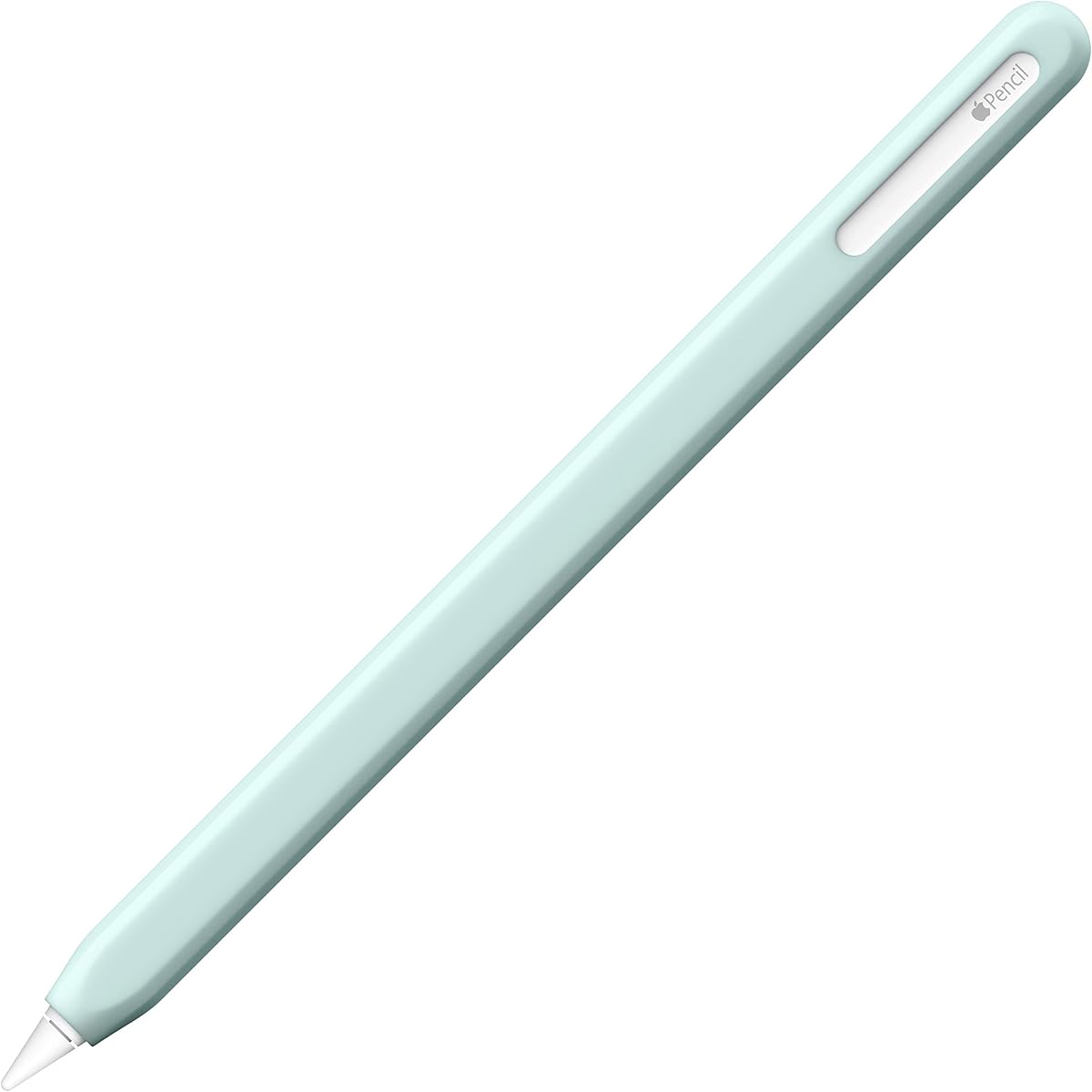


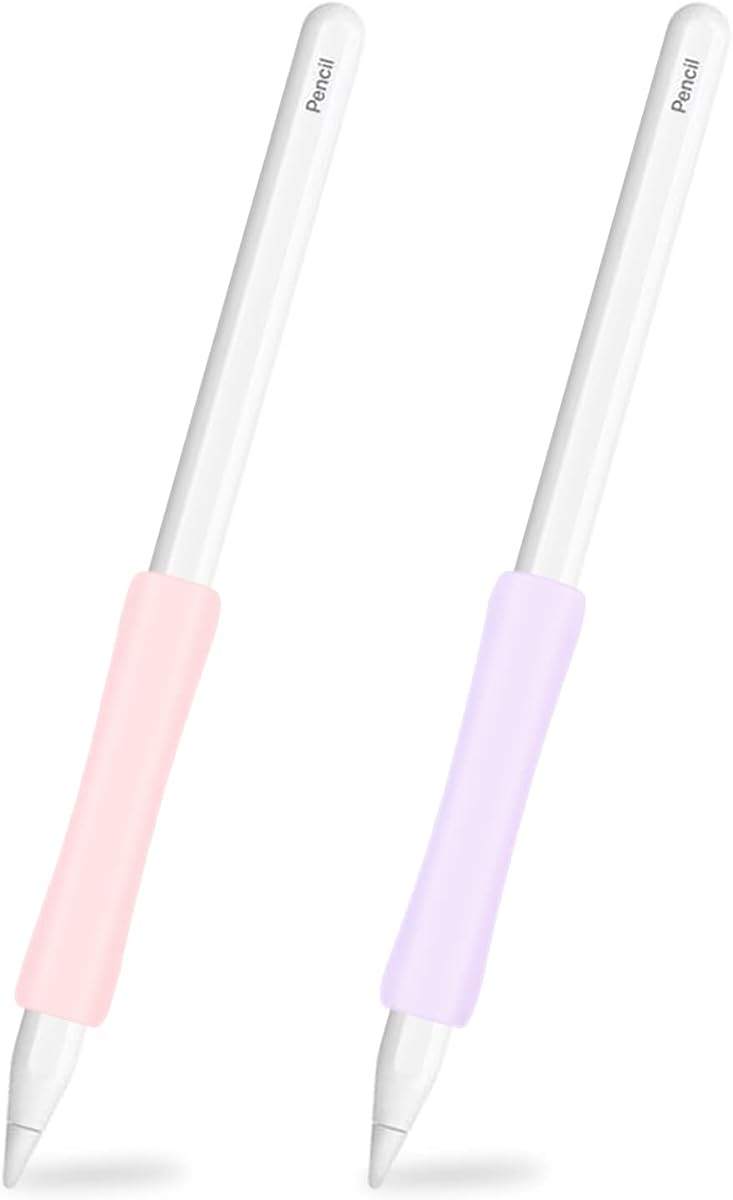
The Paperlike Pencil Grips pair a polished two-color set with an ergonomic shape intended to reduce fatigue during extended writing and drawing. With a 4.3 rating, this option stands out for its wide Pencil compatibility, including first-generation, second-generation, USB-C, and Pro models.
We may earn a commission when you buy through this link, at no additional cost to you.
Its soft-touch silicone is designed to feel grippy without feeling sticky, while the contoured shape supports a more natural hand position. Angled sidewalls are especially useful for owners who keep the Pencil beside an iPad in a folio or bumper-style case, reducing interference when the stylus is stored against the tablet.
The grip is engineered around the Pencil's functions rather than simply covering the barrel. Its ultra-thin silicone zones are intended to preserve magnetic charging, double-tap gestures, squeeze, barrel roll, and haptic feedback. As with any sleeve, actual charging performance can depend on the exact iPad, case, and alignment of the magnetic contact area.
This is the premium pick for someone who values a refined appearance, comprehensive model support, and an ergonomic shape. It is particularly attractive for users who switch between iPad systems or own multiple Apple Pencil generations. Buyers who only need a straightforward protective sleeve may find a simpler option more economical.
The tapered, hand-shaped profile is intended to distribute pressure more naturally and limit fatigue during prolonged notes, sketches, or document work. It is especially helpful for users who tend to hold an unmodified Pencil near its smooth barrel.
Ultra-thin functional zones help preserve charging and gestures, while angled sidewalls reduce interference with selected iPad cases. Users should still check that their particular case leaves adequate clearance around the Pencil's charging edge.
We may earn a commission when you buy through this link, at no additional cost to you.
The ProElife Ergonomics Grip Holder is a simple sleeve for first- and second-generation Apple Pencils. Its 4.5 rating reflects a favorable balance of affordability, adjustable placement, and anti-slip construction, making it a practical choice for students and everyday users.
We may earn a commission when you buy through this link, at no additional cost to you.
The sleeve becomes larger toward one end, following the curvature of the hand more closely than a straight cylinder. Internal grooves help hold the Pencil firmly, while the soft silicone offers traction and allows the grip to be shifted along the barrel until it reaches a comfortable position.
Installation is straightforward, and the product can be removed when charging or when the user wants direct access to the Pencil's original finish. Its main limitation is compatibility: the listed details identify first- and second-generation models but do not clearly cover the USB-C Pencil or Apple Pencil Pro.
It is best for owners of an older Apple Pencil who prioritize adjustable comfort and secure friction over the broadest possible model support. If you use a USB-C Pencil or Pro model, choose a grip whose specifications explicitly name your exact Pencil instead.
Because the sleeve can slide along the Pencil, users can position the thicker portion near the hand or farther down the barrel. This flexibility makes it easier to accommodate different writing and drawing positions.
Anti-slip grooves inside the silicone create friction against the Pencil barrel. That detail reduces movement during quick strokes and helps the grip remain stable without requiring a complicated attachment mechanism.
We may earn a commission when you buy through this link, at no additional cost to you.
The Pro-Draw Grip offers a distinctive split-back design and broad compatibility across first-generation, second-generation, USB-C, and Pro Apple Pencils. Its 4.4 rating reflects a well-regarded approach focused on both comfort and the ability to reach charging access.
We may earn a commission when you buy through this link, at no additional cost to you.
The opening allows the grip to be fitted without sliding it over the Pencil's sensitive end. It is designed to preserve access to second-generation features, and its edges can extend around the iPad, creating a more secure relationship between the Pencil, grip, and tablet.
Installation depends on whether the iPad is in a case. Without a case, the flat edge of the Pencil aligns with the grip opening and the grip rolls into place. With a case, the grip can be removed for charging as described in the product information. That process is less convenient than a fully removable thin sleeve.
This grip suits users who value a close, tactile connection and broad Pencil support more than the simplest possible charging routine. Those who frequently charge without removing their Pencil may prefer a low-profile sleeve with an uninterrupted charging section.
The split-back construction makes installation straightforward and avoids forcing the grip over the Pencil's tip. It also allows the accessory to extend around the iPad edge for a secure resting position.
Compatibility with first-generation, second-generation, USB-C, and Pro models makes this an adaptable option for households with several generations of Apple Pencil accessories.
We may earn a commission when you buy through this link, at no additional cost to you.
The UPPERCASE NimbleGrip earns the Editor's Choice distinction because it combines the highest listed rating, universal Pencil compatibility, and two usable grip geometries. At 4.6, it is the strongest-rated product in this comparison and a particularly complete everyday accessory.
We may earn a commission when you buy through this link, at no additional cost to you.
Its ribbed interior helps keep the grip attached, while the exterior alternates between round and hexagonal surfaces. That allows users to rotate the Pencil and choose the texture that feels best for writing, sketching, or extended navigation. Premium silicone gives the accessory a soft, supportive feel, and a dust-free coating is intended to reduce lint attraction.
The manufacturer also provides specific instructions for feature access. The NimbleGrip can be removed for wireless charging on Pro and second-generation models, while approximately half an inch should remain exposed for double-tap functionality. These requirements make it slightly less convenient than ultra-thin sleeves, but the guidance is unusually clear.
This is the most versatile choice for someone who has used several Pencil generations, changes grip styles frequently, or wants one sleeve that works across current and older hardware. It is also a strong choice for users who prioritize tactile comfort and clear functional instructions over the lowest-profile design.
The round and hexagonal exterior surfaces let users experiment with finger placement and pressure distribution. Rotating the grip can make a noticeable difference when switching between note-taking, drawing, and lighter navigation tasks.
Supportive silicone is designed to nest comfortably in the hand while resisting lint. The material also provides enough texture to reduce reliance on squeezing the Pencil hard during long sessions.
We may earn a commission when you buy through this link, at no additional cost to you.
This three-pack provides white, pink, and purple silicone grips for USB-C and second-generation Apple Pencils. Its 4.4 rating and generous assortment make it convenient for users who like to match accessories to cases or keep a spare sleeve on hand.
We may earn a commission when you buy through this link, at no additional cost to you.
The threaded silicone surface is designed to resist slipping and reduce sweat-related discomfort during long writing or drawing sessions. At 0.35 millimeters in thickness, the grips are designed to remain magnet friendly, preserving charging and the double-click function when the relevant areas are unobstructed.
The charging caveat is important. The product instructions warn that an obstruction between the grip and the iPad's charging position can prevent wireless charging. Owners should verify the alignment of their specific iPad and Pencil combination before relying on the grip while charging.
This is a good pick for users who appreciate coordinated accessories and want more than one color available. It is less suitable for first-generation or Pro Pencil owners because those models are not explicitly listed. The Pencil itself is also not included, so buyers need compatible hardware already in hand.
The thin threaded construction seeks to improve traction without adding much bulk. Its low-profile design is intended to leave charging and double-tap access available when the grip is correctly positioned.
White, pink, and purple options make it easy to coordinate with different iPad cases or separate work and personal devices. Having multiple sleeves also provides a convenient replacement if one becomes dirty.
We may earn a commission when you buy through this link, at no additional cost to you.
The elago Grip combines a clean protective appearance with an ergonomic profile and broad compatibility. Its 4.5 rating places it among the higher-rated choices, while support for Pro, first-generation, second-generation, and USB-C models makes it useful across different iPad setups.
We may earn a commission when you buy through this link, at no additional cost to you.
Premium silicone adds grip and can help protect the Pencil from scratches when it rests against another surface. The holder's curved shape is designed to sit comfortably in the hand and reduce fatigue over continued use, providing a softer, more substantial feel than the Pencil's bare barrel.
Compared with grips that emphasize pronounced textures or multiple holding surfaces, the elago design is relatively streamlined. That makes it visually unobtrusive and potentially easier to use with a case, though buyers who need maximum anti-slip performance may prefer a more aggressively textured option.
This grip is best for users who want a polished, minimal accessory and broad compatibility without a complicated mounting system. Check the fit around the charging edge before use, especially when the Pencil will be stored in a case or docked against an iPad.
The gently contoured silicone improves the feel of the Pencil without visually overwhelming it. It is a practical choice for users who want a protective sleeve with a restrained appearance.
The soft material can reduce direct contact between the Pencil and a desk, case, or another device. That added barrier can help guard against scratches and minor everyday wear.
We may earn a commission when you buy through this link, at no additional cost to you.
The UPPERCASE NimbleSleeve focuses on complete protection and a faceted exterior for second-generation and Pro Apple Pencils. Its 4.3 rating reflects a solid balance of grip, coverage, and charging compatibility for users who often set their Pencil down beside an iPad.
We may earn a commission when you buy through this link, at no additional cost to you.
Complete silicone coverage helps protect the Pencil from dust, dirt, and accidental drops. More importantly for desk use, the faceted shape resists rolling, reducing the chance that the stylus will fall from a surface or move unexpectedly during a pause.
The slim profile is designed to maintain magnetic charging and the double-tap feature of the second-generation Pencil. The product information includes an important limitation: third-party iPad cases need a suitable Apple Pencil cutout for wireless charging to work with the sleeve installed.
This sleeve is well suited to students, sketchers, and professionals who value a tidy desktop and broad physical protection. It is less attractive for first-generation Pencil owners or anyone whose case lacks the required magnetic charging cutout.
Unlike a perfectly round sleeve, the faceted exterior creates flat contact points that help keep the Pencil from rolling. That makes it easier to retrieve the stylus from a desk or shelf.
The complete silicone covering adds a barrier against dust, dirt, and minor impacts. It also softens the feel of the Pencil during extended use.
We may earn a commission when you buy through this link, at no additional cost to you.
The SIXFU two-pack provides black and white grips with both circular and square holding surfaces. Its 4.2 rating is solid for an accessory aimed at design flexibility, and the supplied mini storage case adds a practical touch for travel or keeping spare grips organized.
We may earn a commission when you buy through this link, at no additional cost to you.
The combination of a round side and a square side gives users more than one way to position their fingers. That can be useful for detailed drawing, conventional writing, or using the Pencil as a navigation tool. The anti-sweat and non-slip surfaces are intended to improve control during longer creative sessions.
An ultra-thin cross-sectional section is designed to preserve wireless charging and double-tap functionality without removing the grip. The instructions emphasize that the charging area must align correctly and remain unobstructed. The grips are also incompatible with compact pen slots, so owners should check their case before ordering.
This is a compelling option for artists and users who enjoy experimenting with grip geometry. It is less convenient for travelers who rely on very narrow accessory compartments, but the included storage case helps offset that limitation.
Rotating between circular and square surfaces changes how the fingers rest around the Pencil. The square profile can offer a more defined edge for stability, while the round side may feel more familiar.
The included mini buckle box keeps the two grips together and makes them easier to carry. It is a small but useful accessory for users who switch grips frequently or store accessories in a bag.
We may earn a commission when you buy through this link, at no additional cost to you.
The ProElife two-pack offers pink and purple silicone sleeves for a wide range of Apple Pencil and iPad combinations. Its 4.4 rating reflects a well-received ergonomic design that is particularly accessible to users who want a soft, stretchy grip.
We may earn a commission when you buy through this link, at no additional cost to you.
The center of each sleeve is more concave than its ends, allowing the grip to follow the curvature of the hand. The flexible silicone and anti-slip design keep the Pencil stable while still allowing the sleeve to be moved to a more comfortable position. Installation is straightforward.
Compatibility information includes first-generation, second-generation, USB-C, and Pro Pencils across several iPad Pro, Air, standard iPad, and iPad mini families. Unlike some competing products, the listed information does not clearly explain magnetic charging or double-tap behavior, so those functions should be checked with the actual device combination.
This is a good choice for users who want two color options and broad hardware support in a soft sleeve. It is especially suitable for students and casual artists who appreciate a contoured grip without the bulk of a more elaborate accessory.
The concave middle gives the fingers a natural resting point and prevents the grip from feeling like a uniform tube. That shaping can reduce pressure during prolonged writing or sketching.
The pink and purple sleeves can be assigned to different iPads or swapped according to personal preference. Stretchy silicone also makes installation and removal relatively simple.
We may earn a commission when you buy through this link, at no additional cost to you.
The ProElife Modern two-pack is built specifically for the USB-C Apple Pencil, second-generation Pencil, and Apple Pencil Pro. Its 4.3 rating reflects a useful modern focus, especially for owners who want magnetic charging support without using a first-generation model.
We may earn a commission when you buy through this link, at no additional cost to you.
Like the brand's other ergonomic sleeves, this model has a concave center designed to follow the hand's curvature. The soft, stretchy silicone holds firmly against the Pencil and protects the body from scratches, dust, dirt, and falls from a desk or iPad surface.
The ultra-thin sleeve skin is designed not to interfere with wireless charging for the second-generation Pencil. Compatibility details include current and recent iPad Pro, iPad Air, iPad mini, and 2024-era Pencil Pro hardware, making it a sensible option for a newer device setup.
The explicit exclusion of the first-generation Pencil is important because it narrows the product's appeal. Within that newer-model range, it is a practical choice for users who value simple installation, ergonomic shaping, and protection with charging compatibility.
The sleeve uses a particularly thin profile around the Pencil body so magnetic charging can continue when alignment is correct. It avoids the bulk associated with thicker, fully covered grips.
Soft silicone shields the Pencil from minor scratches and keeps dust away from its surface. The material also gives the stylus a more tactile feel during long use.
We may earn a commission when you buy through this link, at no additional cost to you.
Choosing an Apple Pencil grip involves balancing Pencil compatibility, hand comfort, attachment style, charging access, and the kind of protection you need. The most useful option is one that supports your exact Pencil model without interfering with the features you rely on.
Apple Pencil grips are not universally interchangeable because generations differ in diameter, shape, and functional zones. First-generation, second-generation, USB-C, and Apple Pencil Pro models all appear in this comparison, but a product must explicitly name your model to qualify. Some grips are limited to second-generation and Pro hardware, while others exclude first-generation compatibility.
Check the model names in the product listing and compare them with the Pencil you own. Pay special attention to newer USB-C versions, since accessories written before that model existed may not fit it.
A comfortable grip should support the natural curve of your fingers rather than forcing you around a smooth cylinder. Tapered sleeves, concave centers, and rounded profiles can distribute pressure differently, while multiple grip surfaces allow you to rotate the Pencil and select a more comfortable hold.
For long writing or drawing sessions, choose a shape that feels natural without requiring a tight squeeze. If possible, compare the grip's thickness and contours with accessories you already know are comfortable in your hand.
Magnetic charging, double-tap, squeeze, barrel roll, and haptic feedback can be affected by the sleeve's thickness, shape, and alignment. Some products use ultra-thin sections to preserve these features, while others must be removed for charging or require a specific area to remain exposed.
Look for specific instructions rather than assuming that every accessory preserves every function. Also verify that your iPad case has an appropriate magnetic charging cutout if you plan to charge while the grip remains installed.
Anti-slip performance comes from several details: internal grooves, a tight silicone fit, exterior texture, and the shape of the grip. Ribbed interiors help prevent the sleeve from sliding along the Pencil, while faceted or threaded outer surfaces improve control and can keep the stylus from rolling on a desk.
For users who sweat during long sessions or draw with forceful strokes, prioritize traction over minimal bulk. A grip that stays securely attached and feels soft in the hand may be more valuable than an ultra-thin sleeve with little texture.
Most grips slide onto the Pencil as flexible silicone sleeves, while some use split-back openings or shaped edges that extend around the iPad. Slide-on sleeves are easy to move between devices. Split-back grips may offer a more integrated feel but can require removal before charging.
Think about how often you switch devices and how you store your Pencil. Users who carry it loosely in a folio may prefer a slim sleeve, while owners who keep it beside a tablet may benefit from edges or facets that resist rolling.
A light grip mainly improves texture and hand feel, while a full silicone sleeve adds broader protection from dust, dirt, scratches, and accidental drops. Premium materials may also resist lint and preserve their surface more cleanly over time.
Protection is especially useful for an Apple Pencil carried in a crowded bag. If your main concern is scratch prevention, prioritize full or near-full coverage; if your priority is feel, a thinner contoured sleeve may be more appropriate.
The contents differ meaningfully across the list. Some products include one grip, while others include two colors, three colors, or a small storage box. A multi-pack can be convenient for several iPads, different styles, or a spare kept at work.
Multi-packs add flexibility, but buyers do not need more colors if they only use one iPad. Review the complete package contents carefully, and note that grips sold in sets do not include the Apple Pencil itself unless the listing specifically says otherwise.
Flexible silicone is easy to install but can stretch or tear if it is forced over a sharp edge or pulled from an awkward angle. Following the manufacturer's removal instructions helps preserve the grip's fit, especially for models that expose the double-tap area or must be removed for wireless charging.
Keep the sleeve away from dust and debris when it is off the Pencil, and allow the Apple Pencil's charging surface to remain clean. A few seconds of care after use can help preserve both the grip and the charging connection.
Begin by confirming that the grip supports your exact Apple Pencil model. Clean and dry both the Pencil barrel and the inside of the silicone sleeve, then align the grip with the section where you want it to sit. For a slide-on sleeve, ease it over the barrel with gentle pressure rather than pulling sharply across the Pencil's edge.
After installation, rotate the Pencil to find the most comfortable exterior texture and holding position. If the grip includes a flat or faceted section, test whether it feels more stable on a desk. For accessories with exposed feature areas, confirm that double-tap, squeeze, barrel roll, and haptic feedback still respond as expected.
Before wireless charging, check that the grip's thin section matches the charging position and that no iPad case blocks the magnetic connection. Remove the grip when the manufacturer recommends doing so, and always pull from the specified edge rather than the Pencil barrel. Wipe silicone with a soft dry cloth, keep it free of grit, and store it flat or loosely rolled when not in use.
Some grips can support wireless charging because they use an ultra-thin section around the charging area, while others must be removed. The correct result also depends on the Pencil, iPad, grip alignment, and iPad case. Check the product instructions and confirm that no part of the grip or case obstructs the magnetic charging connection before leaving the accessory installed.
Many grips preserve double-tap, but some products require a specific portion of the Pencil to remain exposed. The UPPERCASE NimbleGrip, for example, directs users to leave about half an inch exposed for that function. Test the gesture after installation and move or remove the sleeve according to its instructions if the Pencil does not respond.
No. Compatibility depends on the exact design, and some grips marketed for older generations do not explicitly support Apple Pencil Pro. Several options in this guide specifically name Pro compatibility, including Paperlike, Pro-Draw, UPPERCASE NimbleGrip, elago, SIXFU, and the broad-compatibility ProElife two-pack. Always verify the exact model before ordering.
A contoured, ergonomic grip with enough texture to prevent slipping is usually more suitable for long sessions than a completely smooth sleeve. Tapered or concave shapes can fit the hand more naturally, while round, square, and hexagonal surfaces let users rotate the Pencil and find a preferred finger position. Comfort varies by hand, so the ability to adjust placement is also valuable.
That depends on the case and grip combination. Paperlike uses angled sidewalls intended to work with many cases, while some low-profile sleeves fit compact slots more readily. Other grips may need removal for charging or may not fit a narrow compartment. Compare the product's case guidance with the dimensions and Pencil cutout of your specific iPad case.
A single grip is sufficient for one Pencil, while a multi-pack is helpful if you own several devices, like coordinated colors, or want a spare. Some sets also include a storage box that makes spare grips easier to organize. Choose based on your actual number of Pencils and preferred color options rather than pack size alone.
Look for internal ribs or grooves, a close silicone fit, and exterior texture. Some grips can also be repositioned along the Pencil to find a comfortable spot. Confirm that the grip is fully seated and not twisted around the barrel, and avoid leaving visible dust or debris between the Pencil and silicone.
Follow the care instructions supplied by the manufacturer, since cleaning methods can vary with coatings and materials. A soft, slightly damp cloth is generally less likely to damage silicone than harsh detergent, but the Apple Pencil itself should never be immersed. Remove the grip before cleaning the Pencil and let both parts dry completely before reassembly.
The UPPERCASE NimbleGrip stands out as the most versatile option, combining the highest listed rating, support across every major Pencil generation, and both round and hexagonal holding surfaces. Paperlike is the premium choice for users who value a refined two-color set, ergonomic shaping, and case-conscious design, while the ProElife Ergonomics Grip is a strong budget-oriented option for older Pencil models.
Before choosing, prioritize exact model compatibility, charging requirements, and the grip geometry that feels best in your hand. A useful grip should reduce slipping, remain comfortable during long sessions, and preserve the Pencil features you use. If multiple iPads or Pencil generations are involved, broad compatibility and a removable sleeve may matter more than the lowest-profile design.
Finally, review the current listing and product instructions before ordering, because compatibility details and included accessories can change. Checking the latest fit information, feature-access guidance, and case requirements will help ensure that the selected Apple Pencil grip works smoothly with your specific device setup.