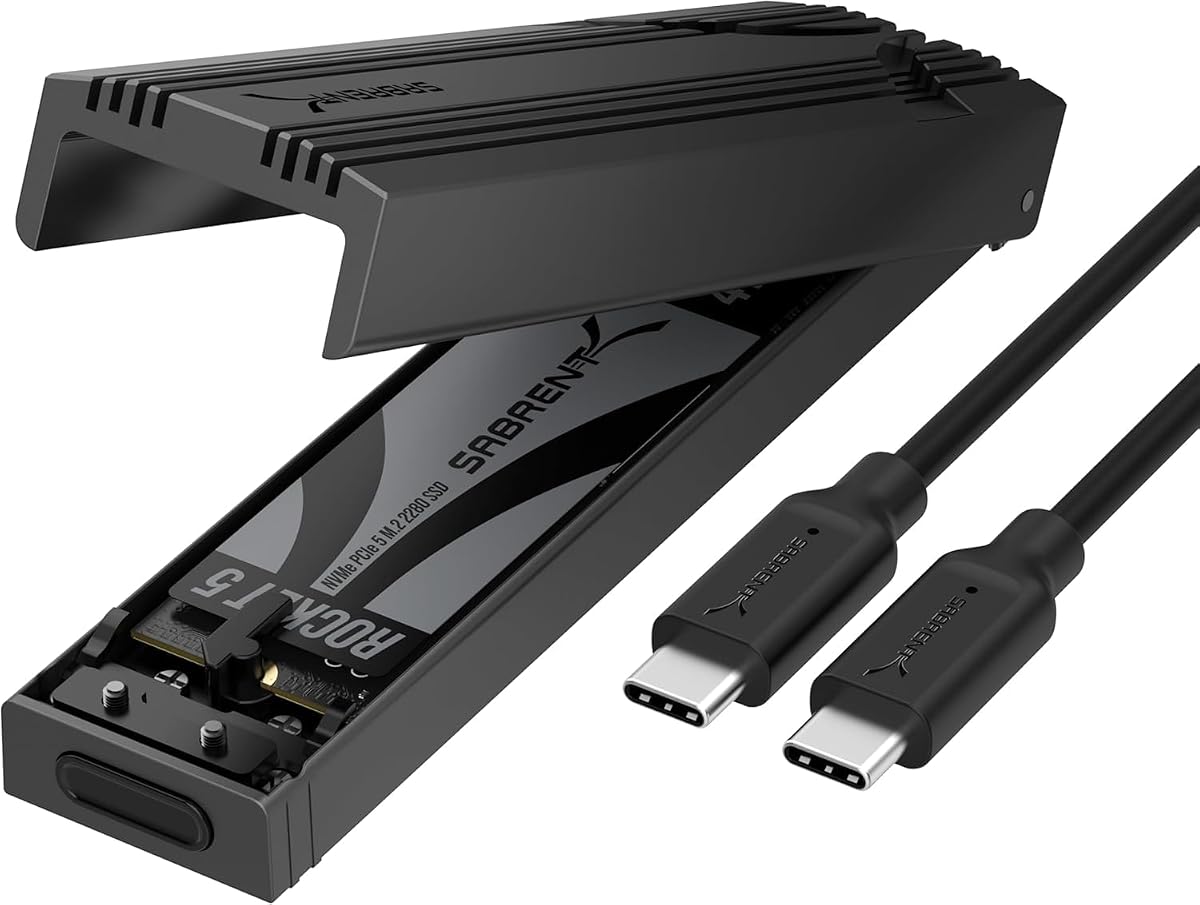
SABRENT USB-C NVMe Enclosure & Reader
4.5Editor score
Tool-free flip-open installation
10Gbps USB-C transfer interface
Aluminum and reinforced ABS construction
This Rugged NVME Enclosure guide compares 10 durable options for speed, SSD compatibility, data protection, portability, and everyday reliability in 2026.
A rugged NVME enclosure should protect a fast SSD from impacts, dust, moisture, and the rough handling associated with travel or demanding work environments. The best models also preserve the transfer speed and installation convenience that make external NVMe storage practical for backups, file transfers, repairs, and temporary game storage.
The ten products in this guide were compared using their stated protocols, USB interfaces, supported M.2 sizes, physical construction, installation systems, thermal features, and protective ratings. The list covers aluminum and zinc-alloy designs, tool-free and screw-fastened models, NVMe-only enclosures, and dual-protocol options for both NVMe and SATA SSDs.
Each review identifies the circumstances in which a particular enclosure makes the most sense, from budget-conscious portable storage to high-speed, MIL-STD-tested equipment. Customer ratings provide an additional reference, although they do not replace checking SSD compatibility, host-device ports, and current prices, which can change over time.
4.5Editor score
4.6Editor score

4.5Editor score
The comparison below highlights interface speed, SSD compatibility, physical protection, and installation convenience across all ten enclosures, helping readers identify the model that best matches their device, drive, and working environment.




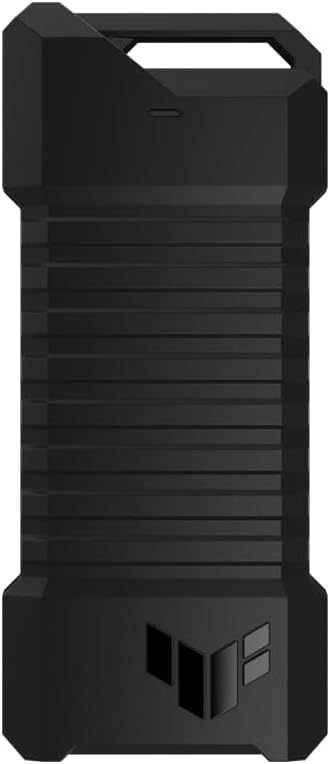
The ASUS TUF Gaming A1 combines one of the most credible protection specifications in this guide with a practical, screw-free installation design. Its customer rating of 4.6 reflects a strong overall reception, while the enclosure's MIL-STD-810H drop resistance and IP68 water and dust protection distinguish it from ordinary portable NVMe cases.
We may earn a commission when you buy through this link, at no additional cost to you.
Its USB-C 3.2 Gen 2×1 interface supports transfer speeds up to 10Gbps, making it suitable for fast SSD transfers when the connected computer, console, or other host also supports the required USB standard. The dual M.2 interface accepts both PCIe NVMe and SATA SSDs in 2242, 2260, and 2280 form factors, so it is more flexible than enclosures limited to one protocol. A bundled USB-C cable adds convenience, while compatibility with PCs, laptops, mobile devices, and current-generation gaming consoles broadens its practical use.
The Q-Latch mechanism is another major advantage because it removes the need for tiny screws during installation. A rugged enclosure that is difficult to open can still create problems in the field, particularly when a drive needs to be replaced quickly. The A1 avoids that issue with a retention design intended for straightforward SSD swaps. Its rugged claim is supported by stated drop, water, and dust standards rather than relying only on an aluminum appearance.
This is the strongest general recommendation for readers who want proven environmental resistance without sacrificing broad SSD compatibility or convenient installation. It is especially well suited to travelers, field technicians, and gamers moving a drive between systems. The main limitation is that 10Gbps is below the 20Gbps interface offered by the newer TUF A2, while SATA performance is naturally restricted by the protocol itself.
The combination of MIL-STD-810H drop resistance and IP68 sealing makes the A1 especially credible for use in bags, workshops, and outdoor workflows where an enclosure may be knocked, dusted, or exposed to moisture.
The Q-Latch allows an SSD to be mounted without screws, while the 10Gbps interface can take advantage of compatible high-speed NVMe drives while still accommodating SATA models.
We may earn a commission when you buy through this link, at no additional cost to you.
The ASUS TUF Gaming A2 is the premium option in this lineup because it pairs military-oriented environmental protection with the fastest stated interface here. Its 4.5 rating indicates favorable customer reception, while the aluminum alloy chassis, protective silicone exterior, and 20Gbps USB-C 3.2 Gen 2×2 connection create a strong feature set for demanding users.
We may earn a commission when you buy through this link, at no additional cost to you.
The enclosure accepts M.2 NVMe PCIe and SATA drives in 2242, 2260, and 2280 sizes. That dual-protocol support prevents the frustration of discovering that a previously purchased SATA SSD will not fit. Its most notable advantage, however, is the 20Gbps interface, which can outperform 10Gbps alternatives when paired with an SSD and host device capable of sustaining the faster connection. As with any enclosure, the host port and cable must support the advertised generation.
Thermal management receives careful attention in the stated design. An aluminum chassis and thermal pad dissipate heat away from the SSD, which can help maintain performance and drive longevity during large transfers. The Q-Latch retains the drive without requiring screws, and the stated MIL-STD-810H and IP68 testing gives the A2 a clear advantage over enclosures that merely describe themselves as rugged.
The A2 is best for users who regularly move large NVMe files and need the strongest combination of speed, environmental resistance, and installation convenience. It also suits professional workflows where a single enclosure may need to handle both NVMe and SATA drives. The trade-off is that the faster interface is useful only with compatible equipment, and buyers seeking the lowest cost may find a 10Gbps model more than adequate.
The 20Gbps interface can cut transfer times compared with 10Gbps models, making the A2 valuable for large media libraries, working project files, and frequent backups when the host device supports the faster connection.
The aluminum body and thermal pad help move heat away from the drive, supporting steadier transfer performance during extended sessions and reducing the effect of heat buildup inside the enclosure.
We may earn a commission when you buy through this link, at no additional cost to you.
The SABRENT EC-PNVO is a practical budget choice for readers who need a durable-feeling portable enclosure without moving to a premium model. It holds a 4.5 customer rating and offers the same useful 10Gbps interface found in many more expensive enclosures, along with a straightforward USB-C connection and tool-free installation.
We may earn a commission when you buy through this link, at no additional cost to you.
Its flip-open design is particularly convenient. The cover opens, the NVMe SSD is inserted, the drive locks into place, and the cover closes without screws or tools. The enclosure supports M.2 NVMe SSDs in 2230, 2242, 2260, and 2280 sizes, with capacity stated up to at least 8TB. It is bus-powered and does not require drivers or an external power supply, making it easy to use with laptops, desktops, gaming handhelds, and other USB-C devices.
Thermal handling is a notable strength for a portable NVMe enclosure. The aluminum body presses a thermal pad directly against the SSD, a design intended to improve heat transfer and support steadier 10Gbps performance during long transfers. A reinforced ABS frame and aluminum-alloy top provide physical protection, although the product information does not claim a formal MIL-STD or IP rating.
The important limitation is protocol support. This enclosure is NVMe-only and is not compatible with M.2 SATA SSDs. Buyers who already own a compatible NVMe drive and want fast, tool-free portable access will find it particularly useful. It is less suitable for users who need one enclosure to handle older SATA M.2 drives or require a certified environmental-protection standard.
The EC-PNVO avoids external power, drivers, and installation tools, leaving a straightforward process for moving a compatible NVMe drive between USB-C devices.
Pressing the thermal pad directly against the drive improves the transfer path for heat, which is especially relevant when moving large files continuously at the enclosure's full 10Gbps interface speed.
We may earn a commission when you buy through this link, at no additional cost to you.
The Ineo C2597-NVMe stands apart from the other rugged enclosures through its physical write-protection switch. It carries a 4.2 rating and uses a solid metal case with a Picatinny rail-style exterior, making it visually distinctive as well as practical for controlled field use.
We may earn a commission when you buy through this link, at no additional cost to you.
The write-protection feature is the central reason to choose this model. Moving the switch to the lock position places the SSD and its files into read-only mode, which is useful when inspecting data on a public or unfamiliar computer. That protection is more visible and deliberate than relying only on operating-system permissions. The aluminum cover protects the drive, while a bundled silicone thermal pad helps control heat during high-speed transfers.
Its USB 3.2 Gen 2 interface provides transfer speeds up to 10Gbps and supports M-Key NVMe SSDs in 2280, 2260, 2242, and 2230 sizes. The enclosure does not support M.2 SATA or NGFF drives, so compatibility must be checked before purchase. It also lacks a stated formal water or dust rating, despite its rugged militarized construction.
This enclosure is most suitable for technicians, investigators, or travelers who need a physical safeguard against accidental modification of files. It is less attractive for buyers seeking broad protocol support or certified environmental sealing. For its intended read-only field workflow, however, the switch provides a feature that most competing enclosures do not offer.
A physical lock can prevent accidental writes to the connected SSD, offering a more visible safeguard than software permissions when the drive must be used on a public computer.
The solid metal cover and Picatinny-inspired shape give the enclosure a durable visual identity while helping protect the drive from ordinary knocks and handling.
We may earn a commission when you buy through this link, at no additional cost to you.
The Zinc Alloy M.2 NVMe and SATA enclosure is designed for users who need to manage more than one type of M.2 SSD. It supports PCIe NVMe and SATA or NGFF drives in 2230, 2242, 2260, and 2280 sizes and carries a 4.4 customer rating.
We may earn a commission when you buy through this link, at no additional cost to you.
The RTL9210B controller includes short-circuit, over-current, and other stated protections, along with UASP and Trim support. NVMe drives can operate at up to 10Gbps, while SATA III drives are limited to 6Gbps. The enclosure supports Windows, macOS, Linux, and Android, and the stated compatibility list extends to laptops, phones, tablets, smart TVs, Chromebooks, cameras, and gaming consoles.
Physical construction is a major selling point. A zinc alloy body, silicone-wrapped edges, and a silicone heat pad create a rugged profile intended to resist dust, scratches, and moisture. The package includes a USB-C to USB-C cable and a screwdriver. The tool makes installation less immediate than a tool-free design, but it allows the enclosure to be opened and serviced without purchasing a separate implement.
Compatibility requires care. The enclosure does not support M.2 SATA AHCI B-Key SSDs, and an SSD with a pre-installed heatsink will not fit unless that heatsink is removed. It is best for a mixed collection of common NVMe and B+M-Key SATA drives used across several operating systems. Buyers needing a completely universal enclosure should check the physical and connector details of their drives before ordering.
Supporting both NVMe and SATA protocols makes this enclosure useful for technicians or content creators who still have older M.2 SATA drives alongside newer PCIe models.
Silicone wrapping around the zinc alloy housing improves grip and guards vulnerable edges, while the included heat pad helps transfer heat away from the installed SSD.
We may earn a commission when you buy through this link, at no additional cost to you.
The Ineo C2594-NVMe combines an aluminum cover, silicone frame, and RGB gaming design in a compact enclosure. Its 4.4 rating and stated waterproof and shockproof characteristics make it appealing to buyers who want external storage that looks at home in a gaming setup and remains suitable for travel.
We may earn a commission when you buy through this link, at no additional cost to you.
The USB 3.2 Gen 2 interface supports transfer speeds up to 10Gbps and works with M-Key NVMe SSDs in 2280, 2260, 2242, and 2230 formats. A silicone thermal pad is included for heat management. The enclosure is not compatible with M.2 SATA drives, so it is best suited to users with PCIe NVMe storage.
Its physical design emphasizes protection. The aluminum cover provides structural support, while the compact silicone frame helps shield the drive and contributes to the product's rugged appearance. The RGB lighting is an aesthetic feature rather than a storage advantage, but it differentiates the enclosure from utilitarian models. Although the listing describes it as waterproof and shockproof, it does not state a formal IP or military test designation.
This is a good option for gamers and portable-system users who want NVMe performance, visual styling, and a protective shell in one package. The lighting makes it especially suitable for a desk setup that remains visible, while the compact body simplifies transport. Buyers who need formal environmental certification or SATA compatibility should look to one of the dual-protocol or MIL-STD-rated alternatives.
The integrated RGB design gives the enclosure a more decorative appearance than conventional utilitarian cases while retaining a 10Gbps NVMe connection.
The metal cover and resilient silicone frame help protect the installed drive during everyday handling, although buyers requiring a formal IP rating should consider a model that states one.
We may earn a commission when you buy through this link, at no additional cost to you.
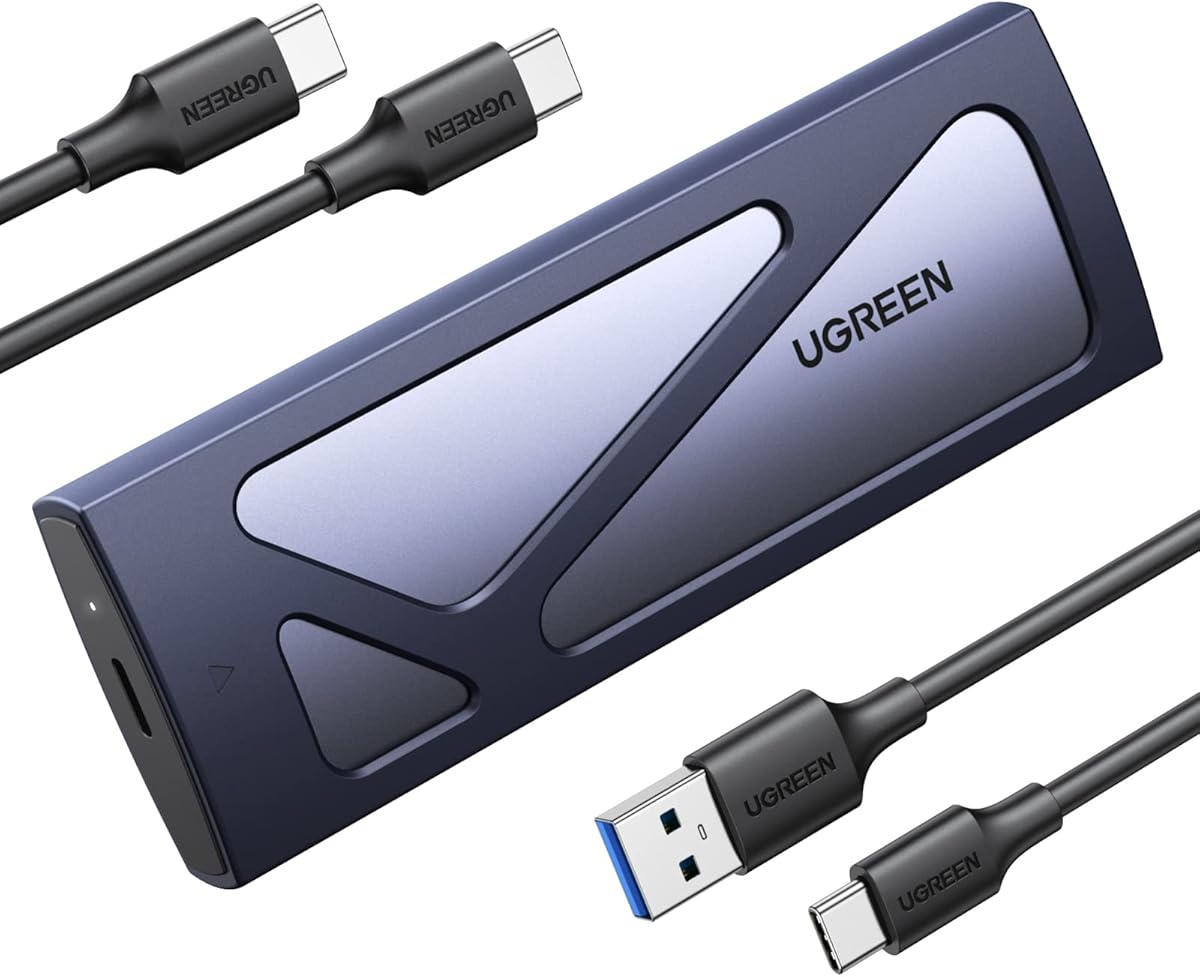
The UGREEN USB-C M.2 NVMe enclosure is a straightforward everyday option with a slim aluminum body and a protective silicone case. It holds a 4.4 rating and focuses on the combination of tool-free installation, 10Gbps performance, and portability rather than elaborate lighting or premium industrial certification.
We may earn a commission when you buy through this link, at no additional cost to you.
The enclosure supports NVMe SSDs in 2230, 2242, 2260, and 2280 sizes, with stated capacity support up to 8TB. Its buckle design secures the drive without screws, while plug-and-play operation means no drivers are required. The RTL9210 controller provides stated short-circuit, over-current, and multi-protection features, along with UASP and Trim support for efficient transfers.
The 10Gbps interface uses USB 3.2 Gen 2 and is backward compatible with USB 3.1 and USB 3.0, although reaching the maximum rate requires a matching USB-C 3.2 Gen 2 data cable and a compatible host port. The stated system compatibility covers Windows, macOS, Linux, Android, and iOS. As with other NVMe-only designs, it cannot accept an M.2 SATA or mSATA drive.
The extra silicone case provides useful physical protection without turning the enclosure into a bulky object. This makes it well suited to laptop bags, travel kits, and regular transfers between a desktop and notebook. It is a strong general pick for buyers who do not need dual-protocol support or a formal environmental rating and want a simple, portable enclosure with quick installation.
The buckle retains the SSD without screws, and the slim housing plus silicone cover makes the enclosure easy to carry between frequently used devices.
The RTL9210 controller includes stated short-circuit, over-current, and other protective functions, adding reassurance when a frequently transported drive is connected to different systems.
We may earn a commission when you buy through this link, at no additional cost to you.
The ICY BOX dual-protocol enclosure is built around portability for photographers, videographers, and mobile professionals. It has a 4.3 rating, a full metal housing, and an included lanyard that can connect the enclosure to a camera bag or gear loop.
We may earn a commission when you buy through this link, at no additional cost to you.
The enclosure accepts both M-Key NVMe and B+M-Key SATA SSDs in lengths from 2230 through 2280, with stated capacity support up to 4TB. USB 3.2 Gen 2 Type-C provides transfer rates up to 10Gbps, while the stated compatibility list includes Windows, macOS, Linux, and Android. This makes it a versatile choice for file transfer, editing, and backup workflows across different computers.
Ruggedness comes from the full metal shell, which is designed to resist dust and shock. An included thermal pad works with that metal construction to dissipate heat during large transfers or extended use. The lanyard is not a structural upgrade, but it reduces the chance of leaving a small enclosure behind at a location and makes the case easier to retrieve from a larger bag.
This model is a good middle ground for users who want more rugged construction and protocol flexibility than a basic sleeve without moving to a premium 20Gbps enclosure. The 4TB maximum is the main specification caveat for buyers with very large drives. It also lacks a stated IP rating, so formal water and dust certification should not be inferred from the metal housing alone.
The included lanyard lets the enclosure attach to a camera bag or gear loop, reducing the need to keep track of a small case during location work.
The full metal housing provides structural protection, and the included thermal pad helps move heat away from the SSD during extended high-speed transfers.
We may earn a commission when you buy through this link, at no additional cost to you.
The SABRENT EC-SNVE combines a slim enclosure with fully tool-free installation and support for both NVMe and SATA. Its 4.5 rating places it among the better-rated products in the guide, and its 10Gbps USB-C interface is appropriate for everyday external storage, backups, cloning, and troubleshooting.
We may earn a commission when you buy through this link, at no additional cost to you.
Both M.2 PCIe NVMe and M.2 SATA drives are supported in 2242, 2260, and 2280 lengths. Installation requires no screwdriver, and the enclosure is bus-powered, with no external power supply or drivers required. The included eight-inch Type-C to Type-C cable supports connection to compatible hosts, while stated compatibility includes Windows 7 or later, macOS 10.5 or later, and Linux.
Its slim aluminum case includes an ABS frame and a thermal pad designed to move heat away from the drive. This gives it a more refined appearance than a thick industrial shell while retaining useful physical protection. The enclosure is rated for transfer speeds up to 10Gbps and up to 1000MB/s in real transfers, with backward compatibility for USB 3.1 and USB 3.0 at their respective limits.
The principal restrictions are mechanical rather than electronic. The drive must be bare, without a pre-installed heatsink, and the 2230 form factor is not among the listed supported sizes. It also does not accept 2.5-inch SATA drives or mSATA. For users with 2242, 2260, or 2280 bare drives, however, it provides an especially convenient way to swap protocols without changing enclosures.
The tool-free design is useful for cloning, troubleshooting, and portable storage because a drive can be inserted or removed without finding a small screwdriver.
Supporting both NVMe and SATA drives makes the enclosure useful across different generations of M.2 storage without adding the bulk of a larger industrial enclosure.
We may earn a commission when you buy through this link, at no additional cost to you.
The ASUS ROG Strix Arion is the style-focused option in this guide and carries the highest customer rating among the listed products at 4.7. Its aluminum alloy body, thermal pads, and ASUS Aura Sync RGB lighting make it particularly attractive for a gaming desk where the enclosure remains visible.
We may earn a commission when you buy through this link, at no additional cost to you.
The USB 3.2 Gen 2 Type-C interface supports transfer speeds up to 10Gbps. The enclosure fits PCIe NVMe SSDs in 2230, 2242, 2260, and 2280 form factors and lists M-Key and B+M-Key fitment, though the product data specifically identifies NVMe rather than SATA protocol support. Buyers should therefore verify that their drive is a compatible PCIe NVMe model.
Two cables are included: one USB-C to USB-C cable and one USB-C to USB-A cable. That selection is helpful because it enables connection to modern USB-C systems as well as computers with Type-A ports without requiring a separate adapter. Thermal pads help pull heat away from the drive, while the aluminum alloy housing provides a rigid shell around it.
The Arion is best for gamers and enthusiasts who want a polished external NVMe enclosure that coordinates with other Aura Sync products. Its 10Gbps interface is not the fastest available in this roundup, and it does not state a formal MIL-STD or IP protection standard. It therefore competes primarily on construction, included accessories, lighting, and customer feedback rather than certified field protection.
Aura Sync lighting can coordinate the enclosure with compatible ASUS components, allowing external storage to fit visually into a gaming system rather than remain an unadorned utility box.
The included USB-C to USB-C and USB-C to USB-A cables make it easier to connect the enclosure to modern laptops and desktop systems with either port configuration.
We may earn a commission when you buy through this link, at no additional cost to you.
The right rugged NVME enclosure depends on more than appearance. Drive protocol, interface generation, environmental ratings, cooling, installation method, and host compatibility should all be considered before making a selection.
An NVMe enclosure can use only PCIe NVMe SSDs, while a dual-protocol enclosure also supports compatible M.2 SATA or NGFF drives. SATA and NVMe look similar but use different protocols, and a connector that physically fits does not guarantee that the enclosure can communicate with the drive. The Ineo C2597, Ineo C2594, SABRENT EC-PNVO, and ROG Strix Arion are described as NVMe-focused, while the ASUS TUF A1 and A2, Zinc Alloy model, ICY BOX, and SABRENT EC-SNVE support both major protocol types.
Choose NVMe-only for a modern PCIe drive and straightforward compatibility. Choose dual protocol if you own older SATA M.2 storage or need one enclosure to serve a mixed drive collection.
Most of the enclosures here use USB 3.2 Gen 2 with a maximum stated transfer rate of 10Gbps. The ASUS TUF Gaming A2 upgrades to USB 3.2 Gen 2×2 and offers 20Gbps, making it the best candidate for reducing transfer time with compatible hardware. A faster enclosure cannot outperform a host port or cable that lacks the corresponding USB generation, and the SSD itself must sustain the relevant rate.
Match the enclosure to your most frequently used computer and buy a suitable data cable. Treat 20Gbps as a system-level capability rather than an automatic result.
Words such as rugged, military-grade, waterproof, and shockproof can mean different things to different manufacturers. The ASUS TUF A1 and A2 provide the clearest certification-style distinctions here, with stated MIL-STD-810H drop resistance and IP68 water and dust protection. Other models use protective materials, silicone frames, or described resistance without listing a formal ingress or military standard.
Prioritize stated standards for outdoor or high-risk work. For ordinary commuting, material quality and secure construction may be sufficient, but avoid assuming unstated certification.
Most M.2 SSDs use 2280, or 80 millimeters in length, but smaller 2242, 2260, and 2230 drives also exist. Several models support the full range, while the SABRENT EC-SNVE lists 2242, 2260, and 2280. Support for a specific physical size does not necessarily mean support for every key or protocol used by a drive of that size.
Measure the drive or check its model number before ordering. Confirm both length and protocol, particularly when using a less common 2230 or dual-key module.
Fast NVMe SSDs generate heat, and an enclosure that traps that heat can contribute to slower or less consistent performance. Aluminum bodies and silicone thermal pads are common features among the stronger choices here. The ASUS TUF A2 explicitly pairs its aluminum chassis with a thermal pad, while the SABRENT EC-PNVO presses its pad directly against the drive. The Zinc Alloy and ICY BOX models also include thermal pads.
Look for a metal chassis and direct thermal contact for sustained file transfers. Leave the enclosure unobstructed during operation, and avoid treating thermal accessories as permission to operate an unsupported drive without adequate cooling.
Tool-free mechanisms are valuable when a drive is changed often, in a field, or by someone who does not want to handle tiny screws. The ASUS TUF A1 and A2 use Q-Latch mechanisms, the SABRENT EC-PNVO has a flip-open cover, the UGREEN uses a buckle, and the SABRENT EC-SNVE is fully tool-free. The Zinc Alloy model includes a screwdriver, which is still convenient but less rapid for repeated swaps.
Choose a tool-free design for frequent access or compact work areas. A conventional screw-fastened case may be perfectly adequate when installation happens less often.
A USB-C enclosure still needs a host with a suitable data port, and cable quality can affect both speed and stability. The included accessories vary: the ASUS TUF A1 and SABRENT EC-SNVE include Type-C cables, while the ROG Strix Arion includes both USB-C to USB-C and USB-C to USB-A leads. The TUF A1 also lists compatibility with PCs, laptops, mobile devices, and recent gaming consoles.
Check the ports on every device you plan to use and identify whether a USB-A adapter is needed. Confirm that the enclosure works with your operating system and that the drive itself is bare or compatible with the enclosure's physical design.
A slim aluminum case is easier to carry but may offer less visible impact protection than a thick, formally certified enclosure. The ROG Strix Arion, SABRENT EC-SNVE, and UGREEN models prioritize slim portability, while the ASUS TUF products combine a rugged identity with stated certification. Lanyards, silicone covers, and compact dimensions can improve the likelihood that a small enclosure is actually carried and used as intended.
Balance certified protection against the environments you will realistically encounter. For daily bag storage, portability and tool-free access may matter more than a formal military standard.
Before installing an SSD, confirm that its protocol, M.2 length, key configuration, and physical condition match the enclosure. For a tool-free model, open the cover or release the stated retention mechanism, align the drive with the connector and mounting points, secure it, and close or latch the enclosure. For a screw-fastened model, install the drive as directed with the supplied tool and avoid overtightening the fasteners.
Connect the enclosure to a powered computer or other compatible host with a data-capable USB-C cable. If transfer speeds appear lower than expected, verify that the host port supports the enclosure's stated USB generation and that the SSD is a compatible NVMe model. Safely eject the drive through the operating system before unplugging it, particularly after large transfers or when the device has been under sustained load.
Keep the enclosure dry unless its product information specifically states a suitable ingress-protection rating. Avoid exposing it to excessive heat, direct prolonged sunlight, strong pressure, and magnetic fields. Do not open a sealed or water-resistant enclosure in a wet environment. Before a long trip, back up important files, secure the enclosure, and confirm that the drive is fully seated and that any latch, cover, or screw is correctly tightened.
No. A rugged enclosure does not make the SSD itself faster, but a higher USB generation can reduce transfer time by allowing more data to move at once. The actual result depends on the SSD, host interface, cable, file sizes, and operating system. A 20Gbps enclosure also needs a compatible host and may not sustain its maximum rate with every drive.
Only if the enclosure explicitly supports M.2 SATA or NGFF drives. NVMe and SATA use different protocols, so a drive that physically fits may not be recognized by an NVMe-only model. Dual-protocol enclosures are the safest choice when both types are in use, but key and form-factor restrictions still need to be checked.
IP68 is an ingress-protection designation associated with substantial resistance to dust and water under specified test conditions. It does not mean the enclosure can be submerged or used under every possible condition. Buyers should still follow the manufacturer's instructions and avoid exposing the port or seal to moisture beyond the stated limits.
Durability depends on the complete construction, including the shell, retention mechanism, seals, and materials. A properly designed tool-free latch can secure an SSD effectively, while a well-made screw system may be preferable in some high-stress settings. Reviewing the stated protection standards and the product's intended use is more informative than judging installation style alone.
Compatibility depends on both the enclosure and the connected device. The ASUS TUF A1 specifically lists PCs, laptops, mobile devices, and current-generation gaming consoles, while several other models support broad operating-system and USB-device ranges. The host must provide a compatible USB-C data connection and provide enough power for bus-powered storage.
Usually not unless the enclosure's product information explicitly permits it. A pre-installed heatsink can prevent the drive from seating correctly, and the enclosure may provide its own thermal pad or heat-spreading structure instead. Many models also require a bare M.2 module, so check the physical-fit requirements before ordering.
The connected computer, USB port, cable, SSD, and enclosure must support the relevant interface generation. USB 3.2 Gen 2 provides up to 10Gbps, while USB 3.2 Gen 2×2 provides up to 20Gbps, but real transfers are also limited by the drive and file workflow. A USB 2.0 port or a charge-only cable will prevent the enclosure from reaching its stated maximum.
It can be safe when the device is compatible and airflow is not completely blocked, but sustained transfers can generate heat. Use the enclosure on a stable, ventilated surface and follow the manufacturer guidance. If the drive becomes unusually hot, transfer performance falls, or the enclosure shows physical damage, stop using it and back up the data.
The ASUS TUF Gaming A1 is the strongest all-around selection because it combines MIL-STD-810H drop resistance, IP68 protection, 10Gbps performance, dual-protocol support, and convenient Q-Latch installation. The ASUS TUF Gaming A2 is the premium alternative for users who want 20Gbps and an aluminum thermal chassis, while the SABRENT EC-PNVO delivers the most accessible tool-free option for NVMe-only use.
Prioritize protocol and form-factor compatibility before choosing any other feature. A formally protected enclosure is most valuable in genuinely demanding environments, while everyday users may be better served by a slim, tool-free design with an aluminum body and thermal pad. Write protection, RGB lighting, included lanyards, and multiple cables can refine the choice for specialized workflows, but they should not replace a correct drive fit or adequate cooling.
Current prices and product configurations can change, so compare the complete listing and included accessories at the time of purchase. Also verify the USB generation of the computer you plan to use, confirm that the enclosure includes the appropriate data cable, and check the manufacturer's latest instructions for installation and environmental limits.