
UGREEN NAS DXP4800 GT
4.6Editor score
Dual 10GbE networking
AMD Ryzen processor
M.2 and U.2 support
Docker and virtual machines
A NAS with SSD cache can make stored files feel noticeably faster by placing frequently accessed data on a faster solid-state drive while long-term files remain on high-capacity hard drives. The right combination can improve responsiveness, shorten application load times, and keep a multi-bay system balanced for demanding homes, creators, and small offices.
This guide compares four diskless NAS enclosures and six storage options based on the supplied specifications, including processor capability, networking, bay count, SSD interfaces, endurance, compatibility, and intended workload. It covers complete NAS platforms for buyers building a new system as well as individual SSDs and NAS hard drives for expansions.
Each review explains where the product fits, what its specifications make possible, and where buyers should verify compatibility before purchasing. The recommendations are based on published product information rather than personal testing, and availability, firmware behavior, and prices can change over time.
4.6Editor score

4.5Editor score
4.0Editor score
As an Amazon Associate we earn from qualifying purchases.
The comparison includes both complete diskless NAS enclosures and compatible storage products, making it useful for planning a new system or adding cache to an existing one. Capacity, interface, workload support, and expansion options matter more than model name alone.






The Western Digital 4TB WD Red Plus is a conventional 3.5-inch NAS hard drive rated at 4.2 stars. It is not an SSD or a complete NAS, but it can form the durable storage layer of a NAS with SSD cache. Its CMR recording format, 5400 RPM spindle speed, 128 MB onboard cache, and SATA 6 Gb/s interface make it a conventional foundation for a home or small-business array.
We may earn a commission when you buy through this link, at no additional cost to you.
The drive is designed for continuous operation and NAS systems with as many as eight bays. NASware firmware is included to support compatibility within intended NAS environments. Its primary strength is providing a generous, inexpensive pool of bulk storage for archives, family media, backups, and projects, while a separate compatible SSD handles frequently requested files or application data.
The key limitation is that its 128 MB cache is an internal hard-drive feature, not the type of dedicated SSD cache that users may have in mind. A NAS enclosure, SSD, supported cache configuration, and the necessary software are still required. Buyers should also understand that CMR data, power-loss protection practices, and compatibility can differ among NAS platforms even within a broadly compatible product family.
This WD Red Plus is a sensible storage starting point for a buyer who wants predictable NAS-oriented mechanics and a balanced capacity-to-performance role. It works especially well as a secondary-volume drive behind a faster SSD cache. Choose it when long-term capacity matters more than all-SSD response and when the NAS vendor explicitly supports the drive model and capacity.
Keeping large, infrequently accessed files on CMR hard drives leaves fast SSD space available for active data. This arrangement can improve responsiveness without forcing every file onto a comparatively expensive solid-state tier.
Continuous-operation support and NASware make this model more appropriate for a storage array than a general-purpose desktop drive. Compatibility lists should still be checked before mixing it with other models.
We may earn a commission when you buy through this link, at no additional cost to you.
The UGREEN NAS DXP2800 is a diskless two-bay enclosure rated at 4.6 stars. It combines an Intel N100 quad-core processor, 8GB of DDR5 memory, 2.5GbE networking, and two M.2 NVMe slots. Those dedicated NVMe positions make it one of the most compelling compact platforms in this guide for buyers who specifically want SSD acceleration alongside conventional NAS storage.
We may earn a commission when you buy through this link, at no additional cost to you.
The enclosure is aimed at advanced home users, remote workers, and creators who need centralized files, phone backups, media libraries, Docker applications, and selected virtual-machine workloads. AI photo functions can organize images by people, objects, scenes, and locations, while compatible network cameras can turn the unit into a local surveillance hub. Cross-platform access covers Windows, macOS, Android, iOS, browsers, and compatible televisions.
The two-bay format constrains total capacity, and neither hard drives nor SSDs are included. Its M.2 slots are the key advantage, but users should confirm whether the desired cache mode, adapter requirements, RAID arrangement, and application support align with their selected operating system. The listing does not describe the DXP2800 as a complete cache-and-storage bundle, so buyers must assemble the drives and settings themselves.
This is a strong recommendation for a creator or advanced household that wants a compact NAS with dedicated NVMe expansion and a broad application feature set. It is less suitable for someone who needs maximum storage flexibility or wants a turnkey system with drives already installed.
Two M.2 NVMe slots provide a clear route to faster storage, hot data, applications, or a supported cache arrangement. The correct role depends on the NAS software, array configuration, and drive compatibility.
The Intel N100, 8GB DDR5 memory, and 2.5GbE connection provide a capable base for mixed household workloads. Docker support broadens the available application ecosystem.
We may earn a commission when you buy through this link, at no additional cost to you.
The Western Digital 8TB WD Red Plus is a 3.5-inch NAS hard drive with a 4.2-star rating. It combines an 8TB capacity, 5640 RPM spindle speed, SATA 6 Gb/s interface, 256 MB onboard cache, and CMR recording format. Its main role in an SSD-cache NAS is to provide high-capacity, 24/7 storage behind the faster access layer.
We may earn a commission when you buy through this link, at no additional cost to you.
The stated workload rate reaches 180 TB per year, and the drive is targeted at small or medium business NAS systems operating in a 24/7 environment. NASware firmware supports compatibility goals, while a three-year limited warranty provides coverage subject to regional terms. These characteristics align well with archives, shared team files, media collections, and backup destinations that do not need constant low-latency reads.
Buyers should not confuse the 256 MB onboard cache with a separate SSD cache. A meaningful acceleration setup requires a compatible NAS enclosure and an installed SSD, with cache behavior controlled by the NAS operating system. The drive also has to be supported by that platform, and its higher capacity makes it better suited to long-term archives than small scratch-space jobs.
The 8TB model is a good bulk-storage partner for a cached NAS, especially when one drive stores the main dataset and an SSD holds frequently accessed content. It is a better fit for established homes and small teams than users who want the lowest possible response times from every file.
A large CMR drive can retain high-volume media and project archives while SSD space is reserved for files accessed repeatedly. That division keeps the faster tier useful and focused.
The 180 TB/year workload statement and 24/7 positioning suit sustained NAS use. Actual results still depend on array design, system configuration, and the workload mix.
We may earn a commission when you buy through this link, at no additional cost to you.
The UGREEN DXP4800 Plus is a four-bay NAS enclosure for families, creators, and small teams, carrying a 4.6-star rating. It is designed to combine substantial hard-drive capacity, a 10GbE network connection, 10Gbps USB ports, RAID options, Docker, virtual machines, and centralized backup workflows. Storage drives are sold separately.
We may earn a commission when you buy through this link, at no additional cost to you.
The stated transfer advantage is especially relevant to a cached NAS because fast cache and storage components cannot deliver their full potential through a slow network path. A 10GbE port can handle large files quickly when the client, switch, cabling, router, and NAS are all suitably equipped. The system also supports a broad set of clients, including Windows, macOS, Linux, iOS, Android, and web-based access.
Security tools include encryption and flexible permissions, while AI photo features organize content by faces, scenes, objects, and locations and can identify duplicates. The listing notes that advertised capacity depends on RAID configuration, and that actual transfer speed varies with the router, processor, drives, and file sizes. A UGREEN NAS enclosure generally supports wired Ethernet only, apart from a specifically identified exception, so buyers should plan network infrastructure carefully.
This model is a compelling all-round platform for a family or small team that needs room to grow and may run virtualized applications. It is best for buyers comfortable selecting compatible drives and configuring the NAS. Verify current SSD and cache options in the compatibility documentation rather than assuming that every SATA or M.2 cache method is supported.
The 10GbE connection gives NVMe and SSD-cache configurations more room to demonstrate their speed. Network bottlenecks, rather than the drive alone, can otherwise limit visible performance.
Four bays, RAID choices, private-cloud access, and virtual-machine support make this enclosure appropriate for mixed collaboration and media workloads. Drives remain the purchaser's responsibility.
We may earn a commission when you buy through this link, at no additional cost to you.
The UGREEN DH4300 Plus is an entry-level four-bay NAS for home users and remote workers. It has a 4.2-star rating, a 2.5GbE port, 8GB of LPDDR4X memory, and support for Docker, but not virtual machines. Its user-friendly setup, NFC-assisted connection flow, cross-platform app, and automatic phone photo backup make it approachable for people moving beyond cloud storage.
We may earn a commission when you buy through this link, at no additional cost to you.
For a NAS with SSD cache, the enclosure's most important value is its four-bay storage foundation and 2.5GbE connectivity. A compatible SSD may be used to accelerate supported data or provide an SSD storage tier, depending on the model configuration and NAS software. The supplied information emphasizes general NAS use rather than a dedicated cache slot, so buyers should consult the compatibility and feature documentation before assuming support.
AI photo features include semantic search, custom learning, recognition of people, objects, and pets, plus duplicate removal. The system can run multiple applications, and the listing describes transferring a 1GB file in three seconds under suitable conditions. It also supports 4K HDMI output, local storage, automatic backups, and wired-only networking. Storage disks are not included.
This is a good fit for a household wanting centralized family media and phone backups without the complexity of a virtual-machine platform. It is less compelling for advanced developers or creators who need those capabilities. Prospective buyers should prioritize checking SSD cache support, drive compatibility, and their required network speed.
Guided setup and broad mobile and desktop access reduce the barrier to creating a private file hub. Automatic photo backup is especially practical for family use.
2.5GbE networking and 8GB memory support modern mixed-device use. The lack of virtual-machine support keeps this model more focused than UGREEN's higher-tier DXP enclosures.
We may earn a commission when you buy through this link, at no additional cost to you.
The UGREEN DXP4800 GT is the most feature-rich premium enclosure in this guide. It carries a 4.6-star rating and pairs four drive bays with an AMD Ryzen Embedded R2514 processor featuring four cores, eight threads, and speeds up to 3.70GHz. Its two 10GbE ports, high-speed SSD expansion, and support for U.2 NVMe and M.2 storage make it particularly relevant to the SSD-cache category.
We may earn a commission when you buy through this link, at no additional cost to you.
Memory begins at 8GB DDR4 and can be expanded to 64GB, with ECC-compatible upgrades available for long-running deployments. Dual 10GbE ports can deliver approximately 2.5GB/s theoretical aggregate throughput when used with compatible networking equipment and link aggregation. The enclosure also includes USB-A 10Gbps, USB-C 10Gbps, USB 2.0, an SD card slot, and 4K HDMI connectivity.
UGOS Pro adds guided management, Docker, virtual machines, SAN Manager, surveillance tools, and applications such as Plex, Emby, Jellyfin, and Home Assistant through compatible workflows. The storage configuration can combine SATA drives, U.2 NVMe SSDs in two compatible bays, and M.2 SSDs for a listed maximum of 144TB. Hard drives and SSDs are not included, and actual performance depends on configuration and workload.
This is the strongest recommendation for creators, technical users, and small offices that want substantial network speed and flexible high-end SSD options. The complexity and premium hardware position it above a simple family NAS, but the performance headroom is particularly valuable when a fast cache or SSD tier must serve several demanding users at once.
Support for SATA, U.2 NVMe, and M.2 SSDs gives administrators several ways to separate hot data from bulk archives. Exact roles should be matched to the NAS software's supported configuration.
The Ryzen processor, expandable memory, dual 10GbE links, and SSD acceleration target backups, media processing, containers, and editing workflows. A matching network switch and client hardware are important.
We may earn a commission when you buy through this link, at no additional cost to you.
The Western Digital 2TB WD Red Plus provides a smaller-capacity option within the same broad NAS hard-drive family. It has a 4.2-star rating, a 5400 RPM spindle speed, 64 MB onboard cache, SATA 6 Gb/s interface, and CMR recording format. It can serve as a secondary storage drive in a NAS that also uses a compatible SSD.
We may earn a commission when you buy through this link, at no additional cost to you.
The drive supports up to eight-bay NAS systems and a workload rate of up to 180 TB per year. It is positioned for small or medium business NAS environments with continuous 24/7 operation. NASware firmware and a three-year limited warranty reinforce its NAS orientation, although users should verify exact model support with their enclosure vendor.
At 2TB, it is most useful for a small array, a secondary copy, or a system whose total storage requirements are modest. Its 64 MB internal cache can help smooth hard-drive operations, but it does not provide the low-latency behavior of a dedicated SSD. Any acceleration tier requires a separate drive and explicit software support.
The 2TB model is best for a new user who wants NAS-oriented hard drives without committing to a larger-capacity member of the range. It offers less room for growth, so buyers with increasing media libraries should consider a larger model. For a dedicated cache-focused build, pair it only when a compatible SSD and enclosure are already selected.
A 2TB CMR drive can support a compact two-bay installation, project library, or secondary data set. Its lower capacity limits how quickly the system can grow without replacement.
The drive is most efficient when it stores lower-priority data while a separate SSD handles repeated access. Compatibility and diskless-system planning remain essential.
We may earn a commission when you buy through this link, at no additional cost to you.
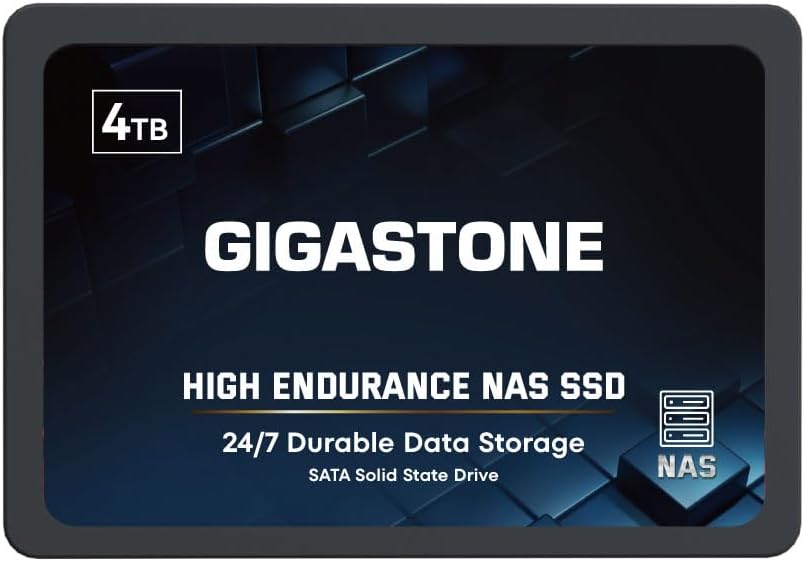
The Gigastone 4TB High Endurance SSD is a 2.5-inch SATA solid-state drive with a 4.0-star rating. It is marketed for NAS cache use and heavy workloads, with sequential transfer speeds up to 530 MB/s, 3D NAND flash, SLC caching, ECC, power-loss protection, and silent operation. The listed capacity is unusually useful for a NAS acceleration tier.
We may earn a commission when you buy through this link, at no additional cost to you.
The drive is positioned for virtualization, collaborative editing, photo rendering, 4K and 8K video editing, intensive databases, and multiuser NAS environments. Its compatibility information states that it has been verified with NAS systems from Synology, QNAP, and Asustor, among others. A buyer should still confirm the exact NAS model, bay type, and software version before installation.
The product title says the SSD supports SLC caching, but buyers should distinguish that internal drive technology from a NAS's configurable read or write cache. The device can serve as a cache, application store, or SSD tier only when the host NAS supports the intended role. It is explicitly not suggested for server models or SAN environments, which narrows its use compared with enterprise-oriented storage.
This SSD is an appealing budget-oriented way to add substantial fast storage to a compatible home or office NAS. Its 4TB capacity allows more active data to remain on solid state than a very small cache drive, while the 530 MB/s speed is well matched to many 2.5GbE networks. Verify cache mode and compatibility before buying.
A 4TB SSD can hold a larger working set of applications and active files than a small cache module. It may also be used for an SSD storage volume where supported.
ECC, power-loss protection, and a stated 24/7 NAS focus address common solid-state reliability concerns. These features do not replace a proper backup strategy.
We may earn a commission when you buy through this link, at no additional cost to you.
The Western Digital 500GB WD Red SN700 is a high-speed M.2 NVMe SSD with a 4.5-star rating. It uses the PCIe Gen3 interface, comes in the 2280 form factor, and is listed at speeds up to 3,430 MB/s. Its explicit NAS positioning makes it one of the most natural dedicated cache choices in this roundup.
We may earn a commission when you buy through this link, at no additional cost to you.
The product information emphasizes robust responsiveness, exceptional I/O performance, NAS reliability and endurance, virtualization, collaborative editing, and multitasking applications for multiple users. Those are precisely the workloads in which a fast cache or SSD tier can make a measurable difference, especially when the NAS and network are not bottlenecks.
Its 500GB capacity makes it best suited to active data, a dedicated cache, or a small high-performance tier rather than a general-purpose high-capacity archive. The M.2 2280 format will not fit every bay, and some NAS models require a specific adapter or have limitations on cache use. Users should verify the enclosure's M.2 support, maximum drive capacity, and cache configuration before ordering.
This drive is an excellent choice for users who want a compact, very fast NVMe addition to a compatible NAS. It is less appropriate for bulk storage, where hard drives provide more capacity. For the best experience, pair it with a system that supports the intended cache role and a network path capable of using NVMe-level performance.
Speeds up to 3,430 MB/s offer considerable headroom for active files, containers, and demanding applications. A 2.5GbE or 10GbE network may still be the practical limiting factor.
The Red SN700 is identified for NAS devices rather than generic PC use. Buyers should still confirm model-level support, particularly when using a cache rather than a standalone data volume.
We may earn a commission when you buy through this link, at no additional cost to you.
The SanDisk NAS 600 1TB is a 2.5-inch SATA SSD designed specifically to energize NAS I/O, improve responsiveness, and add a cache for multi-user environments. It uses 3D NAND and is available in a slim seven-millimeter design, making it easier to incorporate into existing 3.5-inch NAS bays than a taller drive.
We may earn a commission when you buy through this link, at no additional cost to you.
The stated endurance reaches 2,500 TBW on 4TB models, with the 2.25-million-hour MTTF figure applying according to the product footnotes. The 1TB listing includes a five-year limited warranty. Importantly, the product is described for use either as a cache or as an SSD storage tier, giving buyers more flexibility than a drive marketed only for temporary read caching.
The product information does not provide a numeric customer rating for this particular listing, so this review avoids assigning one. Buyers should also check the cache, storage-tier, and RAID features supported by their NAS software. A SATA SSD is broadly easy to place in a standard bay, but not every NAS supports third-party SSDs in every role.
This is a versatile choice for adding fast SATA storage to a compatible NAS without requiring an NVMe slot. It is particularly useful where users want a durable SSD volume for active media or applications alongside hard-drive archives. For maximum short-transfer speed, an NVMe option such as the WD Red SN700 may be preferable.
Using the NAS 600 as a cache can accelerate repeated reads, while an SSD storage tier can hold active files and datasets. The host software determines which configurations are available.
Continuous-operation support, high endurance options, a slim SATA format, and a five-year warranty make this drive appropriate for sustained NAS use. Backups remain necessary because no SSD eliminates data loss.
We may earn a commission when you buy through this link, at no additional cost to you.
Choosing a NAS with SSD cache requires matching the enclosure, drive interface, cache role, capacity, and network to the workload. Compatibility should always take priority because a fast SSD cannot accelerate a NAS that does not support its intended use.
A NAS having an SSD bay does not always mean it supports every cache mode. Some systems support read caching, some offer write caching, and others treat SSDs as independent storage pools, application volumes, or storage tiers. Consult the manufacturer's support list and operating-system documentation for the exact NAS model. Verify whether cache acceleration is limited to a specific RAID layout, requires a minimum drive size, or is unavailable while a particular system service is running.
SATA SSDs fit conventional 2.5-inch or 3.5-inch bays, while M.2 NVMe drives require a dedicated slot, sometimes with a carrier or adapter. U.2 support is less common and may use special bays or connection requirements. Interface speed should also match the NAS platform rather than relying on a generic standards claim. A modern M.2 slot is usually preferable when available, but software support and drive format remain decisive.
SSD cache performance can only be observed if the network path can carry the data. A 1GbE connection tops out far below common NVMe speeds, while 2.5GbE suits many homes and 10GbE is more appropriate for creators and teams. Cable quality, switch capacity, client adapters, protocol overhead, and file sizes all influence results. Faster storage on a slow network may still improve local application performance, but large transfers will not approach the drive's headline speed.
A small cache can hold only a limited active working set, while a larger SSD storage tier can keep projects, application data, and frequently used media resident on fast storage. The 500GB WD Red SN700 suits a compact cache, the 1TB SanDisk NAS 600 offers more room for an SSD tier, and the 4TB Gigastone can hold a substantial working set. Consider current data plus expected growth rather than selecting solely by advertised read speed.
Cache and SSD storage tiers both involve regular writes, so endurance matters. Look for workload ratings, TBW figures, power-loss protection, and support for continuous operation. A drive intended for a multiuser NAS or frequent container workloads should have stronger specifications than one used for occasional maintenance tasks. Also consider that advertised endurance varies by capacity, and the relevant model footnotes should be reviewed.
RAID can improve availability or performance, but it is not a backup. A cache failure may sometimes be recoverable by rebuilding the cache, while a damaged data volume can affect the whole array. Plan redundancy, regular backups, and tested recovery procedures before populating the NAS. If a cache is used, understand whether the system requires a specific RAID mode and whether it supports cache rebuilds without disrupting data access.
A faster processor and more memory help the NAS manage caching, containers, virtual machines, indexing, and simultaneous transfers. The UGREEN DXP2800 combines an Intel N100 with 8GB DDR5, while the DXP4800 GT uses a Ryzen R2514 and supports expanded memory. These differences are meaningful when many users, applications, or active datasets compete for the same storage resources.
The listed enclosure capacities are maximum configurations, not included storage totals. Leave a bay or compatible expansion path open for future needs, and calculate usable capacity according to your RAID layout. In parallel, maintain another copy of irreplaceable files. A NAS centralizes data and makes it accessible, but the hardware and SSD cache do not substitute for tested backups.
Begin by confirming that the NAS, drive interface, capacity, and intended cache mode are officially compatible. Install the operating-system update, create the storage pool and volumes, and add the SSD only when the setup process requests it. If the NAS offers several choices for the drive, select the role that matches the documented use case rather than treating every SSD as an automatic cache.
After configuration, test read and write performance with representative files while also checking temperatures, CPU load, network utilization, and application behavior. Keep the SSD on a supported firmware version, leave adequate case clearance for airflow, and avoid moving or repurposing a cache drive without understanding how the NAS will rebuild or reclassify it. Record the current configuration so it can be restored if the enclosure is moved or serviced.
Maintain the data, not just the hardware. Schedule smart-drive checks, monitor the NAS for failed volumes and temperature warnings, keep backups current, and test restoration procedures periodically. Review software release notes before updates because changes to RAID, cache, or drive handling can affect an existing setup. If performance declines, compare current results with the original baseline before assuming the cache itself has failed.
No. Some devices support read caching, write caching, application SSDs, or separate storage tiers, while others provide no acceleration function. Check the exact model, operating-system version, RAID configuration, and drive requirements in the manufacturer's documentation. Compatibility with a SATA or M.2 connector does not by itself mean the drive can be used as a cache.
An NVMe SSD generally offers much greater sequential performance, but it requires a compatible M.2 or U.2 interface and appropriate software support. A SATA SSD is easier to fit in conventional NAS bays and may be sufficient for 1GbE or 2.5GbE networks. Choose based on the NAS platform, workload, and available connection rather than headline speed alone.
It depends on the active working set and whether the SSD is used only for caching or as a full storage tier. A compact cache may be enough for frequently requested files, while databases, media projects, and container images can benefit from substantially more capacity. A 1TB or 4TB option offers more flexibility than a very small drive, but it should still be matched to the NAS's supported configuration.
Yes, if the enclosure supports SSD storage volumes and the capacity is sufficient. An all-SSD system can provide low latency and high responsiveness, but it may offer less capacity per dollar and requires careful attention to endurance. A mixed design with fast SSD storage and high-capacity hard drives is often more practical for growing archives.
It can improve repeated access to files that are actually stored in the cache, but it will not accelerate files that remain exclusively on hard drives. Network speed, file size, protocol overhead, application behavior, and drive contention also matter. Cache benchmarks should therefore be compared with realistic workload patterns rather than a single maximum-speed figure.
No. RAID is designed primarily to maintain availability or improve performance when drives fail, depending on the selected level. Accidental deletion, malware, application errors, and physical damage to a volume can still affect data. A sound NAS setup needs separate, regularly updated backups and periodic restoration tests.
Check the NAS vendor's approved drive list, supported interface, minimum and maximum capacities, cache-mode restrictions, and any required adapter. For SATA drives, also verify thickness and connector clearance. For M.2 drives, confirm whether the slot is a keyed M-key, whether it supports the full width of the drive, and whether the NAS supports the intended cache or tier role.
A 2.5GbE network is a practical middle ground for many homes, while 10GbE is more useful for creators and teams that regularly move large projects. Faster networking does not guarantee faster results unless the client, switch, cables, storage, and application can all keep pace. A fast NVMe cache paired with a 1GbE connection will rarely deliver its full potential over the network.
The UGREEN DXP4800 GT stands out as the premium platform because it combines a Ryzen processor, dual 10GbE networking, flexible M.2 and U.2 SSD support, and advanced application features. The WD Red SN700 is the editor's choice for a compact dedicated NVMe cache, while the Gigastone 4TB SSD offers a budget-oriented SATA option with substantial capacity and NAS-focused endurance features.
Prioritize compatibility before speed. The enclosure must support the drive's physical interface and intended cache or storage role, while the network and client need enough bandwidth to take advantage of it. Match SSD capacity to the active working set, and continue using hard drives for large archives when a mixed-tier arrangement provides the better balance of speed, capacity, and endurance.
Finally, check current pricing, availability, and the latest NAS compatibility documentation before purchasing. Product details and firmware behavior can change, and the most suitable choice depends on the number of users, file types, storage growth, applications, and existing hardware. Use the guide as a structured shortlist rather than a substitute for checking the exact system requirements.