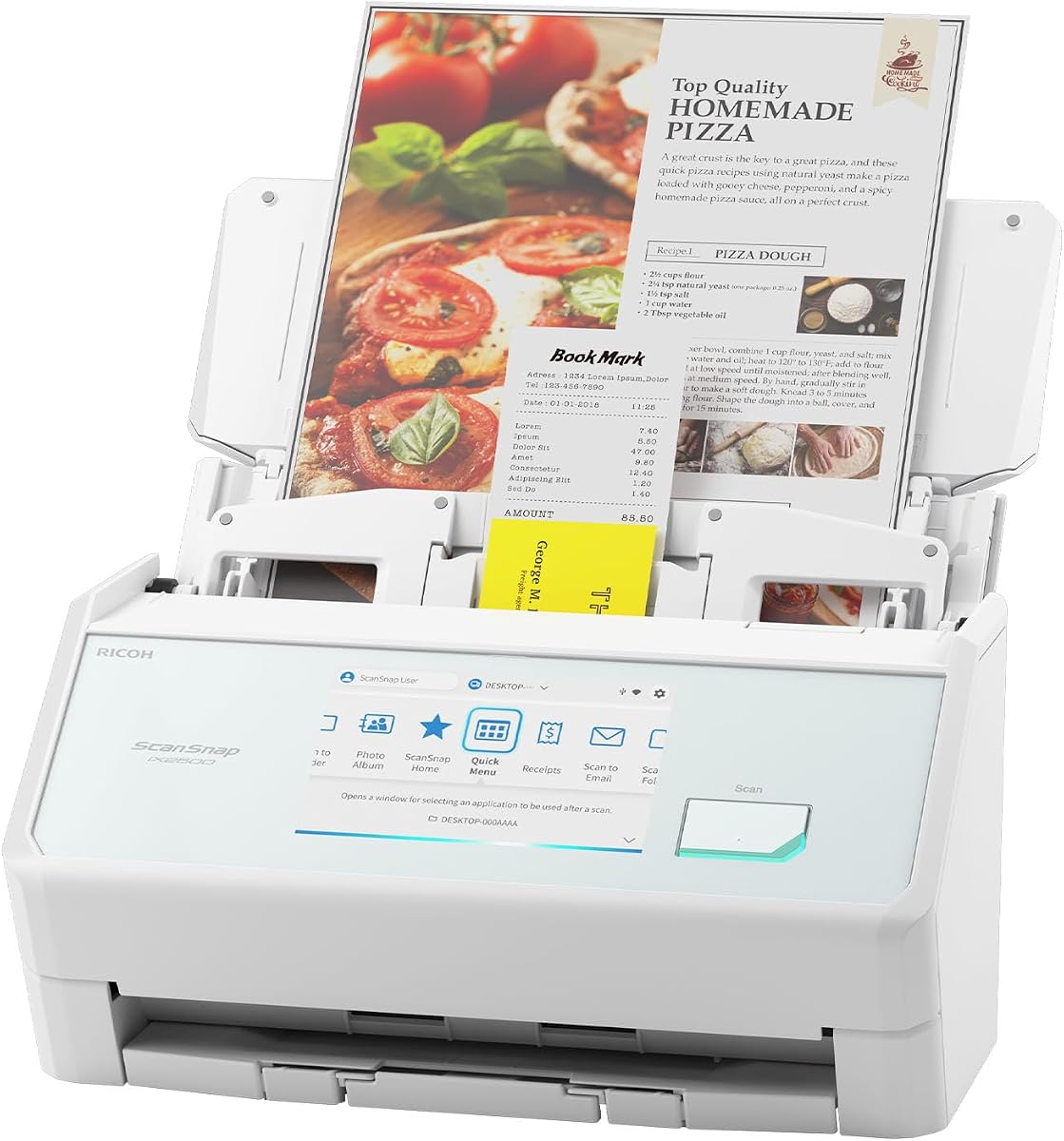
ScanSnap iX2500
4.4Editor score
45 ppm double-sided scanning
Wi-Fi 6 and USB-C
100-sheet automatic feeder
The best document scanner for iPhone 18 guide compares 10 portable scanners for wireless iPhone workflows, OCR quality, speed, and ease of use in 2026.
A document scanner for iPhone 18 can turn paper receipts, records, receipts, and handwritten notes into files you can store, share, and search from your phone. The right choice depends on wireless support, OCR quality, page handling, portability, and how cleanly the scanner transfers documents to Apple devices.
We compared ten scanners based on their documented connectivity, supported devices, resolution, processing speed, paper capacity, OCR functions, and physical design. The list includes compact feed scanners, a flatbed model, a book-scanning camera, a high-capacity wireless unit, and two handheld scanning wands.
Each review explains the product’s strongest benefits, practical limitations, and ideal user. The top picks cover budget, premium, and everyday wireless options, while the full comparison helps readers determine which scanner best supports an iPhone-centered paperless workflow.
4.4Editor score

4.1Editor score

3.9Editor score
The comparison highlights each scanner’s device connectivity, document-handling method, speed, and key technical features. These distinctions matter because direct iPhone support is relatively uncommon, and many models require a computer to bridge scans to the phone.


The Epson Workforce ES-50 is a compact USB document scanner rated 4.3 out of 5. It is designed for people who need a genuinely portable scanner without carrying a full-size desktop machine. Its sheet-fed format suits receipts, forms, contracts, notes, and other loose paper, while the 5.5-second stated page speed makes short scanning sessions convenient.
We may earn a commission when you buy through this link, at no additional cost to you.
The strongest feature is the unusually broad document-length capability. The ES-50 can scan materials up to 8.5 by 72 inches, which makes it useful for long records, handwritten logs, and multi-section notes that would be difficult to capture as a single file on a conventional letter-size scanner. Automatic Feeding Mode accepts inserted sheets and combines multiple pages into one document, reducing repetitive file handling.
Output quality and flexibility are stronger than the compact design might suggest. Nuance OCR creates searchable PDFs and editable Word and Excel files, while cloud destinations and a TWAIN driver broaden compatibility with common software. The trade-off is connectivity: this scanner connects through USB 2.0 to a Windows or Mac computer, so an iPhone 18 user cannot initiate a direct wireless scan from the handset.
The ES-50 is best for travelers, students, home offices, and field workers who already carry or use a laptop and want reliable, compact scanning. For a strictly phone-only workflow, it is less convenient than the ES-60W, but it remains a strong choice for those who want a dedicated scanner that can also handle long documents and OCR-rich output.
The 72-inch maximum document length separates the ES-50 from many compact feeders. It can capture elongated records in a single pass, reducing the need to stitch together several files.
Nuance OCR converts printed text into searchable PDFs and editable Word or Excel files. That makes the scanner more than a basic image-capture tool for accounting, records, and study material.
We may earn a commission when you buy through this link, at no additional cost to you.
The Brother DS-640 is a compact mobile document scanner rated 4.3 out of 5. Its main appeal is the combination of a stated 16-page-per-minute speed and a body short enough to fit easily into a work bag. It is aimed at people who want more consistent page handling than a handheld wand but do not need the capacity of a desktop feeder.
We may earn a commission when you buy through this link, at no additional cost to you.
Color performance is a notable strength because the stated color scanning speed matches black-and-white speed. Automatic color detection and adjustment, text enhancement, rotation on PC, bleed-through prevention, background removal, and color drop help improve output without requiring manual correction for every page. The software also supports OCR and document management.
The DS-640 works with Windows, Mac, and Linux through the Brother iPrint&Scan desktop app and included TWAIN, WIA, ICA, and SANE support. Scan-to options include a PC, network location, cloud service, email, and OCR workflows. However, it has no built-in iPhone connection, so an iPhone 18 workflow requires a computer or another supported destination in the process.
This model is a strong fit for commuters, students, and home-office users who value speed, size, and easy software access more than duplex scanning or a large automatic feeder. It is less suitable for large document batches, but for portable business cards, receipts, forms, and short reports, it offers a balanced and capable package.
The DS-640 combines a 16-page-per-minute stated rate with a body under one foot long. It offers a practical balance for users who need rapid capture without a large desktop scanner.
Automatic color detection, rotation, text enhancement, and bleed-through prevention reduce manual work, while cloud, email, network, and OCR destinations make organizing scans easier.
We may earn a commission when you buy through this link, at no additional cost to you.
The ScanSnap iX2500 is the most advanced scanner in this group, earning a 4.4 rating. It combines a 45-page-per-minute stated speed, double-sided scanning, a 100-sheet feeder, Wi-Fi 6, USB-C, and a large touchscreen. Those specifications position it as a premium paper-management system rather than a simple portable scanner.
We may earn a commission when you buy through this link, at no additional cost to you.
Wireless operation is especially relevant to the iPhone 18. The scanner can connect to smart devices or cloud services without a computer, while customizable profiles allow users to select destinations for different document types. Scans can be sent to a PC, Mac, mobile device, or cloud service, and Quick Menu supports drag-and-drop workflows in preferred computer applications.
Paper protection is another major strength. A brake roller feeds pages smoothly, a multi-feed sensor identifies sheets stuck together, and skew detection helps prevent paper damage and data loss. These features are particularly valuable in a 100-sheet feeder because they address common high-capacity scanning problems before they interrupt a batch.
The iX2500 is best for a busy home office, small business, legal practice, or administrative team that values speed, wireless flexibility, and automated organization. It is less compelling for a traveler who values minimum weight, and some users may need time to learn the touchscreen. Even so, it offers the most complete iPhone-adjacent wireless workflow of the products compared.
Built-in Wi-Fi 6 allows the iX2500 to connect with smart devices or cloud services directly, reducing dependence on a laptop in the scanning workflow.
A brake roller, multi-feed detection, and skew detection help the 100-sheet feeder handle larger batches while reducing jams, damaged pages, and lost data.
We may earn a commission when you buy through this link, at no additional cost to you.
The CZUR Shine Ultra is a smart portable document camera and scanner rated 4.2 out of 5. Instead of pulling paper through a roller, it uses a 13-megapixel CMOS sensor and overhead imaging system to capture an entire page in about one second. This makes it exceptionally efficient for loose documents and presentations.
We may earn a commission when you buy through this link, at no additional cost to you.
Its book-scanning capability is the distinguishing feature. Patented pixel-transformation technology visually flattens curved pages, while a two-level adjustable neck and foldable design support a range of working positions. Smart paging, auto cropping, side combining, stamp mode, and multiple color modes provide additional control. OCR supports more than 180 languages, with Thai, Hebrew, and Arabic specifically excluded.
The scanner can also operate as a document camera for remote teaching and learning, including workflows involving Zoom and Google Meet. That versatility makes it useful for presenting paper documents during a video call. Its limitations are significant for the stated keyword, however: the supplied compatibility information explicitly says the Shine Ultra does not support Android or iOS.
Choose the Shine Ultra when speed, visual page capture, or thin-book scanning matters more than direct iPhone connectivity. It is an excellent demonstration and digitization tool, but iPhone 18 users should not expect to operate the included scanning workflow from the handset itself.
The fixed-camera approach captures a full A4 or A3 page in about one second. It is especially effective for loose sheets, visual reference material, and live demonstrations.
Pixel-transformation technology reduces the appearance of curved pages in thinner books. The manufacturer recommends a different series for thicker books where the curve is more pronounced.
We may earn a commission when you buy through this link, at no additional cost to you.
The Brother DS-740D is rated 4.3 out of 5 and stands out for adding duplex scanning to Brother’s compact mobile scanner format. It can capture single-sided and double-sided documents in one pass at a stated 16 pages per minute, and color scanning maintains the same stated speed as black-and-white capture.
We may earn a commission when you buy through this link, at no additional cost to you.
Its Desk Saving Design reduces the operating space required and frees 11 inches of desk space, according to the supplied product information. At less than one foot long, the unit is easy to carry, while the included micro USB 3.0 cable provides both power and data when connected to a PC or laptop.
Brother’s iPrint&Scan desktop app supports scanning to a computer, network, cloud services, email, and OCR. Automatic color detection, rotation on PC, bleed-through prevention, background removal, text enhancement, and color drop simplify processing. Windows, Mac, and Linux support makes the scanner adaptable across common computer environments.
The DS-740D is ideal for users who frequently need both sides of a document but still want a small scanner. Its limitation for iPhone 18 owners is the same as the DS-640: scanning is routed through a computer or a configured destination rather than controlled natively from an iPhone. For a hybrid workflow, that is still a practical and efficient approach.
Duplex capture automatically records the front and back of a sheet during one pass. This saves time when working with contracts, reports, forms, and double-sided notes.
The compact body and Desk Saving Design minimize the footprint on a desk. The result is a scanner that can travel without being much larger than a typical external storage device.
We may earn a commission when you buy through this link, at no additional cost to you.
The Canon imageFORMULA R10 is a portable feeder rated 4.1 out of 5. It offers a 20-sheet automatic document feeder, USB-powered operation, and duplex scanning at up to 12 pages per minute. Those characteristics give it a practical middle ground between single-sheet mobile scanners and larger office machines.
We may earn a commission when you buy through this link, at no additional cost to you.
One of its most user-friendly features is the included scanning software, which requires no separate installation and updates automatically. Users can preview scans, straighten and trim files, and create custom buttons for preferred settings and destinations. The scanner produces searchable PDFs, JPEGs, and other digital formats from receipts, business cards, plastic or embossed cards, reports, and legal documents.
The R10 works with both Windows and Mac computers. Its lightweight design supports use in home offices, classrooms, and remote workplaces, while ENERGY STAR certification reflects its low 2.5-watt power consumption and 0.7-watt Energy Saving Mode. It is explicitly not intended for photographs on photographic media.
For iPhone 18 users, the R10 is a good choice when a computer is already central to the workflow. Files can be sent onward to the phone or synchronized through a suitable service, but the scanner itself does not provide native iPhone operation. Its easy setup and built-in software make that bridge workflow less demanding for users who do not want to configure a complex application.
The bundled application is ready to use and handles automatic updates. Previewing, straightening, trimming, and custom buttons simplify repeated scanning routines.
The 20-sheet feeder handles documents and card formats efficiently, while duplex capture processes both sides in a single run. The scanner is intended for business and office material rather than photographic prints.
We may earn a commission when you buy through this link, at no additional cost to you.
The Epson Perfection V19 II is a flatbed scanner rated 3.9 out of 5. Its defining feature is 4800 dpi optical resolution, making it much more oriented toward detailed photos, artwork, illustrations, and delicate documents than many of the faster office feeders in this comparison.
We may earn a commission when you buy through this link, at no additional cost to you.
Epson ScanSmart software and one-touch buttons simplify common tasks. The scanner can generate searchable PDFs and create editable Word, Excel, and PowerPoint files through OCR. Easy Photo Fix restores color to faded photographs with one click, while the high-rise removable lid supports books and photo albums without forcing the binding completely flat.
The V19 II weighs 3.1 pounds, runs through USB power, and uses a built-in kickstand for vertical placement and storage. A letter-sized document can be scanned in as quickly as 10 seconds. As a flatbed, however, it requires each page to be placed manually, and its larger, fixed design is less convenient for travel than a sheet-fed or handheld model.
Choose the V19 II when image detail, artwork, photographs, or bound material matters more than batch throughput. It can be useful to an iPhone 18 owner as a high-quality capture source for creative work, archival documents, or detailed records, but the transfer still relies on a computer and separate file-sharing process.
The 4800 dpi optical resolution is particularly valuable for photos, illustrations, artwork, and fine-print material. It offers a different kind of capability from the text-focused mobile feeders.
The removable high-rise lid accommodates books and photo albums, while the flatbed format handles fragile or oversized sheets without pulling them through a roller.
We may earn a commission when you buy through this link, at no additional cost to you.
The Epson Workforce ES-60W is rated 4.1 out of 5, but it is the most directly relevant product to the iPhone 18 keyword. Its documented capabilities include wireless scanning to a PC, Mac, iOS device, or Android device, giving Apple users an explicit path from the scanner to the phone without first routing every file through a computer.
We may earn a commission when you buy through this link, at no additional cost to you.
Its stated four-second page speed is faster than the ES-50’s 5.5-second figure. The scanner also accepts documents up to 8.5 by 72 inches, as well as ID cards and receipts. Automatic Feeding Mode combines multiple inserted sheets into one file, which is particularly helpful for loose records assembled during a meeting or field visit.
The ES-60W automatically switches between USB and battery-powered wireless operation, and an LCD displays wireless and battery status. Epson ScanSmart handles scanning, review, and saving, while Nuance OCR creates searchable PDFs and editable Word and Excel files. Cloud scanning and the included TWAIN driver further extend the available workflows.
This is the strongest recommendation for an iPhone 18 user who wants compact hardware and native wireless transfer. The main compromises are the single-sheet feeder, the need for a compatible Epson setup, and the extra care required to keep its battery ready. Even so, its combination of portability, fast capture, OCR, and documented iOS support makes it the most phone-focused scanner in the group.
Documented iOS support allows the ES-60W to send scans to an iPhone without requiring every document to pass through a laptop first, making it the clearest match for an iPhone-centered routine.
A stated four-second capture time and Automatic Feeding Mode make it practical to scan several loose pages and combine them into one organized file while away from a desk.
We may earn a commission when you buy through this link, at no additional cost to you.
The blue 900DPI handheld scanner is rated 3.9 out of 5 and offers one of the simplest ways to digitize loose pages. It weighs about 0.31 pounds, uses a color optical sensor, and offers 300, 600, and 900 dpi resolution modes. A 16GB MicroSD card is included for local JPG and PDF storage.
We may earn a commission when you buy through this link, at no additional cost to you.
Its biggest advantage is independence from a computer during capture. Users switch on the scanner, choose a color mode and resolution, position the wand over a page, and press the scan control until the green indicator appears. Captured files remain on the MicroSD card, where they can later be transferred to an iPhone 18 or uploaded through a computer.
The scanning process is manual, and at 900 dpi a page can take around 10 seconds. The wand also relies on steady movement and consistent alignment, so results can depend more heavily on technique than with an automatic feeder. Compatibility information is also limited: the supplied details cite Windows 2000, ME, and XP along with common Windows imaging and OCR software.
This model is a budget-oriented option for travelers, students, and occasional users who need a lightweight, battery-powered way to capture receipts, notes, or short documents. It is less appropriate for large batches, archival work, or users who want direct wireless iPhone transfer without importing the SD card afterward.
The included MicroSD card stores JPG and PDF files locally, so documents can be captured before a computer or phone is available. Transfer can happen later when convenient.
Three selectable resolution levels let users balance image detail against file size and scanning time, while the A4 color sensor supports text, receipts, and photographic page content.
We may earn a commission when you buy through this link, at no additional cost to you.
The silver 900DPI handheld scanner is rated 3.9 out of 5 and shares the core design of the blue version. Its 13-megapixel-class portable format is represented in the listing by a 300, 600, or 900 dpi color sensor, with output saved as JPG or PDF files on a MicroSD card.
We may earn a commission when you buy through this link, at no additional cost to you.
At about 0.31 pounds, the unit is easy to place in a jacket pocket, small bag, or laptop sleeve. It is powered by two AA batteries, which are not included, and it can scan a page in about 10 seconds at the highest stated resolution. Files remain portable on the included 16GB card until the user transfers them to an iPhone, computer, or cloud service.
Manual operation is both its strength and limitation. The scanner avoids the alignment and roller-feed requirements of an automatic feeder, allowing narrow receipts or small cards to be captured. At the same time, steady movement and consistent positioning are more important, making it better suited to occasional capture than large office batches.
The silver model is a reasonable alternative for buyers who prefer its appearance or find it better suited to a particular setup, but it does not provide a technical advantage over the blue version. It should be considered for simple, portable JPG and PDF capture rather than direct iPhone connectivity, searchable professional workflows, or high-volume document management.
The 0.31-pound body and foldable handheld format make the scanner easy to carry. It is designed for quick capture of receipts, notes, and smaller pages wherever space is limited.
JPG and PDF captures are saved to MicroSD storage, allowing users to scan away from a computer. The resulting files can then be moved to an iPhone 18 when a suitable transfer method is available.
We may earn a commission when you buy through this link, at no additional cost to you.
The most important consideration is how completed scans reach an iPhone 18. Document type, batch size, image quality, OCR needs, and physical setup should then be considered alongside the preferred connection method.
A scanner that can send files directly to an iOS device offers the most natural phone-centered workflow. The Epson Workforce ES-60W explicitly supports scanning to iOS devices, while the ScanSnap iX2500 can send scans to mobile devices over its built-in Wi-Fi connection. Most other products in the comparison scan first to a Windows or Mac computer, after which the user can email, sync, or share files to the phone. Confirming this transfer route before buying can prevent a frustrating mismatch.
In short, direct wireless support is the strongest feature to prioritize for an iPhone-first setup. Otherwise, plan to use a computer as the bridge.
USB-connected scanners remain versatile because a computer can serve as a central filing and processing station. The ES-50, DS-640, DS-740D, Canon R10, Epson V19 II, and CZUR Shine Ultra are designed around computer-based workflows. The handheld wand models can store files on a MicroSD card, but their supplied compatibility information is also primarily oriented toward older Windows systems and common Windows software. Consider the devices already available in your routine and the amount of configuration you are willing to manage.
In short, choose a USB model when a computer is already central to your work. Choose wireless only when phone independence is worth the extra setup.
Sheet-fed scanners move pages through an internal mechanism and are well suited to forms, receipts, reports, and multipage documents. Flatbed scanners require each item to be placed on the glass and are better for artwork, photographs, unusual sizes, and bound material. Overhead or book-scanning cameras capture a complete page visually without pulling it through a roller, offering speed but requiring careful positioning. Match the format to the material rather than choosing solely on portability.
In short, use a feeder for routine stacks, a flatbed for delicate visuals, and a camera for fast full-page or book capture.
Optical character recognition turns a picture of text into searchable content and can produce editable Word, Excel, or PowerPoint files. It is essential for searchable archives, student notes, expense records, and long-term filing. The ES-50 and ES-60W include Nuance OCR, Brother models support OCR through their software, the Canon R10 creates searchable PDFs, and the Epson V19 II supports searchable PDFs and editable Office documents. The CZUR model offers broad multilingual OCR but explicitly excludes Thai, Hebrew, and Arabic. The handheld wands store JPG and PDF files, but searchable-document capabilities are not established in their supplied information.
In short, choose OCR when text must be searched or edited. Choose image capture alone when preserving visual appearance is the priority.
Speed is most valuable when processing recurring batches. The ScanSnap iX2500 has the highest stated rate at 45 pages per minute and a 100-sheet feeder. The Brother DS-640 and DS-740D reach 16 pages per minute, while the Canon R10 handles 12 pages per minute with a 20-sheet feeder. The Epson ES-50 and ES-60W are optimized for single sheets but state speeds of 5.5 and four seconds per page. A larger capacity is advantageous for offices, while occasional users may prioritize portability instead.
In short, match capacity to the largest routine batch. Faster speed is less important when you only scan a receipt or one page at a time.
Text-heavy records benefit more from accurate page capture, clean edges, contrast, and OCR than from extremely high nominal resolution. The Epson V19 II leads in detailed imaging with 4800 dpi optical resolution, making it suitable for photos and artwork. The handheld models offer selectable 300, 600, and 900 dpi modes, while the CZUR Shine Ultra captures A4 pages at approximately 340 dpi and A3 pages at approximately 245 dpi. For contracts and ordinary records, automatic correction and clean document output may matter more than the largest resolution figure.
In short, prioritize clarity for visual material and text accuracy for records. The highest resolution is not automatically the best everyday choice.
Mobile scanners should be easy to carry and reliable after being packed. The ES-50, ES-60W, Brother mobile units, and handheld wands are relatively compact. The CZUR model weighs about four pounds but folds for portability, while the ScanSnap iX2500 prioritizes capacity over minimal size. Features such as a multi-feed sensor, skew detection, and a brake roller can protect documents and reduce lost scans during larger jobs. These protections become increasingly important as feeder capacity and batch size rise.
In short, favor a lightweight body for travel and robust feed detection for office batches. Do not judge portability without considering the full case and accessories.
A good scanner should place files where you will actually use them. Cloud scanning, email, network destinations, local folders, smart devices, and OCR applications provide different paths for filing and sharing. The ES-50 and ES-60W support cloud destinations, Brother models can scan to network, cloud, email, or OCR destinations, and the ScanSnap iX2500 offers customizable touchscreen profiles for PCs, Macs, mobile devices, and clouds. Canon’s R10 supports custom destination buttons. For an iPhone workflow, the ability to automate delivery is often more valuable than minor differences in raw scan speed.
In short, choose based on where finished files need to go. A streamlined destination can matter more than a small increase in processing speed.
Begin by charging or connecting the scanner according to its instructions, then install the specified software and complete the relevant wireless pairing process. For a USB model, connect the cable to a computer before opening the scanning application. For the ES-60W, use its LCD to confirm wireless status, and for the ScanSnap iX2500, select the destination profile on the touchscreen before loading paper. Check that the intended iPhone or cloud location is visible so a completed file does not end up somewhere unexpected.
Prepare each page by removing staples, paper clips, adhesive notes, and loose debris. For sheet-fed units, place pages in the tray according to the manufacturer’s guidance and avoid feeding several sheets that may stick together. For the handheld wands, move the device steadily in the same direction with consistent spacing. For the CZUR Shine Ultra, keep the page flat within the imaging area and allow the software to crop the edges. Review each scan before relying on OCR or sending the final file to the phone.
To maintain performance, keep the feed rollers, sensor glass, and scanner surface clean according to the product instructions. Remove dust and smudges gently, and never use a cleaner that could damage coatings or plastic. Store a portable scanner in a protective case, keep cords organized, and avoid leaving batteries or the device in excessive heat or moisture. Periodically test a short scan after a software update, and preserve original paper until the digital file has been checked for clarity, orientation, OCR accuracy, and completeness.
It depends on the scanner’s supported connections. The Epson Workforce ES-60W explicitly supports wireless scanning to iOS devices, and the ScanSnap iX2500 can send scans to mobile devices through its wireless workflow. Most other models in this guide are designed to connect to a Windows or Mac computer first. In those cases, you can share the resulting file to an iPhone through email, cloud storage, AirDrop, or another approved transfer method.
The ES-60W is the clearest choice when direct iOS support is the priority. The ScanSnap iX2500 is the stronger premium option when wireless performance, high-volume capacity, and a touchscreen workflow matter alongside mobile access. The handheld models can also work with an iPhone, but files must first be transferred from a MicroSD card rather than delivered directly by the scanner.
OCR is highly useful if you want to search, edit, or extract information from scanned documents. It can turn receipts and forms into searchable PDFs or editable Office files that are easier to organize on a phone. If your main goal is preserving a page as an accurate image, you may not need OCR. It is also essential for long-term records, student notes, and expense documentation where text retrieval matters.
A sheet-fed scanner automatically pulls each page through a narrow mechanism, making it efficient for stacks of ordinary documents. A flatbed scanner requires manual placement on a glass surface and is more suitable for books, artwork, photographs, or unusual materials. Sheet-fed models are usually faster for routine records, while flatbeds provide more control for delicate or visually detailed content.
No. Higher resolution can preserve fine visual detail, but it also increases file size and may slow the workflow. For standard text documents, clean edges, good contrast, accurate cropping, and effective OCR often matter more than the maximum resolution setting. The Epson V19 II is well suited to detailed images, whereas many office records are handled effectively by lower-resolution document-focused settings.
Several models explicitly support receipts, ID cards, or business cards. The Epson ES-50 and ES-60W include ID cards and receipts among their supported media, and the Canon R10 handles receipts, business cards, plastic cards, and embossed cards. The exact limits and best feeding method depend on the product, so check the specifications for the card type you plan to scan before purchasing.
The two handheld 900DPI scanning wands are among the smallest and lightest options, weighing about 0.31 pounds each. The Epson ES-50 and Brother mobile scanners are also compact, although they are more substantial. The best choice still depends on the travel scenario: the wands suit informal ad hoc capture, while compact feeders provide cleaner results for multi-page documents.
The most streamlined method is to scan directly to a cloud destination and then access the file from iCloud Drive or another compatible cloud service. Other options include emailing the file to yourself, saving it to a shared folder, or using a suitable local transfer workflow. Keep the original scan until you confirm that it opens correctly, retains its orientation, and contains all expected pages.
The Epson Workforce ES-60W is the most practical match for an iPhone-centered workflow because it explicitly supports direct iOS scanning while remaining compact and capable of OCR. The ScanSnap iX2500 takes the premium position with a touchscreen, Wi-Fi 6, double-sided 45-page-per-minute scanning, and a 100-sheet feeder. For lightweight, inexpensive ad hoc capture, the blue 900DPI handheld scanner stands out as the budget pick.
Prioritize direct wireless transfer if the scanner must function as part of a phone-first routine. Otherwise, choose based on document volume: the Brother DS-640 for fast single sheets, the DS-740D for duplex capture, the Canon R10 for a 20-sheet feeder with simple built-in software, the Epson ES-50 for long documents, the V19 II for detailed images, and the CZUR Shine Ultra for fast visual and thin-book capture.
Specifications and product configurations can change, and prices also vary across retailers and over time. Before purchasing, verify current device compatibility, software requirements, included accessories, and the return policy. Most importantly, confirm that the scanner’s connection method matches how you expect to move files to an iPhone 18.


