
TOPGRO T1-Pro
4.5Editor score
RTX 4060 mobile graphics
Core i9-13900HX processor
32GB dual-channel DDR5
1TB PCIe 4.0 SSD
Dual 4K display support
Our 2026 expert guide compares the best Mini PC with Dedicated Graphics Card options for gaming, AI work, rendering, and professional use today.
A mini PC with a dedicated graphics card combines a compact enclosure with the graphics performance normally associated with a much larger desktop. The strongest options target demanding games, 3D rendering, video editing, AI workloads, and professional applications where integrated graphics can become the main bottleneck.
This guide compares processor capability, discrete GPU hardware, memory, storage, display support, networking, cooling, and upgradeability across ten mini PCs. It also includes several capable integrated-graphics models to show how the category is evolving and where a dedicated card still provides a meaningful advantage.
Each review explains who the system suits, which features distinguish it, and where compromises remain. Ratings and specifications reflect the supplied product information, while current prices and availability can change at any time, so shoppers should confirm the latest listing details before purchasing.
4.5Editor score
4.9Editor score

3.5Editor score
The comparison highlights processor, graphics, memory, storage, and display capabilities across all ten systems, with particular attention to the four models that include a discrete GPU.




The TOPGRO T1-MAX is the most complete balance of compact design and dedicated graphics performance in this roundup. Its supplied rating of 4.9 reflects a particularly strong customer impression, while the combination of a 13th-generation Core i9-13900HX and GeForce RTX 4070 with 8GB of GDDR6 VRAM gives it clear advantages for high-settings gaming, ray tracing, AI-assisted graphics, and GPU-accelerated creative work.
We may earn a commission when you buy through this link, at no additional cost to you.
The processor provides 24 cores and 32 threads, with boost speeds reaching 5.4GHz, which is especially useful when gaming is only one part of a demanding workload. Its 32GB of DDR5 memory and 1TB PCIe 4.0 SSD form a strong platform for modern games, streaming, video editing, and 3D applications. A one-touch full-speed fan control gives users direct cooling access, while the simple RGB switch avoids unnecessary configuration for basic lighting customization.
Connectivity is another strength. HDMI 2.0 and DisplayPort 1.4 support dual 4K displays, while four USB 3.0 ports, two USB 2.0 ports, 2.5G Ethernet, WiFi 6E, and Bluetooth 5.3 cover everyday accessories and fast networking. The main trade-off is the inherent constraint of a powerful mobile GPU in a small enclosure: sustained performance depends on thermal headroom, power limits, and the workload placed on both CPU and graphics.
This is the recommendation for a buyer who explicitly wants a discrete graphics card but does not need the absolute maximum workstation capability. It suits enthusiasts, content creators, and developers seeking a compact all-in-one with enough power for demanding games and GPU-accelerated tasks. Compared with the T1-Pro, the newer RTX 4070 configuration offers the stronger graphics foundation, making the T1-MAX the more versatile premium-performance choice.
The RTX 4070 is the decisive feature. Its dedicated 8GB of GDDR6 VRAM provides room for modern textures and demanding settings, while hardware ray tracing and AI-driven features improve visual quality. The T1-MAX is therefore better suited to graphics-intensive gaming than the smaller integrated-graphics alternatives in this guide.
The 24-core processor and 32GB of memory make the system useful beyond gaming. It can handle intensive multitasking, live streaming, video editing, and 3D rendering without relying solely on the integrated graphics found in conventional mini PCs.
We may earn a commission when you buy through this link, at no additional cost to you.
The GMKtec M6 Ultra is a compact, efficient mini PC built around the Ryzen 5 7640HS and Radeon 760M integrated graphics. Its 4.2 rating places it among the more balanced choices for office productivity, development, media playback, and moderate gaming, but it does not literally include a dedicated graphics card. That distinction makes it most useful as an energy-conscious alternative within the broader mini PC market.
We may earn a commission when you buy through this link, at no additional cost to you.
The processor combines six Zen 4 cores, 12 threads, a 4.3GHz base clock, and boost capability up to 5.0GHz. It ships with 32GB of dual-channel DDR5 memory and a 1TB M.2 PCIe 3.0 SSD. Memory can expand to 128GB, and the storage arrangement supports additional PCIe 4.0 capacity, making it adaptable for large projects even though the base SSD uses the older interface.
Its Radeon 760M has eight compute units and can run moderate games at steady frame rates, while hardware encoding and decoding support covers widely used formats including AV1, HEVC, and AVC. The system also supports three displays, including 8K output through USB4 and 4K output through HDMI and DisplayPort. Dual 2.5G Ethernet, WiFi 6, Bluetooth 5.2, and a useful collection of USB ports make it particularly suitable for network-focused workspaces.
Choose the M6 Ultra for compact productivity, server-like duties, office computing, and lighter gaming where power efficiency matters. It is not the right recommendation for a buyer whose primary requirement is a dedicated GPU or high-end 3D performance. Its strength lies in making a small, versatile system with ample memory and unusually flexible networking and display options.
The Ryzen 5 7640HS is designed to balance meaningful performance with lower power demands. That makes the M6 Ultra attractive for always-available office systems, development environments, and compact home offices where a full-size tower would be unnecessary.
Triple-display support and dual 2.5G Ethernet distinguish this model from simpler compact PCs. The extra network interface can be useful for network appliances or segregated traffic, while USB4 broadens display and peripheral options.
We may earn a commission when you buy through this link, at no additional cost to you.
The GEEKOM A7 prioritizes low power, quiet operation, and dependable background computing. It carries a 4.3 rating and uses a 15-watt Ryzen 7 7730U design, giving it a different role from gaming mini PCs with mobile discrete GPUs. Eight cores, 16 threads, and boost speeds up to 4.5GHz are enough for extensive browser use, calls, document processing, photo editing, and multi-display productivity.
We may earn a commission when you buy through this link, at no additional cost to you.
Its 32GB starting memory is particularly appropriate for heavy multitasking and cloud-based AI workflows. The supplied information also identifies support for up to 64GB of RAM and 4TB of storage, allowing the base 500GB PCIe Gen4 drive to be expanded. A premium aluminum chassis, rigorous compliance testing, and a three-year limited warranty add confidence for office deployment.
Display and peripheral connectivity are comprehensive. Dual USB-C ports, five USB 3.2 ports, dual HDMI 2.0, 2.5G Ethernet, and WiFi 6E create a flexible workstation. The IceBlast 3.0 cooling system uses dual copper heat pipes and a large fan, with a stated noise level of 36dB and dust-resistant self-cleaning behavior.
The A7 is best for users who want a small, efficient computer to host scheduled cloud AI tasks, manage communications, or serve as a quiet everyday desktop. It should not be selected for demanding 3D games because its Radeon graphics are integrated. Within those limits, however, the combination of 32GB memory, low power draw, and a quiet enclosure is especially persuasive.
A 15-watt processor design makes the A7 well suited to running throughout the day without the heat and acoustic footprint of a conventional desktop. It can serve as a background automation host while still handling calls, documents, and other interactive tasks.
The aluminum enclosure helps with durability and heat dissipation, while the cooling system is designed to remain unobtrusive in shared offices or home workspaces. This quiet efficiency is more relevant to the A7's intended role than maximum gaming performance.
We may earn a commission when you buy through this link, at no additional cost to you.
The ROG NUC represents the premium end of this category, pairing an Intel Core Ultra 9 Series 2 processor with an NVIDIA GeForce RTX 5070 Mobile GPU. Its 3.5 rating is the lowest among the supplied products, so the hardware specification alone should not be confused with uniformly positive customer feedback. Even so, it offers the most advanced discrete graphics platform in the roundup.
We may earn a commission when you buy through this link, at no additional cost to you.
The supplied information highlights more than 200 platform TOPS, up to 18% generation-over-generation improvement, and DLSS support. A 32GB DDR5 memory configuration and 2TB NVMe SSD provide a high-capacity foundation for gaming, creative work, and demanding applications. Thunderbolt 4 adds modern peripheral and docking flexibility, while the three-fan, dual-vapor-chamber cooling system is designed to manage the substantial heat generated by this performance tier.
Physical access is a practical strength because thumb screws allow memory and storage upgrades without the tool-free approach associated with many competing mini PCs. The chassis also adds ARGB lighting through the broader ROG ecosystem and a convenient top-mounted power button. These details matter for buyers who want a premium gaming object as well as a compact performance machine.
This NUC is most appropriate for an enthusiast willing to accept a premium-class platform and one who prioritizes the latest RTX features over the strongest customer rating. It is a compelling choice for high-end gaming, GPU acceleration, and compact workstation use. Prospective buyers should carefully evaluate the current user feedback and verify software, accessory, and power compatibility before finalizing the purchase.
The RTX 5070 Mobile GPU brings dedicated graphics, DLSS, and modern ray-tracing capabilities into a roughly 3-liter enclosure. That makes the ROG NUC more appropriate for high-settings gaming and GPU-heavy creative work than the integrated systems in this comparison.
Three fans and a dual vapor chamber address the thermal demands of powerful mobile components. Thumb-screw access makes memory and storage upgrades more straightforward, which is valuable as application requirements and project sizes grow.
We may earn a commission when you buy through this link, at no additional cost to you.
The NIMO Mini PC takes a different approach to compact performance. Its 5.0 rating and Ryzen AI Max+ 395 platform combine 16 Zen 5 cores, 32 threads, and a Radeon RX 8060S integrated GPU with 128GB of high-speed LPDDR5 memory. Although it does not use a conventional discrete graphics card, its unusually large unified memory pool can be allocated for demanding graphics and AI workloads.
We may earn a commission when you buy through this link, at no additional cost to you.
The Radeon RX 8060S has all 40 compute units and a boost clock up to 2.9GHz. The supplied description positions its gaming performance around mainstream discrete RTX 4070-class results in FHD settings, though actual outcomes depend on the game, power configuration, and workload. The eight-channel LPDDR5 memory runs at 8000MT/s and offers 1.5 times the bandwidth of conventional DDR5 SO-DIMM memory according to the product information.
Its 128GB capacity is especially meaningful for local language models, large project files, and memory-intensive multitasking. The listing mentions stable local operation of mainstream models including Llama 4.0 Scout, while a 1TB PCIe 4.0 SSD handles storage. WiFi 7, Bluetooth 5.2, four USB4 ports, a standard USB-C port, and triple 4K output make the platform suitable for advanced desk setups.
Choose this machine for AI development, large working sets, and users who want exceptional graphics memory without a tower. It is less appropriate when a replaceable discrete GPU is a firm requirement. The unusual strength here is unified capacity: a workstation workload that fits in 128GB can be handled without a separate graphics card while still benefiting from Radeon graphics performance.
The 128GB memory configuration is more than a multitasking concession. A substantial portion can serve local AI models and graphics workloads, giving this integrated system room that many conventional mini PCs cannot offer.
Eight-channel LPDDR5 at 8000MT/s provides the throughput needed to feed a powerful Radeon GPU and large language models. That makes the system particularly compelling for creators and developers testing local inference or AI-assisted workflows.
We may earn a commission when you buy through this link, at no additional cost to you.
The GMKtec EVO-X2 is built around the same high-end Ryzen AI Max+ 395 platform but emphasizes configurable performance and extensive connectivity. The supplied listing does not provide a customer rating, so it should be evaluated from its specifications rather than treated as a product with a proven rating history. Its 16 cores, 32 threads, 50-plus peak AI TOPS, and Radeon RX 8060S still make it one of the technically ambitious systems here.
We may earn a commission when you buy through this link, at no additional cost to you.
The key distinction is its range of operating modes. Quiet, Balanced, and Performance settings operate at up to 54W, 85W, and 140W respectively, allowing the owner to balance acoustics, energy use, and output. The system can allocate up to 96GB of memory to the graphics system through AMD software, making the large unified memory platform particularly useful for local AI and graphics tasks.
Display support includes four-screen 4K or 8K output through HDMI 2.1, DisplayPort 1.4, and dual USB4 connections. WiFi 7, Bluetooth 5.4, 2.5GbE, an SD 4.0 card reader, and three cooling fans with three heat pipes create a broad peripheral and workload foundation. The stated 35dB quiet-mode noise and selectable RGB lighting improve its suitability as a desk-oriented premium machine.
This is a compelling choice for advanced local AI, creative production, and multi-display work, provided the buyer is comfortable with the high power ceiling and the absence of a published rating. It also shows how performance mini PCs increasingly compete through configurable platforms rather than conventional upgradeable desktop components. Buyers should verify the exact memory capacity and operating-system configuration on the current listing.
The selectable power modes make the EVO-X2 adaptable to different environments. Quiet mode can prioritize background-office and development use, while Performance mode opens the system to demanding gaming, rendering, and AI work.
Four-display support, 8K HDMI, DisplayPort, and USB4 create a flexible command-center arrangement. The same broad connectivity also supports high-speed storage, docks, and professional accessories.
We may earn a commission when you buy through this link, at no additional cost to you.
The ACEMAGICIAN S3A is a 4.6-rated compact system designed for power users, developers, and creators who do not need a discrete gaming card. Its Ryzen 7 H 255 supplies eight cores, 16 threads, and speeds up to 4.9GHz, while Radeon 780M graphics with 12 cores and RDNA 3 architecture provide capable graphics without a separate card.
We may earn a commission when you buy through this link, at no additional cost to you.
The system includes 16GB of 6400MT/s LPDDR5 memory and a 512GB PCIe 4.0 NVMe SSD. A tool-free removable design allows storage to expand to 4TB, which is useful for media libraries and large software collections. The lower base memory capacity makes this model less attractive for very large virtual machines or local AI models than a 32GB or 128GB configuration, but it remains suitable for mainstream creative work.
Triple 4K display output is supported through HDMI 2.0, DisplayPort 2.0, and USB4 Type-C. Silent, Auto, and Performance modes adjust power from 20–35W to 30–45W and 40–54W, offering a practical way to match performance to the task. A dual-fan cooling system, RGB lighting, and a broad port selection support a professional desk setup, while FCC, RoHS, and CE certification and a two-year warranty add reassurance.
The S3A is best for programming, office productivity, video editing, photo work, 3D design, streaming, and casual gaming in a compact enclosure. It does not satisfy a strict dedicated-GPU requirement, but its performance modes and strong display support make it a versatile choice for users who value flexibility over maximum gaming capability.
Silent mode helps during calls and focused office work, Auto mode balances typical multitasking, and Performance mode gives demanding applications additional processing power. This makes the S3A easy to adapt throughout the day.
Three 4K outputs provide room for references, timelines, code windows, and communication tools. USB4 Type-C further simplifies modern peripheral and dock connections.
We may earn a commission when you buy through this link, at no additional cost to you.
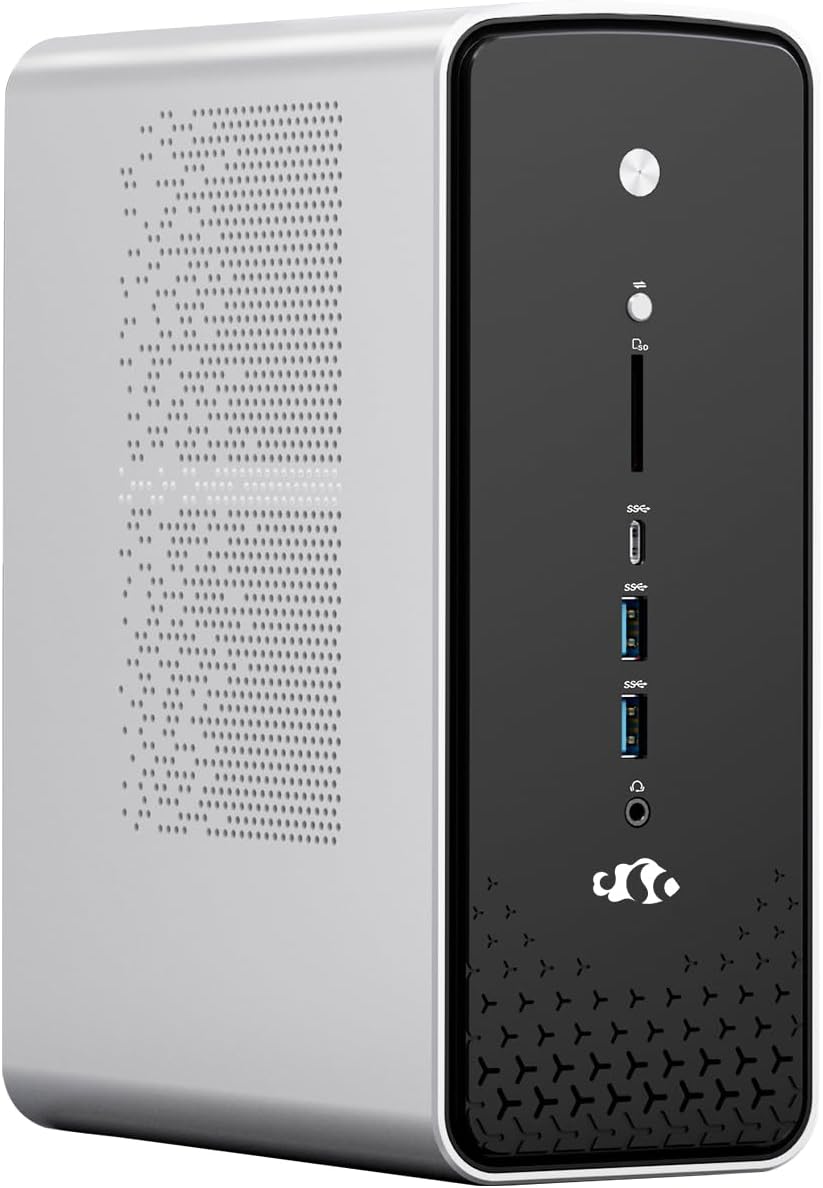
The TOPGRO T1-Pro offers a dedicated RTX 4060 in a mini PC chassis and earns a 4.5 rating. It is positioned as the value-oriented member of the dedicated-GPU group in this guide, pairing the 24-core, 32-thread Core i9-13900HX with 8GB of GDDR6 graphics memory. That combination is suitable for modern gaming, content creation, and multitasking without the extreme demands of a larger workstation.
We may earn a commission when you buy through this link, at no additional cost to you.
Its 32GB DDR5-5200 memory is installed in dual-channel form and can expand to 64GB. A 1TB M.2 PCIe 4.0 SSD is included, while two additional M.2 2280 positions allow total storage expansion to 8TB. The RTX 4060 uses Ada Lovelace architecture and supports ray tracing, DLSS 3.0, and Max-Q technologies, giving it useful features for both games and professional applications.
Physical controls allow direct adjustment of RGB lighting and fan speed, which is convenient in a gaming setup. WiFi 6E, Bluetooth 5.3, 2.5Gbps Ethernet, HDMI 2.0, and DisplayPort 1.4 provide modern connectivity. The package also includes a recovery USB drive, an HDMI cable, SATA connection cables, mounting screws, a manual, and a power adapter.
This is the recommendation for a buyer who wants a recognizable dedicated RTX GPU in a compact machine without moving to the T1-MAX configuration. It is most appropriate for high-settings 1080p gaming, creative work, and mixed productivity tasks. The limitation is straightforward: the RTX 4060 offers less graphics capability than the RTX 4070, and the mobile GPU still depends on the system's power and cooling design.
Memory expansion to 64GB and storage expansion to 8TB help prevent the compact chassis from becoming a long-term limitation. Additional M.2 positions are particularly useful for games, project files, and active media.
Separate fan and lighting buttons allow rapid changes without navigating software. This is a small feature, but it makes day-to-day gaming and desk customization more convenient.
We may earn a commission when you buy through this link, at no additional cost to you.
The Lenovo ThinkStation P3 Tiny is the most explicitly professional system in the roundup. Its 5.0 rating accompanies a one-liter chassis, an Intel Core i9-14900 vPro processor, 64GB of DDR5 memory, a 2TB PCIe NVMe SSD, and a dedicated NVIDIA T400 GPU with 4GB of memory. The T400 is not a gaming card, but it is intended for CAD, visualization, and professional display workflows.
We may earn a commission when you buy through this link, at no additional cost to you.
The processor provides 24 cores and 32 threads with speeds up to 5.8GHz. Windows 11 Pro 64-bit adds business security, encryption, management, and Copilot support, while vPro enables enterprise remote management. User-accessible memory and storage slots permit later upgrades, and the system can drive four monitors through one DisplayPort and three Mini DisplayPort outputs.
Connectivity includes WiFi 6, Bluetooth 5.3, Gigabit Ethernet, USB-C, USB Type-A, and a bundled DKZ USB port expander. The dedicated T400 is a meaningful addition for applications that benefit from vendor drivers and professional GPU workflows, although its 4GB capacity and low-end positioning make it unsuitable as a substitute for a high-end gaming GPU.
This ThinkStation is best for CAD, engineering, 3D modeling, video editing, trading, and multi-monitor professional work where manageability and compact size matter. The supplied listing also notes that certified RAM and SSD upgrades are covered by a three-year warranty from GreatPriceTech, while the rest of the hardware has a one-year manufacturer warranty through the same provider. Buyers should review that arrangement carefully.
vPro support and the dedicated T400 distinguish the P3 from ordinary compact desktops. These features target organizations that need remote administration, reliable professional drivers, and dedicated graphics for design applications.
A 64GB memory allowance and 2TB SSD provide comfortable headroom for engineering files, large applications, virtual environments, and multiple simultaneous displays. Accessible slots also protect long-term flexibility.
We may earn a commission when you buy through this link, at no additional cost to you.
The GEEKOM A8 is a 4.1-rated mini PC built around a Ryzen 7 8745HS with eight cores, 16 threads, and boost speeds up to 4.9GHz. Its 0.5-liter aluminum enclosure is among the smallest designs in this roundup, and the supplied VESA bracket allows it to sit behind a monitor. Despite the limited footprint, it targets coding, 4K video editing, graphic design, and cloud-oriented AI work.
We may earn a commission when you buy through this link, at no additional cost to you.
The system starts with 16GB of DDR5 memory and a 1TB PCIe 4.0 NVMe SSD. Unlike systems with permanently soldered memory, the A8 supports memory expansion to 128GB and storage expansion to 4TB. Radeon 780M graphics based on RDNA 3 handle visual tasks and multi-monitor productivity, but they do not replace a dedicated graphics card for intensive gaming or professional 3D workloads.
Cooling uses dual heat pipes, a high-efficiency fan, and optimized airflow to support extended workloads and unattended cloud AI-agent tasks. The networking includes 2.5GbE Ethernet and WiFi 6E, while Windows 11 and Linux or Ubuntu compatibility broaden the operating environment. A three-year limited warranty, 90-day returns, and dedicated business support add useful purchasing assurances.
The A8 is best for users who prioritize a remarkably small workstation footprint, future memory expansion, and cloud workflow automation. It can serve as a compact coding machine, light editing station, or always-available desktop. It is not the recommendation for dedicated gaming, but its expandability makes it a more future-conscious option than many systems limited to a fixed 16GB configuration.
At 0.5 liters, the A8 can disappear behind a display or fit into a crowded workspace. Including a mounting bracket makes it especially attractive to users who want a clean desk with full desktop-class software access.
Supporting up to 128GB of DDR5 and 4TB of storage avoids locking buyers into the initial 16GB and 1TB configuration. The result is a compact platform that can grow with more demanding software and projects.
We may earn a commission when you buy through this link, at no additional cost to you.
The right compact PC depends on whether graphics performance, processor speed, memory, power consumption, portability, or professional support matters most. These factors help separate genuinely dedicated graphics systems from capable mini PCs that rely entirely on integrated graphics.
A dedicated graphics card has its own processor, dedicated video memory, and independent connection to the rest of the system. The TOPGRO T1-MAX, T1-Pro, ROG NUC, and Lenovo ThinkStation P3 fit this definition. The other systems use integrated Radeon graphics, which can still be remarkably capable, especially when paired with large unified-memory pools, but they cannot be treated as equivalent to a discrete gaming GPU.
The RTX 4070, RTX 5070, RTX 4060, and T400 serve different purposes. RTX cards include gaming-oriented technologies such as DLSS, ray tracing, and dedicated GDDR6 memory. The T400 is intended for professional design workflows and should not be judged as a consumer gaming card. Resolution, game settings, frame-rate target, and application requirements matter more than the newest generation number alone.
A mini PC with a dedicated GPU can still feel slow if its processor cannot feed the graphics pipeline. The Core i9 chips in both TOPGRO systems and the ThinkStation offer 24 cores and 32 threads, while the Ryzen AI Max+ 395 provides 16 cores and 32 threads. For office use or light gaming, a six- or eight-core processor may be sufficient, but high-refresh gaming, rendering, compiling, and streaming benefit from additional cores.
Memory determines how many applications, browser tabs, project files, and virtual machines can remain active simultaneously. The NIMO's 128GB unified memory is exceptional, while the GMKtec M6 Ultra and GEEKOM A7 offer 32GB. The ACEMAGICIAN S3A and GEEKOM A8 begin at 16GB but provide expansion paths. Shoppers should also consider whether memory is soldered, as unified and LPDDR5 designs are less replaceable than conventional SO-DIMM configurations.
Games, creative files, and AI models can consume substantial space quickly. Most systems include at least a 500GB SSD, while the ROG NUC and ThinkStation P3 include 2TB. PCIe 4.0 drives provide faster transfers than PCIe 3.0, but day-to-day responsiveness also depends on the processor and memory. Additional M.2 slots, as found on the TOPGRO systems, are useful for expanding storage without replacing the boot drive.
The number and resolution of supported displays can matter more than expected for office, engineering, and creative setups. The GMKtec M6 Ultra, ACEMAGICIAN S3A, ThinkStation P3, and GMKtec EVO-X2 support three or four outputs, while the T1-MAX and T1-Pro cover dual 4K configurations. USB4, DisplayPort, HDMI, Ethernet, and USB Type-A availability determine which docks, monitors, and accessories can be used.
Powerful mobile processors and GPUs generate considerable heat, particularly under sustained gaming or rendering. The ROG NUC uses three fans and a dual vapor chamber, while the TOPGRO systems provide direct fan controls and the GMKtec EVO-X2 offers three power modes. Quieter systems such as the GEEKOM A7 prioritize efficiency and may be better suited to offices, although their integrated graphics are not intended for the same gaming load.
Warranty length, return terms, operating-system support, and access to memory or storage components can affect ownership more than minor specification differences. The GEEKOM A7 and A8 include three-year limited warranties, the ACEMAGICIAN S3A includes two years, and the ThinkStation listing explains separate coverage for upgraded components. Confirm the precise terms and included accessories on the current listing before ordering.
Begin with ventilation, the operating system, and connectivity. Place the enclosure on a stable surface with open space around its vents, connect the power adapter directly, and avoid placing it inside a closed cabinet unless airflow is clearly adequate. Complete operating-system setup, install the graphics driver supplied by the manufacturer, and update the remaining components before transferring important files.
Use the physical controls or manufacturer software to select a thermal profile suited to the task. Quiet or balanced modes are useful during calls and ordinary work, while a performance mode can provide more sustained output during gaming, rendering, or compilation. Maintain clear space around the chassis, clean dust from external vents periodically, and avoid blocking intake openings with soft materials.
For a gaming mini PC, confirm the supported resolution, refresh rate, and required cables before installation. Use a direct display connection for the primary high-refresh monitor, keep a 2.5G Ethernet connection available for stable online play, and back up active game saves and project files. When upgrading memory or storage, power the system down, disconnect the adapter, follow the manufacturer's guide, and verify that the new components are recognized afterward.
A dedicated GPU has its own graphics processor and separate video memory, allowing it to handle demanding games and GPU-accelerated work independently of the CPU. Integrated graphics share system memory with the processor and are generally more efficient and smaller, but they offer less headroom for rendering, 3D, and high-settings gaming. The distinction is especially important when a mini PC is intended to replace a full-size gaming desktop.
An RTX mobile GPU uses the same general architecture and supports features such as ray tracing and DLSS, but its power and cooling limits can reduce sustained performance compared with a desktop version. Results also vary with the selected game, resolution, settings, system power profile, and temperatures. Buyers should compare frame rates at their intended resolution rather than relying on the GPU generation alone.
For modern gaming, streaming, browser use, and general productivity, 32GB is a comfortable amount and often preferable to 16GB. It also helps when background applications consume several gigabytes during a session. Memory-intensive creative projects, virtual machines, and local AI models may require 64GB or more, especially when a large unified-memory configuration is available.
The Radeon RX 8060S is unusually capable for integrated graphics, particularly when backed by 128GB of high-bandwidth unified memory as in the NIMO and GMKtec EVO-X2. The supplied information places it between RTX 4060 and RTX 4070 laptop-class performance in selected scenarios. Actual results depend on the game, settings, and power mode, with FHD being the more practical target.
A 1TB SSD is a sensible starting point for a compact gaming system because modern titles, system files, and creative applications can occupy considerable space. A 2TB configuration is preferable when large game libraries, video projects, or local models are involved. Systems with additional M.2 slots offer an easy way to expand capacity while retaining the original drive.
A mini PC can be suitable for both, provided the graphics performance and display outputs match the requirements. The T1-MAX and T1-Pro support dual 4K displays, while several other models support three or four outputs. For high-refresh 4K gaming, a strong discrete GPU, appropriate cables, and compatible monitors are more important than the number of available ports.
Choose a low-power model for office work, media, communication, background automation, and a quiet always-on installation. Choose a high-power model with a dedicated GPU for modern games, 3D rendering, video acceleration, and other sustained graphics workloads. A system with selectable performance modes can bridge both needs, though the highest output will naturally create more heat and noise.
That depends on the model. The GMKtec M6 Ultra, GEEKOM A8, TOPGRO systems, and ThinkStation P3 provide explicit memory or storage upgrade paths, while the NIMO's large LPDDR5 and EVO-X2's LPDDR5X memory are presented as integrated. The ACEMAGICIAN S3A uses a removable storage design, but its supplied 16GB LPDDR5 memory is not described as user-upgradeable.
The TOPGRO T1-MAX is the strongest overall recommendation in this guide because its Core i9 processor, RTX 4070, 32GB of memory, and 1TB PCIe 4.0 SSD create a balanced platform for gaming and creation. The ROG NUC raises the graphics and platform ambition with an RTX 5070 and premium cooling, while the TOPGRO T1-Pro offers the more value-oriented route to a dedicated RTX configuration.
Prioritize the GPU for games, the processor for compute-heavy tasks, and memory capacity for professional workflows. Integrated Radeon systems are still worthwhile when energy efficiency, local AI, multi-display productivity, or compact size matters more than traditional discrete-card performance. The Lenovo ThinkStation P3 is especially relevant for professional design and enterprise management, even though its T400 GPU serves a different purpose from an RTX card.
Before ordering, verify the current specification, operating system, warranty terms, display support, and upgrade layout on the live listing. Ratings can change as more customers review a product, and prices, configurations, and availability also vary over time. Those final checks will ensure that the selected mini PC fits both the intended workload and the available desk space.