
20V Power Cord for MSI Monitors
4.6Editor score
100-240V AC input
20V DC output
6.5-foot output cable
Broad Optix compatibility
Our MSI Monitor Power Cord guide compares 10 replacement cords for output, wattage, connector fit, compatibility, safety, and setup flexibility.
An MSI monitor power cord is more than a basic electrical accessory: it must deliver the correct voltage, current, connector fit, and protection required by the display. A replacement with incompatible specifications may fail to start the monitor, cause flickering, or create avoidable electrical risks. The right cord also needs to match your desk layout and cable-management preferences.
We compared ten replacement options using the information supplied with each product. The evaluation considers supported MSI Optix models, input range, DC output, wattage, connector type, cable length, documented protection features, included components, and the breadth of compatibility. The list includes replacement power bricks with attached cords as well as options suitable for additional compatible electronics.
Each review explains where a particular product stands out, where its specification set is limited, and who should consider it. Ratings reflect the ratings listed for the products rather than the results of hands-on testing. Prices and product details can change, so compare the current listing, original monitor label, connector, and electrical requirements before ordering.
4.6Editor score

4.7Editor score
4.7Editor score
The table below compares all ten options by their most important practical attributes: electrical output, input range, cable or connector details, and supported MSI monitor families.


The Emaks MSI 20V Cord is a replacement power solution aimed at several popular MSI Optix families, including the G241, G241V, G24C6, G271, G272, G27C5, and G32 series. Its listed rating is 4.3, and its standout characteristic is the unusually broad set of compatibility notes, which also covers selected Philips monitors, TVs, sound bars, speakers, LED lighting, and security cameras requiring 20V DC.
We may earn a commission when you buy through this link, at no additional cost to you.
The electrical specification is 100-240V AC input at 50-60Hz with a 20V DC output and a listed 2.25A current. That makes it a relevant choice for equipment designed around a 20V, 45W-class adapter. It is particularly interesting for owners who want one replacement brick for more than a single MSI model, although the exact connector, polarity, and current requirements of every attached device should still be confirmed before connection.
The main drawback is that the 2.25A rating is less generous than the 3.25A output offered by several newer competitors. It may therefore be less appropriate for monitors whose original adapter specifies a higher current, even if the listed voltage matches. The product information also repeats some compatible-model text and mixes monitor examples with other 20V DC devices, making careful label verification more important than relying on general family names alone.
This cord is most sensible for a user replacing a known 20V, 2.25A MSI adapter or seeking one supply for several compatible electronics. It offers strong value through broad application coverage, but buyers should choose it only after confirming the original power brick label, the barrel connector dimensions, and the required polarity. Those checks make the difference between a versatile replacement and an electrical mismatch.
The unusual strength of this option is its cross-device utility. The listing identifies use with selected Philips displays, TVs, speakers, sound bars, lighting products, and security cameras in addition to MSI monitors. That makes it attractive for a mixed electronics setup, provided each target device uses 20V DC, the same connector, and the same polarity.
A matching voltage does not automatically make two adapters interchangeable. The listed 2.25A output should be checked against the monitor's original adapter and the device's power requirements. When the manufacturer specifies a different current or connector, use a replacement that matches those exact details.
We may earn a commission when you buy through this link, at no additional cost to you.
The MSI Optix 20V Cord is designed as a replacement for the ADPC2045 3CB5-style adapter used with numerous MSI Optix gaming monitors. It carries a 3.8 rating, the lowest among the listed products, but that figure does not reveal why a buyer might prefer it. Its practical advantages include a documented 6.5-foot output cable, broad AC input support, and compatibility spanning 24-, 27-, and 32-inch MSI families.
We may earn a commission when you buy through this link, at no additional cost to you.
The supplied information specifies 100-240V AC input and a steady 20V DC output. Supported models include the G241, G241V, G24C6, G27C5, G271, G24C4, G32 series, G27C4 model 3CA9, G27C4W, and the OPTIXG271 curved display. Selected Philips models and LED TVs are also included in the compatibility notes, although the primary positioning remains an MSI gaming-monitor replacement.
A limitation is that the listing does not clearly state the adapter's output current in the supplied details. Since electrical compatibility involves voltage, current, connector size, and polarity, buyers should not assume that every 20V monitor can use this unit simply because it appears in a related family. Its 3.8 rating may also make it a less confident first choice when a more clearly specified option is available at a similar tier.
The product is best for someone who recognizes the ADPC2045 3CB5 reference, owns one of the explicitly listed monitors, and needs the 6.5-foot output lead. It could also suit a buyer who wants a familiar-looking replacement for several compatible MSI displays. Confirm the original adapter's output label and plug dimensions before purchasing, and verify the current specification directly on the listing or product label.
The 6.5-foot output cable gives the monitor more freedom to sit farther from the wall outlet or power strip. It can simplify placement when the included brick is positioned behind a desk, although users should still route the lead so it does not become a trip hazard or pull against the connector.
The reference to ADPC2045 3CB5 is useful because it tells buyers which type of original adapter this cord is intended to replace. Comparing that code with the label on the existing supply is the safest way to confirm that the voltage, connector, and polarity line up before installation.
We may earn a commission when you buy through this link, at no additional cost to you.
The HSXIRQA 20V Adapter has one of the most extensive compatibility lists in this roundup, covering MSI Optix G24, G27, and G32 families across 24-, 27-, 32-, and 34-inch displays. Its 4.4 rating reflects a generally favorable customer response, while the supplied details emphasize broad support, a complete power-and-cord package, and multiple layers of protection.
We may earn a commission when you buy through this link, at no additional cost to you.
Its stated input range is 110-240V, with a maximum 20V DC output. The package includes one power adapter and one power cord. The model list includes the G241 and G241V, G24C4 and G24C6 families, G242 variants, G271 through G273, G27C4 and G27C5 variants, G32CQ4 and G322C, G321CQP, MAG245R, MAG275R, and MAG342CQR and MAG342CQM curved models.
The listing states that the adapter uses protection for overcurrent, short circuits, and overheating, as well as heat-resistant, flame-retardant materials. It also describes an automatic adjustment function based on device temperature and battery status. These are positive indicators, but consumers should distinguish specific electrical protections from broader charging-language claims and should look for verifiable marks or certification details when those are important to the decision.
This is a strong candidate for a user with several MSI Optix monitors or an uncertain exact submodel, because the model coverage is extensive. It is less suitable for someone who needs a certified 100-240V input range, since the listed lower bound is 110V. Before ordering, compare the connector size, polarity, and original output rating with the monitor label, and confirm that the included cable and adapter meet the arrangement required by the desk.
The broad model list is particularly helpful for buyers who own more than one display or replace computer equipment frequently. Rather than tying the replacement to one short-lived model code, it covers several naming conventions and related suffixes within the G24, G27, G32, and MAG ranges.
Overcurrent, thermal, and short-circuit protections are useful characteristics to consider, but the best proof is a clear specification label and appropriate certification for the market where the adapter will be used. Buyers should avoid treating general statements about charging performance as a substitute for checking the monitor's required output and connector.
We may earn a commission when you buy through this link, at no additional cost to you.
The MSI 20V Power Cord is a well-rounded replacement with a 4.6 rating, broad compatibility across MSI Optix G24, G27, and G32 families, and a useful combination of electrical protections. It is a particularly attractive option for buyers who want a capable 20V supply without moving to the higher-current 65W specification offered by some alternatives.
We may earn a commission when you buy through this link, at no additional cost to you.
The product information states an AC input of 100-240V and a 20V DC output. It includes a 6.5-foot output line and uses a fireproof PC shell with a pure copper core according to the listing. Compatibility covers major MSI Optix 24-, 27-, 32-, and 34-inch groups, including G241, G241V, G242, G24C6, G24C4, G271, G272, G273, G27C5, MAG245R, G27CQ4, G27C4, G32CQ4, and MAG342CQR models.
The seller also describes an advanced IC with voltage, current, temperature, and overload protection. A one-year warranty and return or exchange service are advertised. As with the other replacements, the current rating and barrel-plug measurements are not given in the supplied summary, so a buyer should not rely on model-family similarity alone. The original power brick remains the definitive comparison point.
This product fits users of mainstream Optix monitors who want broad coverage, a 100-240V input, useful protection information, and a generous output cable. It earns the budget designation because it balances these features without claiming a premium 65W output. It is the sensible choice for most compatible 20V MSI monitors, provided the connector, polarity, and current match what the display requires.
Voltage, current, temperature, and overload protection give this replacement a more complete safety profile than a listing that mentions only output wattage. Those protections do not guarantee compatibility, but they make the adapter worth considering when its basic electrical specifications and plug match the monitor.
The 6.5-foot output lead helps the monitor sit at a comfortable distance from a wall outlet or power strip. It can also be routed behind a desk, although the brick and cable should be positioned to avoid tension and accidental disconnection.
We may earn a commission when you buy through this link, at no additional cost to you.
The 65W MSI Optix Charger differentiates itself with a clearly stated 20V, 3.25A, 65W output and a specified 5.5mm by 2.5mm connector. Its 4.4 rating reflects solid customer reception, while the explicit electrical values make it easier to compare with an original monitor power brick than options that leave current or plug dimensions unstated.
We may earn a commission when you buy through this link, at no additional cost to you.
Input is 100-240V at 50-60Hz, and the listing reports CE, FCC, and RoHS certification along with overvoltage and overcurrent output protection. The compatibility list covers 24-, 27-, 32-, and 34-inch MSI Optix displays, including the G241, G241V, G24C6, G242, MAG245R, G271, G272, G27C4, G27C5, MAG275R, G32CQ4, G322C, G321CQP, MAG342CQR, and MAG342CQM.
A six-foot, or 1.83-meter, power cord provides reasonable placement flexibility. The explicit connector measurement is valuable, but it can also disqualify the unit if the monitor uses a different barrel size. The 65W rating is more generous than the 45W-class options, yet a replacement should still be chosen to match the device's specified output and connector rather than simply selecting the highest wattage available.
This adapter is well suited to a buyer who wants clearly documented output, recognized certification claims, and broad MSI coverage. It is especially useful when the original adapter uses a 5.5mm by 2.5mm plug and a 20V supply. Verify polarity as well as diameter and length, inspect the monitor's original label, and consult the current listing for certification documentation before making a final choice.
Listing the output, current, wattage, and connector size gives buyers concrete points of comparison. These details make it easier to determine whether the replacement is electrically appropriate before it reaches the desk and reduce the chance of choosing based only on a broad family name.
The stated operating range of -10 to 40 degrees Celsius and storage range of -20 to 85 degrees Celsius indicates attention to environmental use. Buyers should still keep the adapter ventilated and away from moisture, excessive heat, and covered surfaces that could trap heat.
We may earn a commission when you buy through this link, at no additional cost to you.
The MSI Optix 20V Adapter combines a 4.7 rating with one of the broadest model lists in the collection. It is designed as a general replacement for 20V MSI Optix displays in the 24-, 27-, 32-, and 34-inch categories, making it a strong all-purpose choice for buyers who may not own just one monitor generation.
We may earn a commission when you buy through this link, at no additional cost to you.
The electrical information states 100-240V AC input at 50-60Hz and a 20V DC output. The supported families include G241, G241V, G241VC, G24C6, G24C6P, G2412, G2422, G2422P, G242, G242P, G24C4, MAG245R, MAG ARTYMIS 242C, G32CQ4, G32CQ4 E2, G322C, G32C4W, G321CQP, G321CQP E2, G271, G271CP, G272, G272P, G273, G27C5, G272QPF, and several curved MAG models.
Its advanced IC is described as providing voltage, current, temperature, and overload protection. One 20V DC power supply is included. The supplied information does not state the output current or connector dimensions, which is the main practical gap in the listing. Buyers should match those specifications to the original adapter before installing it, and should not assume that a 20V output alone is enough to guarantee compatibility.
This is the strongest general recommendation in the group for a user with a listed Optix model who values broad family coverage, universal input, and a strong customer rating. It suits anyone replacing a failed original brick without needing a second brand-specific supply. For the best outcome, photograph the old label, record its model and connector, and compare those details with the replacement before connecting it.
The extensive model coverage is the defining feature. It reduces the chance that a buyer with a G24, G27, G32, or MAG-series display will need a highly specialized replacement. Exact submodel suffixes still matter, so the model label on the monitor or original brick remains the decisive reference.
Protection against voltage abnormalities, excess current, temperature, and overload provides several layers of operational support. These features are especially relevant in a crowded gaming setup where the power brick may operate for long periods and where ventilation can sometimes be limited.
We may earn a commission when you buy through this link, at no additional cost to you.
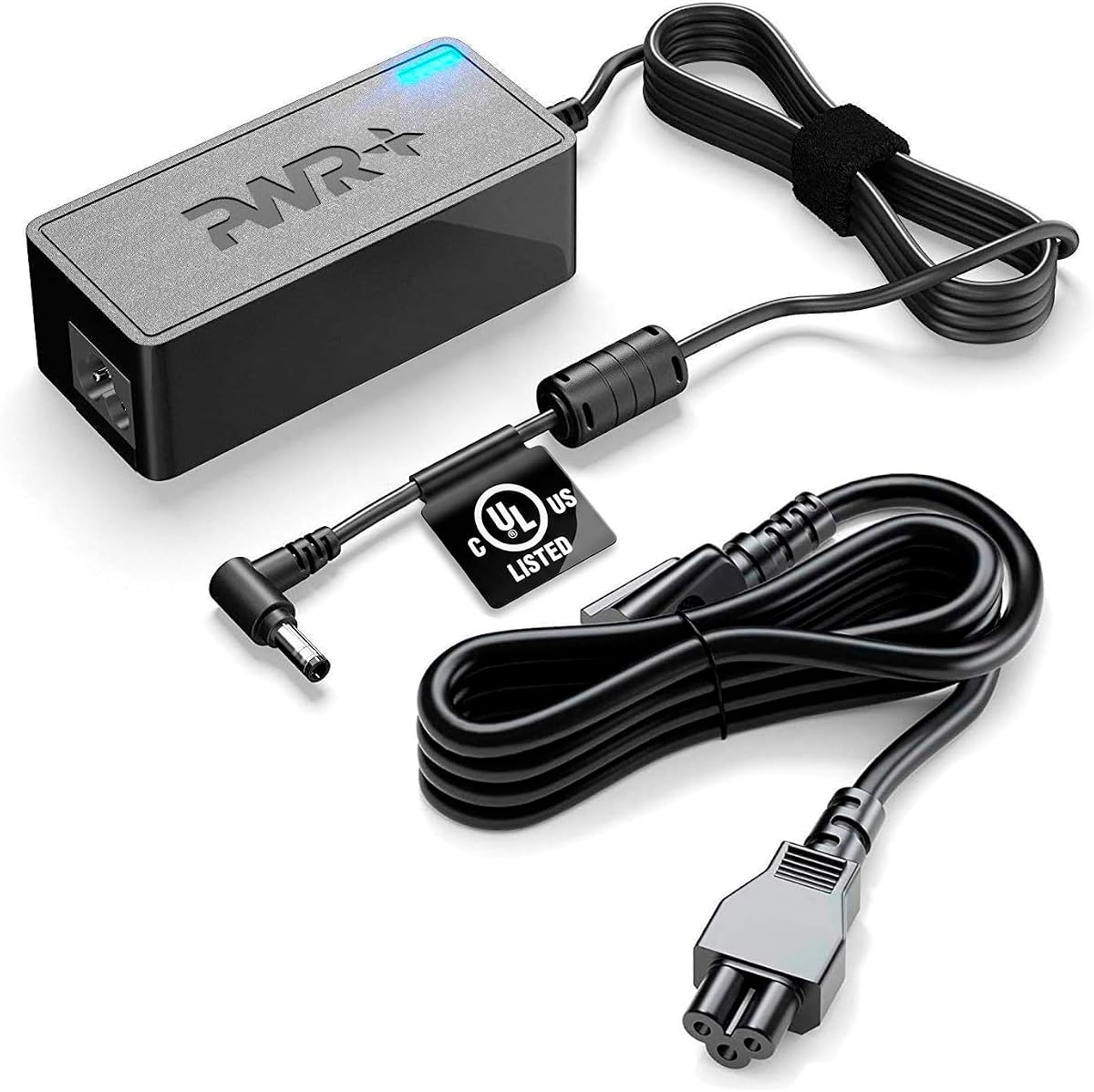
The PWR+ MSI Adapter stands apart with a 4.7 rating, 12-foot cords, a long compatibility history, and a verifiable UL/ULC listing identified as E475124. It also supports an unusually large MSI and ASUS gaming-monitor selection, making it the most substantial premium option for a desktop with multiple displays or a monitor positioned far from a wall outlet.
We may earn a commission when you buy through this link, at no additional cost to you.
The output is listed as 19V at 3.42A, rated 65W, with compatibility for a 20V, 45W configuration. Input supports 110-240V. Compatibility information covers MSI Optix G24, G27, and G32 series, several curved models, and numerous part numbers, while a second list includes a wide range of ASUS monitor models. The product is made in Taiwan according to the supplied information.
Safety is a major differentiator. The listing states that the adapter was tested, approved, and certified by UL and ULC and provides the certification number so buyers can verify it. The company also advertises a 30-day refund and 24-month exchange service. The most important qualification is that voltage and connector compatibility still depend on the original monitor requirements; a long cord and certification do not make every MSI adapter interchangeable.
This premium pick is best for owners of a compatible MSI or ASUS gaming monitor who want generous cable reach, detailed documentation, and identifiable safety certification. It is also appealing for a multi-monitor desk. Confirm the output label, connector, and polarity, and verify the certification number independently if authentication is important. If those details match, this is a notably complete and flexible replacement.
The extra-long AC and DC leads can simplify installations where a monitor sits far from a wall outlet, a desk-mounted power strip is inconvenient, or multiple displays need separate routing. Extra length should be managed with clips or sleeves so the cables remain tidy and do not create snagging points.
Providing a specific UL listing number gives shoppers a way to investigate the product rather than relying on a generic safety statement. Independent verification is helpful for any electrical accessory and particularly valuable for equipment that will remain connected throughout the day.
We may earn a commission when you buy through this link, at no additional cost to you.
The MSI 20V Supply is a complete replacement package consisting of one power cord and one adapter. Its 4.4 rating places it among the stronger-reviewed products, and its compatibility notes cover the major MSI Optix G24, G27, G32, and MAG series. The product is positioned as a general-purpose cord for users who want a single new supply for an MSI display.
We may earn a commission when you buy through this link, at no additional cost to you.
The supplied specifications state 100-240V AC input and 20V DC output. The package includes the adapter and its AC power cord. The listed compatibility covers 24-inch models such as the G241, G241V, G241VC, G24C6, G242, G242P, G24C4, and MAG245R, along with the G32CQ4, G322C, G32C4W, G321CQP, and their listed variants. The 27-inch range includes G271, G272, G273, G27C4, G27C5, MAG275R, and other specified suffixes.
The product description highlights overcharge, short-circuit, overload, overcurrent, and overvoltage protection, along with a fireproof PC casing and a pure copper core. It also clearly discloses that the product is not sponsored, endorsed by, or affiliated with the brands it fits. That disclosure is useful context because these are replacement accessories rather than original manufacturer components.
This adapter is a good fit for a buyer who wants the full cord-and-brick set, broad Optix coverage, and a clearly described set of safeguards. Its main limitation is that the supplied details do not provide the output current, connector size, or polarity. Those details must be verified against the monitor before use. Once confirmed, the package offers a convenient one-item solution for restoring power.
Receiving both the adapter and the AC power cord removes the need to determine whether a separate wall cable is required. This simplifies replacement of a complete original power system, especially when the original wall lead has also been damaged or lost.
The explicit statement that the product is an independent compatible accessory helps distinguish it from an original MSI supply. That does not diminish its usefulness, but it is another reason to examine the physical label, plug dimensions, and electrical output rather than assuming manufacturer-level specifications.
We may earn a commission when you buy through this link, at no additional cost to you.
The 65W MSI Optix Supply holds a perfect 5.0 rating in the supplied data, making it the highest-rated product in the collection. It offers a clearly defined 20V, 3.25A, 65W output and compatibility spanning 24-, 27-, 32-, and 34-inch MSI Optix gaming monitors. The result is a concise and technically focused replacement specification.
We may earn a commission when you buy through this link, at no additional cost to you.
Its input is 100-240V AC at 50-60Hz, allowing use across a broad range of standard wall outlets. The supported list includes G241, G241V, G241VC, G24C6, G24C6P, G2412, G2422, G2422P, G242, G242P, G24C4, MAG245R, and MAG ARTYMIS 242C. It also includes G271, G271CP, G272, G272P, G273, G27C5, G272QPF, G2712, G2722, G27CQ4, G27C4, MAG275R, MAG342CQR, MAG342CQM, G32CQ4, G322C, G32C4W, and G321CQP.
The major caution is that a perfect numerical rating can reflect a smaller number of customer reviews, whereas products with lower ratings may simply have a longer review history. The listing does not specify connector dimensions, polarity, or specific protection circuitry in the supplied details, so the outstanding rating should not substitute for basic compatibility checks. Nor should the 65W rating be used to assume suitability for every monitor.
This product is an appealing choice for a buyer who knows the monitor uses a 20V, 3.25A supply and wants a compact, broadly compatible replacement. It is especially relevant for larger curved Optix models within the stated list. Confirm the original plug, polarity, and required wattage, and consider how much feedback the current listing has before treating the perfect rating as the sole buying criterion.
A 5.0 rating is encouraging, but the number of ratings matters when assessing how much experience supports that score. Buyers should look at current feedback volume, written comments, and the product details together rather than using a single numerical score as the entire decision.
Stating 20V, 3.25A, and 65W together gives shoppers a complete output profile. That clarity is useful for matching a monitor with a known power demand and for distinguishing this replacement from lower-current 45W-class cords.
We may earn a commission when you buy through this link, at no additional cost to you.
The KFD 20V Adapter is the broadest multi-brand option in this guide, with compatibility information for MSI Optix monitors, Philips displays and TVs, HP monitor power systems, sound bars, speakers, LED lighting, security cameras, and other 20V DC devices. Its 4.4 rating and 36-month warranty make it appealing to buyers who want one adaptable power solution for a varied household setup.
We may earn a commission when you buy through this link, at no additional cost to you.
The specified input is 100-240V at 50-60Hz, with a 20V, 2.25A, 45W output. MSI compatibility includes G24C4, G24C6P, G27C4, G27C4W, G27C6, G27C6P, G272, G272P, G242, G242P, MAG245R, MAG275R, MAG ARTYMIS 242C, and several model codes such as 3BA0, 3BA4, 3BA8, 3CA9, and 3CB5. The product is also listed for UL, CE, FCC, and RoHS certification.
Its extensive HP and Philips lists add genuine utility, but they also make the listing more difficult to navigate than a product focused on one monitor family. The 20V, 2.25A output places it in the 45W class rather than the newer 65W group. It should therefore be selected based on the original device's required output and connector, not merely on brand or model-family overlap. The listing also notes support for 18V-20V applications in its title, making the exact device requirements particularly important.
The KFD adapter is best for a technically confident buyer who wants a certified, long-warranty replacement across several brands or for a sound bar, lighting product, or security camera. It may be less convenient for someone who wants an uncomplicated MSI-only list. Match the voltage, current, connector, and polarity to every device before connecting, and retain the original product documentation if it is still available.
The 45W, 20V specification and wide device list can support a small collection of compatible electronics. This makes the adapter useful in a media area or home-automation setup where several products share a common power requirement, provided the plug and polarity are identical.
A 36-month warranty provides added reassurance, while the listed 30-day free exchange offers a short adjustment window. The long list should still be treated as a search aid, not as permission to connect every nominally similar device. Original labels remain the most reliable guide.
We may earn a commission when you buy through this link, at no additional cost to you.
Choosing a replacement MSI monitor power cord requires matching electrical and mechanical details more carefully than selecting by brand alone. The following factors cover the checks that matter most before placing an order.
Start with the model number printed on the back or underside of the display, then locate the original power brick and compare its model code. MSI Optix families can contain many suffixes, revisions, and screen sizes, and a cord marketed for G24, G27, G32, or MAG series may not support every member. The model label and original adapter offer the clearest starting point. If the monitor is no longer available, look for its model and adapter code in the monitor's settings menu, documentation, or support records.
In short, identify the precise monitor and adapter before relying on a broad family name.
Voltage must match the original supply, and nearly every product here provides 20V DC. A matching number is only part of the equation: center-positive and center-negative polarity are different, and using the wrong arrangement can prevent startup or cause abnormal behavior. Compare the symbols on the original adapter with those on the replacement and confirm that the plug is fully compatible rather than merely similar in diameter.
In short, require the same output voltage and the same electrical polarity before connecting a replacement.
Current and wattage describe the power the adapter can deliver. This guide includes both 20V, 2.25A, 45W-class options and 20V, 3.25A, 65W options. The best approach is to reproduce the output specified for the monitor, whether that means 2.25A or 3.25A. A higher-current adapter may be suitable in some cases, but lower output can be inadequate, and an oversized unit does not eliminate the need to match voltage, polarity, and connector.
In short, choose the output rating that agrees with the original monitor power supply.
The barrel connector must have the correct outer diameter, inner diameter, and length. Options such as the 65W MSI Optix Charger specify a 5.5mm by 2.5mm tip, while other listings do not provide measurements. Measure the original plug or consult the adapter part number, and compare both the shaft and the internal opening. A plug that feels too loose should not be forced into a socket.
In short, confirm diameter, internal size, and plug depth rather than relying on visual appearance alone.
Look for documented protections against overcurrent, overvoltage, overload, short circuiting, and excessive temperature. Recognized certification can add another level of confidence, as illustrated by the PWR+ option's stated UL/ULC listing number. These features do not make an incompatible adapter safe to use, but they help distinguish a thoughtfully designed supply from a product with minimal documentation. Users should also keep the brick uncovered, ventilated, and away from moisture.
In short, favor clear protection specifications and verifiable certification, then use the adapter within its stated limits.
Cable length determines where the monitor can be placed relative to the outlet or power strip. Options in this guide range from a 6-foot lead to a particularly long 12-foot cord set, while some listings do not emphasize total reach. Measure the planned route before buying, including desk depth, wall clearance, and the space needed to bend the connector without applying strain. Longer is not automatically better if it creates loose loops, snagging hazards, or poor cable management.
In short, choose enough length for a tidy route, not simply the longest available cable.
Some compatible adapters can also power sound bars, speakers, LED lighting, security cameras, or selected Philips and HP products. This can be convenient, but each device must use the same voltage, current requirement, connector, and polarity. The broader the list, the more carefully it should be treated as a reference rather than a blanket approval. For a mixed setup, label each adapter and keep the original device documentation nearby.
In short, use multi-device claims only when every connected product shares identical power requirements.
A warranty, exchange policy, and responsive support can make an otherwise similar replacement less risky. Listed support periods differ, from a one-year service option to longer exchange and warranty arrangements. Review the return terms in the current listing, especially for an electrical accessory that may only reveal a fit problem after the monitor has been opened. Good support cannot replace compatibility checks, but it can provide recourse if the product is defective or the specifications were inaccurate.
In short, compare warranty and return terms, but complete the model and electrical checks first.
Before installation, switch off the monitor, unplug the old power system, and allow the adapter to cool. Read the label on both the original and replacement supplies. Confirm the voltage, current, polarity, connector, and monitor model, then connect the cord firmly without twisting the barrel plug. Connect the AC side to a grounded wall outlet or a properly rated surge protector, and keep the connection stable.
After connecting the power cord, turn on the monitor and check for a stable image, normal brightness, and the expected display status. Disconnect immediately if there is a burning smell, unusual buzzing, visible connector damage, repeated startup cycling, or persistent flickering. A correctly matched replacement should power the display without producing these symptoms. Avoid hot-plugging the barrel connector into the monitor and never bend the wire sharply at the strain relief.
For long-term care, route the cable behind the desk or along a wall where it will not be walked on or pulled. Keep the power brick uncovered and away from carpets, bedding, moisture, and other heat traps. Inspect the connector and cable for cuts, discoloration, or a loose fit. If the adapter becomes unusually warm, stop using it, unplug it, and have the setup or power supply examined.
No, not every 20V cord will be interchangeable even when the voltage matches. You must also confirm the output current, connector size, connector length, and polarity, as well as the exact monitor model. Use the original power brick label and the monitor's model number as the basis for comparison. A broad family name in a product listing is helpful but not a substitute for matching the full specification.
The connector varies among MSI monitor models, so there is no single size for every Optix display. Some products in this guide specify a 5.5mm by 2.5mm tip, while others omit the measurements. Measure the original plug's outer and inner diameters and compare the full depth with the replacement. Do not force a connector that does not fit cleanly.
A higher-rated replacement may often work when voltage, polarity, and connector match, but the monitor's original label and manufacturer guidance should still guide the decision. A 20V, 3.25A supply provides more current capacity than a 20V, 2.25A unit, while the monitor determines how much power it actually draws. The safest approach is to select the output specified for the device or follow explicit manufacturer guidance.
Some of the listed adapters are marketed for compatible 20V sound bars, speakers, LED lighting products, and security cameras. Those devices must use the same voltage, connector, polarity, and an appropriate current rating. Never assume compatibility from the 20V label alone. Check the original adapter on each device and stop if the connector, polarity symbol, or electrical rating does not match.
The ideal length is the shortest one that allows a safe, tidy connection between the monitor and the outlet or power strip. Six feet is often sufficient for a standard desk, while a 12-foot option can help with a wall outlet positioned far away. Measure the actual route and leave enough slack to move the monitor without pulling on the connector. Avoid excess cable creating a trip or snag hazard.
Disconnect it immediately and recheck the monitor model, voltage, current, polarity, and connector. Inspect the barrel plug for damage and verify that the wall outlet works with another known device. Do not keep reconnecting a plug that fits loosely or smells warm. If the specifications match and the outlet is functioning, contact the seller or a qualified repair professional for further diagnosis.
A third-party adapter can be suitable when it matches the original electrical and physical requirements and includes appropriate protection features. Look for clear specifications and, where available, verifiable safety certification. Certification does not guarantee compatibility, so the monitor label and connector still need to be checked. Use the adapter within its documented ratings and keep it ventilated.
Not necessarily. If the wall plug or cable is damaged but the power brick and monitor connector remain in good condition, replacing only the appropriate section may solve the problem. If the brick, barrel connector, or cable is cracked, discolored, loose, or producing unusual heat, replace the complete matched system instead. Do not splice a damaged power cord or improvise an electrical connection.
The MSI Optix 20V Adapter stands out as the Editor's Choice for broad model coverage, a 4.7 rating, universal 100-240V input, and documented protections. The MSI 20V Power Cord is the Best Budget selection, combining a 4.6 rating with a 6.5-foot output cable and a strong safety feature set. The PWR+ MSI Adapter earns the Best Premium designation for its 12-foot cords, broad MSI and ASUS compatibility, and verifiable UL/ULC certification.
For most buyers, the priority should be exact model compatibility, correct voltage and polarity, an appropriate current rating, and a secure connector fit. Features such as overcurrent and temperature protection add confidence, while a longer cable can make a multi-monitor or wall-mounted setup easier. The best product is not necessarily the one with the broadest list; it is the one that precisely matches the equipment you intend to power.
Remember that ratings, product details, and prices can change. Before ordering, check the current listing, compare the replacement with the original adapter label, verify the connector and polarity, and review the return or warranty terms. Those final checks can prevent an otherwise attractive replacement from becoming a frustrating mismatch.