Trail Camera Viewer USB-C
4.4Editor score
Works with USB-C devices
Requires no third-party app
Supports real-time file management
A trail camera SD card viewer makes it easier to review wildlife, hunting, and security footage without carrying a laptop into the field. The right device should display photos and videos clearly, support your memory cards, and make navigation simple in bright, damp, or dusty surroundings.
We compared ten standalone viewers and phone-connected readers based on the supplied specifications, including screen size, supported media, connection methods, file-management features, power requirements, portability, and weather resistance. The list covers dedicated LCD devices, tablet-style viewers, and adapters for recent Apple and Android hardware.
Each numbered review identifies the product's strongest use case and also notes practical limitations. The three highlighted picks represent our budget, overall, and premium selections, while ratings and product details reflect the current product information. Product prices and availability can change, so compare current listings before buying.
4.4Editor score

4.4Editor score

4.3Editor score
As an Amazon Associate we earn from qualifying purchases.
This side-by-side comparison highlights the main differences among dedicated LCD viewers, tablet-style models, and phone-connected adapters, with particular attention to screen size, card support, connectivity, and field portability.




The Muddy CRV3 HD is a dedicated 4.3-inch color LCD viewer built for reviewing trail camera photos and videos in the field. Its 4.2 rating reflects a practical package that combines high-definition playback, straightforward controls, and a ruggedized design, making it a solid option for hunters who want more flexibility than a phone adapter.
We may earn a commission when you buy through this link, at no additional cost to you.
The viewer supports SD cards up to 32GB and 1080p video playback. Adjustable brightness and volume are useful when moving between a shaded stand and a brighter clearing, while the headphone jack allows audio to be heard privately. View, transfer, and delete options make it possible to organize captured content without returning to a computer.
Its water-resistant housing and compact body are more suitable for outdoor conditions than a bare card adapter. The included wrist lanyard helps prevent drops, and the Micro USB slot provides another way to transfer files. The main drawback is the reliance on four AA batteries, which are not included, creating a small ongoing inconvenience.
Choose the Muddy when you want a self-contained screen, portable media management, and broad file support without a large tablet. It is especially appealing for hunters who regularly review footage away from a vehicle and prefer familiar physical controls over smartphone file management.
The 4.3-inch screen offers enough space for identifying animals and reviewing important frames without the bulk of a tablet. Brightness controls help adapt the display to changing daylight, while the headphone connection adds flexibility for video audio.
Viewing, transferring, and deleting files directly from the device reduces dependence on a laptop or phone. The water-resistant housing and wrist lanyard also make the viewer more practical during active outdoor use.
We may earn a commission when you buy through this link, at no additional cost to you.
The Stealth Cam SD Card Reader is our overall selection because it combines a 4.3-inch color display, 1080p playback, and five-point touch detection in a purpose-built field viewer. Its 4.4 rating is among the highest in this group, and the gesture-based interface makes it approachable for users who want quick navigation without complex menus.
We may earn a commission when you buy through this link, at no additional cost to you.
The screen provides enough room to inspect photos and videos, while smart gestures help move through a large card more naturally. View and delete options are included, giving hunters basic media management directly from the device. The water-resistant housing and wrist lanyard support use around camp, tree stands, and other outdoor locations.
Compared with larger tablet-style options, this model is easier to carry and focuses on the functions most trail camera users need. The supplied specification does not state the maximum card capacity or detail a transfer method, so buyers who use very large cards or depend heavily on computer transfers should verify those points on the current listing.
This Stealth Cam viewer is a strong recommendation for anyone seeking a compact, dedicated field screen with intuitive touch operation. It is especially well suited to hunters who regularly sort wildlife images and want a higher-rated alternative to a basic card reader.
Five-point touch detection and gesture controls are intended to make browsing less cumbersome. This is valuable when a card contains many consecutive photos and you need to locate a particular animal or event quickly.
A color LCD, water-resistant housing, and included wrist lanyard cover the core needs of a portable trail camera viewer. It offers a practical middle ground between a phone adapter and a larger tablet.
We may earn a commission when you buy through this link, at no additional cost to you.
This Stealth Cam SD Card Reader and Viewer receives a 4.4 rating and emphasizes rugged construction alongside a 4.3-inch color LCD. It is a more fully described version of the compact viewer category, with clear information about media management, audio, card capacity, power, and connectivity.
We may earn a commission when you buy through this link, at no additional cost to you.
The View and Delete options help users sort useful photos and discard unwanted footage directly in the field. Rubberized buttons protect against dust, dirt, water drops, and snowflakes, while the water-resistant housing is designed for rough weather. A headphone jack enables audio playback during video review.
The reader supports standard SD cards up to 32GB and operates on four AAA batteries, which are not included. It also includes a Micro USB connection, although no cable is supplied. Those omissions add minor inconvenience, but the core viewing and file-management functions remain well specified.
Buyers who want a compact dedicated viewer with clearly documented durability should give this model serious consideration. It is particularly useful for users who need basic file deletion outdoors and expect the screen and controls to tolerate changing outdoor conditions.
Rubberized buttons are easier to operate than a delicate touchscreen in some wet or dirty conditions. The 4.3-inch screen still provides enough room to review recognizable wildlife activity before deciding which files to keep.
View and delete options are practical features for a full memory card. Rather than carrying every image back to a computer, users can discard irrelevant frames while reviewing the valuable ones.
We may earn a commission when you buy through this link, at no additional cost to you.
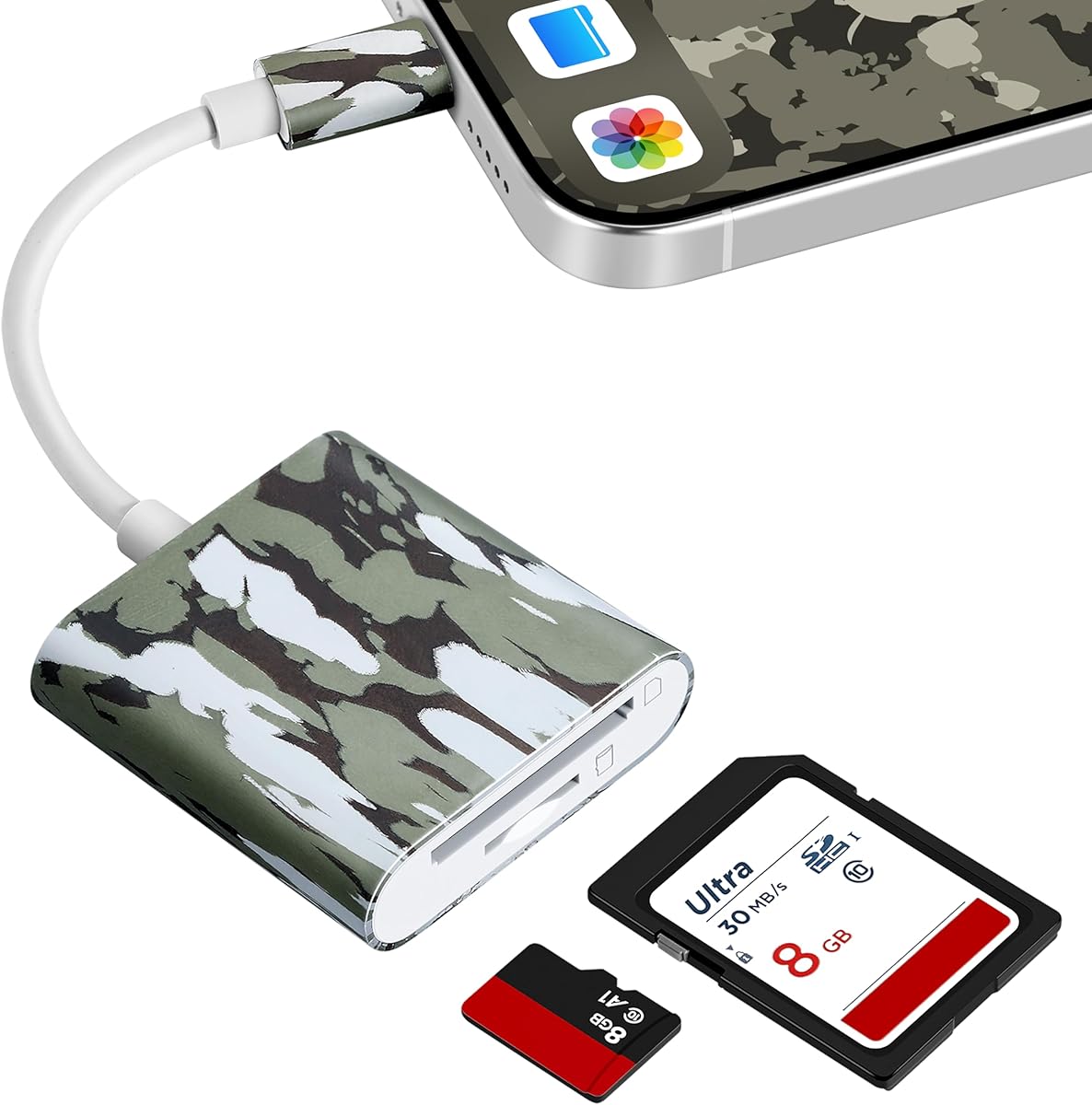
The Trail Camera Viewer USB-C is the best budget choice for people who already carry a modern phone or laptop. It earns a 4.4 rating and turns a compatible device into a screen for reviewing trail camera media, avoiding the expense and bulk of a separate display.
We may earn a commission when you buy through this link, at no additional cost to you.
Compatibility extends to iPhone 15 and later, MacBook series, and USB-C Android devices with OTG. The adapter supports direct viewing, saving, sharing, and deletion of game camera pictures and videos. No Wi-Fi, internet connection, or third-party application is required.
The obvious limitation is dependence on the host device. Android users need OTG, and anyone with an older Lightning iPhone should choose a different model. The device is also less practical when a phone battery is low, although a separate viewer with its own battery system avoids that dependency.
This is a convincing budget pick for a hunter who values simplicity and portability over a dedicated screen. Plug it into a compatible device, access the card, and review the footage without managing another network or installing specialized software.
The direct approach removes several common sources of frustration. There is no account to create, no network to join in the woods, and no separate application to install before the card can be reviewed.
Support for recent Apple hardware, MacBook series, and qualifying Android devices broadens its usefulness. It can also serve as a general card-reading option beyond trail camera footage.
We may earn a commission when you buy through this link, at no additional cost to you.
The Wildgame Innovations Trail Pad Tablet is the premium option for users who want a large display and a more structured card workflow. Its 4.3 rating reflects a capable seven-inch HD backlit TFT touchscreen, dual card slots, and heavy-duty housing designed for hunting and wildlife observation.
We may earn a commission when you buy through this link, at no additional cost to you.
The two standard-size SD card ports each support cards up to 32GB. One serves as the library port for reviewing footage, while the other acts as an archive for saving selected images and videos. This makes it easier to organize subjects without scrolling repeatedly through one crowded card.
Touch navigation, zooming, and swiping make the large display useful for detailed visual checks. A built-in speaker provides audio during video playback, while auxiliary and Micro USB ports support additional viewing and file-transfer options. The main compromise is size, as this is less compact than a 4.3-inch reader or phone adapter.
The Trail Pad is ideal for hunters, property observers, and wildlife watchers who want a screen large enough for prolonged review and have room for a dedicated tablet. Its dual-card setup is the standout feature, especially for users who want to maintain an organized archive.
The seven-inch HD backlit screen provides a comfortable way to inspect photos and videos. It is particularly useful for wildlife observers who want to identify subtle details or watch longer video clips.
The library and archive ports streamline an otherwise repetitive task. Users can review one card while keeping selected media on another, helping preserve a focused collection of animals or events.
We may earn a commission when you buy through this link, at no additional cost to you.
The BoneView USB-C Reader is designed for hunters who want to inspect game camera media on a compatible Android phone or tablet. Its 4.0 rating is respectable, and the focus on direct card access, broad SD and microSD support, and no required app gives it a clear practical role.
We may earn a commission when you buy through this link, at no additional cost to you.
Users can view, save, share, and delete trail camera photos and videos through a plug-and-play connection. Most video files and large photo collections can be browsed quickly, while the absence of Wi-Fi, cellular service, or internet requirements makes the reader useful in remote locations.
It operates without its own batteries, which removes one concern but also places more demand on the host device. Compatibility is centered on USB-C Android hardware, so it is not the general solution for iPhone users or people seeking a dedicated screen with physical controls.
Choose BoneView when your priority is a small, no-fuss way to move trail camera content onto an Android device. It offers a clear path for immediate review and backup without adding unnecessary screen hardware or application requirements.
The reader remains useful where cellular coverage and Wi-Fi are unreliable. Media comes directly from the card rather than through a cloud service, which can also avoid unnecessary uploads.
The adapter supports viewing, saving, sharing, and deleting without an application. That makes it convenient for checking new camera activity and retaining worthwhile images before a card fills.
We may earn a commission when you buy through this link, at no additional cost to you.
The Four-in-One Card Reader is the most interface-focused product in this guide, with USB, USB-C, Micro USB, an SD card slot, and a microSD card slot. Its 4.3 rating reflects the convenience of connecting a trail camera card to many kinds of phones, tablets, computers, and cameras.
We may earn a commission when you buy through this link, at no additional cost to you.
For Apple users, the charging port allows an iPhone or iPad to charge while data is transferred. Real-time two-way transmission supports viewing and file management across supported devices. The stated compatibility includes iPhones and iPads running iOS 8.0 or later, OTG Android devices, and computers with USB ports.
Maximum memory card support is listed at 1TB, which distinguishes it from viewers with lower stated limits. However, actual card recognition can depend on the host device, card format, and operating system. The reader also has no screen of its own, so it is a portable adapter rather than a standalone viewing terminal.
This model is best for users who move between several types of hardware or need charging during transfers. Its slim keychain-style design is also convenient for keeping it with a camera bag, hunting gear, or travel kit.
The variety of ports reduces the need to carry several readers. It is a practical choice for mixed ecosystems in which trail camera cards may need to move between an iPhone, Android device, laptop, or camera.
The iOS charging port is particularly useful during extended file-management sessions. Users can keep their device powered while reviewing footage instead of stopping to recharge it.
We may earn a commission when you buy through this link, at no additional cost to you.
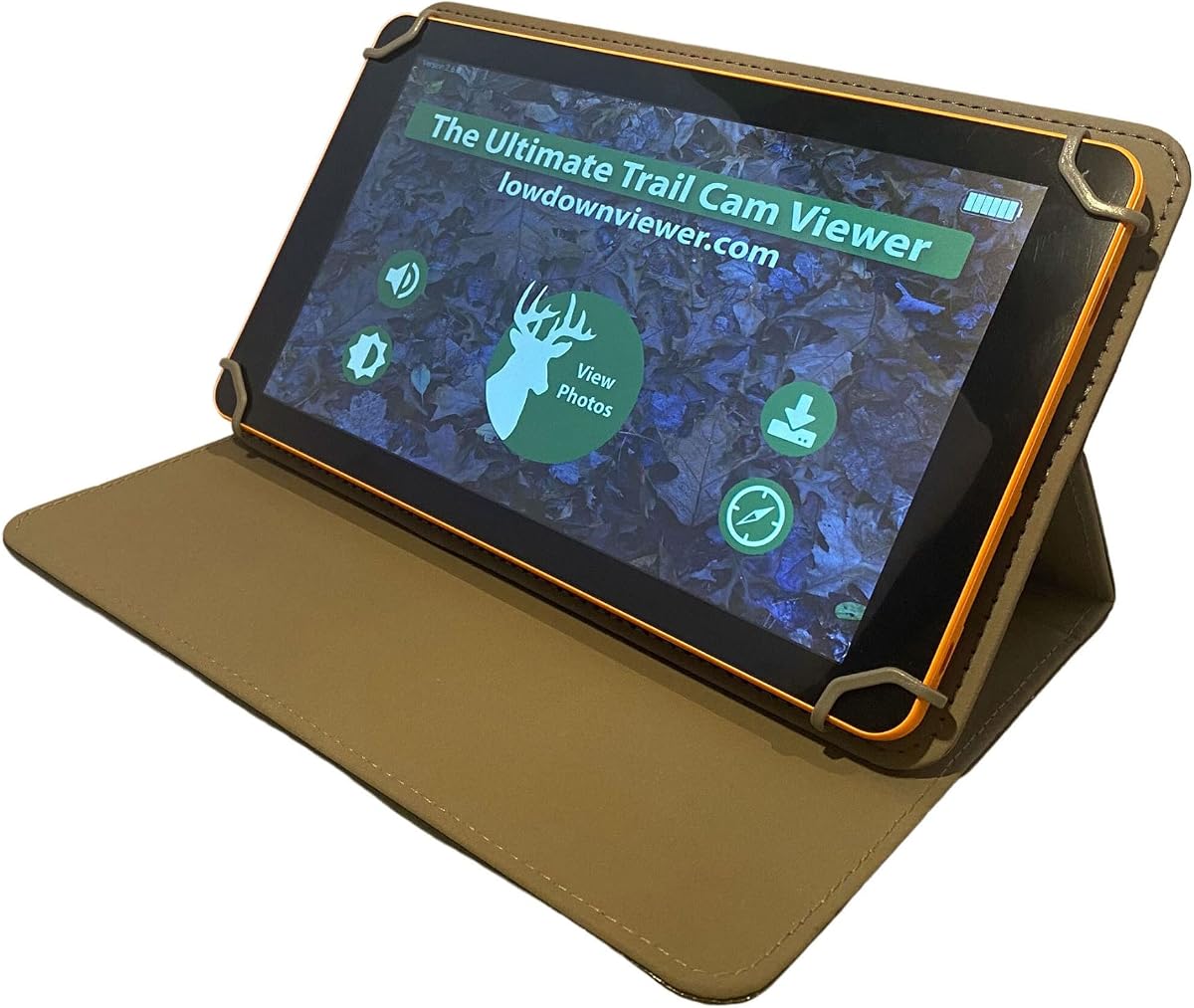
The Advanced Lowdown is built around a specific challenge: reviewing a large number of trail camera images quickly. It carries a 4.3 rating and distinguishes itself through three viewing modes, faster video downloads, support for cards up to 128GB, and features designed to reduce waiting and navigation.
We may earn a commission when you buy through this link, at no additional cost to you.
QuickView displays eight images at once on three-quarters of the screen, allowing users to scan many frames quickly. FullView presents one image at a time in either three-quarter or full-screen format, while Slide Show automatically scrolls through images. A new scrollbar feature is intended to move through thousands of pictures rapidly.
Video playback includes sound, and a picture can be enlarged, a video can be frozen, and a snapshot can be saved. The device can also format cards and use a full-size SD card for pictures. Formatting support is convenient for repeated camera use, although it should only be performed after confirming the card is safe to erase.
Lowdown is the strongest recommendation for users with large libraries who prioritize speed and organization over a phone-based workflow. Its specialized modes, high card capacity, and photo-management tools are particularly valuable for intensive hunting and wildlife-monitoring routines.
QuickView is useful for spotting meaningful frames, FullView provides detailed one-at-a-time inspection, and Slide Show supports hands-free review. Choosing the right mode can substantially reduce the time spent searching a busy card.
Support for cards up to 128GB is valuable when a camera records extensively. The scrollbar and faster downloads are designed to keep large libraries manageable rather than forcing users to work through them one card at a time.
We may earn a commission when you buy through this link, at no additional cost to you.
The BoneView Android Combo pairs a USB-C trail camera card reader with a zipper case, making it a practical all-in-one kit for protecting and carrying the adapter. Its 4.0 rating is solid, and the included case gives it an advantage over bare adapters when gear must survive dusty or crowded packs.
We may earn a commission when you buy through this link, at no additional cost to you.
The reader supports SD and microSD cards from major trail camera brands and connects to compatible Android phones and tablets. Users can view, save, share, and delete images and videos through a plug-and-play design without installing a third-party application or relying on internet service.
The lack of a built-in screen and its focus on USB-C Android devices make it less flexible than the four-in-one reader or a dedicated LCD viewer. The case is useful, but users who never need extra protection may find it less significant than a wider connection choice or larger display.
Choose this combo if you want a straightforward Android reader and a dedicated way to store it. It is especially appropriate for a hunter who wants a simple field backup workflow and prefers to keep small accessories together in a pocket or pack.
The zipper case adds organization and protection for a small device that could otherwise be lost among cables or cards. It is a straightforward way to keep the reader ready at the end of a camera check.
Plug-and-play operation reduces the setup required after retrieving a memory card. Browsing, saving, and sharing are available without a cloud connection or specialized app.
We may earn a commission when you buy through this link, at no additional cost to you.
The Corded Apple Card Reader is designed specifically for recent USB-C Apple devices, including iPhone 15 and newer models and compatible Type-C iPads. Its 3.6 rating is the lowest in this comparison, so it requires more careful consideration, but it addresses a specific need for case-friendly mobile viewing.
We may earn a commission when you buy through this link, at no additional cost to you.
The corded design provides a more stable connection than a very short direct plug. Users can keep a thick protective case on while connecting the reader, which is valuable during hunting, camping, and other activities where removing the case is inconvenient. The setup uses Apple's native Files application and requires no third-party app.
The main restriction is USB-C-only compatibility. It will not work with older Lightning devices such as iPhone 14 and earlier. It also lacks a dedicated screen and depends on the host iPhone or iPad for playback, so it is not suitable for users who want an independent viewer.
Despite its lower rating, this reader is a focused solution for someone with a modern USB-C Apple device and a protective case. It supports standard and microSD memory chips up to 256GB and allows direct viewing, saving, sharing, and deletion without automatically importing every file.
Using the native Files application keeps the process familiar and avoids extra software. The compatible device handles playback and management while the adapter acts as the connection point to the camera card.
The cord allows a thick case to remain on the device. That makes the reader more useful in outdoor settings where a flush, unprotected connection would be less convenient.
We may earn a commission when you buy through this link, at no additional cost to you.
The most useful viewer depends on how you carry your trail camera equipment, which devices you already own, and whether you need a standalone display or a direct phone connection.
A standalone viewer has its own LCD, controls, and usually its own battery system. It is ideal when you want to check a card without draining a phone, working in an area with no network coverage, or viewing content with several people. Phone adapters are smaller and often less expensive, but they depend on the compatibility, storage, and battery condition of the host device.
Choose a standalone viewer for regular field use. Choose an adapter when you already carry a compatible phone and prioritize minimal equipment.
USB-C is the dominant choice among the newest models in this guide, but connector standards alone do not guarantee compatibility. Some products specifically support iPhone 15 and later, some target Android devices with OTG, and others add USB, USB-C, Micro USB, and an Apple charging port. Check the exact device list and operating-system requirements before ordering.
Match the reader directly to your existing phone, tablet, and computer. Do not assume every USB-C device supports every card reader.
A 4.3-inch color screen is a common compromise between portability and visibility, while a seven-inch display offers a much larger canvas for examining images and videos. Consider how much detail you need, how much space you have in a pack, and whether you will watch video for extended periods.
Choose a compact screen for scouting and short reviews. Choose a large touchscreen for detailed observation or extensive libraries.
Trail camera media may be stored on standard SD, SDHC, or SDXC cards, and some trail cameras also use microSD cards. The stated maximum capacity ranges substantially among these products, from 32GB on several dedicated viewers to as much as 256GB on the newest Apple-focused reader. Confirm both the card type and the maximum size before buying.
Use a card reader that matches the capacity and format already in your trail camera. Higher capacity is useful only when the host device recognizes it.
Hunting and wildlife viewing often take place in rain, dust, mud, or cold conditions. Water-resistant housing, rubberized controls, and an included wrist lanyard can make a dedicated viewer easier to handle. Phone adapters have no screen housing to damage, but they are easier to drop and depend on the phone's port for stability.
For rough field use, favor a durable viewer with a lanyard. For travel or light review tasks, a compact adapter may be sufficient.
A viewer becomes more useful when it can do more than display images. View, delete, save, transfer, and archive options help you keep valuable wildlife footage while clearing irrelevant frames. Devices with separate library and archive card slots can maintain a focused collection, while large-card viewers may offer faster multi-image browsing and scroll tools.
Choose basic viewing for quick checks. Choose richer management tools when you regularly sort hundreds of images or need to preserve selected events.
Standalone viewers commonly use AA or AAA batteries, which must be carried separately when not included. Phone adapters require no separate power but can consume the host device's battery during long transfers. Some viewers also provide Micro USB or auxiliary connections for transferring media or viewing on another display.
Consider how long you will be away from a vehicle and whether you can recharge. Carry spare batteries for a dedicated viewer.
Trail camera footage may include sound, and several viewers provide 1080p playback, built-in speakers, or a headphone jack. A larger screen can make short video clips easier to assess, while audio support is valuable when identifying a subject or reviewing an unexpected event.
Check both video resolution and audio output if sound matters. Confirm the device can play the format recorded by your trail camera.
Start by confirming that the viewer or adapter supports the card format and capacity used by your trail camera. For a standalone model, install fresh batteries before leaving for the field. For a phone-connected reader, connect it to a compatible device and use the native file manager or the app specified in the product instructions.
Copy or review important files before deleting anything. Many viewers offer view, delete, transfer, or archive functions, and a card formatting option may permanently erase its contents. If you use a dual-card model, keep the library card for browsing and use the archive card for selected images or videos rather than mixing unrelated media.
Keep the device away from standing water, excessive heat, and impact even when its housing is water-resistant. Remove cards before long-term storage, clean contacts gently, and carry spare batteries for dedicated viewers. For adapters, protect the connector and cord from bending and use a protective pouch to prevent the small device from being lost.
A phone-connected USB-C adapter is usually the lightest option because it adds little weight to a phone or tablet and needs no separate batteries. A standalone 4.3-inch viewer is still highly portable and may be more practical if you want an independent screen. Consider the lanyard, card capacity, and required connector when deciding.
Yes, if your phone has a compatible connector and operating system. The guide includes readers for iPhone 15 and later, Type-C iPads, Android phones with OTG, MacBook series, and computers with USB ports. Some products use the native Files app, while others present the card directly to the device.
No. A direct card reader can display photos and videos on a phone, tablet, or computer. A dedicated viewer is still valuable when you want a larger standalone display, longer battery life, physical controls, or the ability to organize and delete files without relying on a phone.
The correct capacity is the largest card you expect to use, provided the host device also supports it. Options in this guide list limits ranging from 32GB to 256GB, with one four-in-one reader stating support up to 1TB. Also verify whether the product accepts standard SD, microSD, or both formats.
Several products can. The Muddy and Stealth Cam viewers support 1080p playback, while one Stealth Cam model includes a headphone jack. The Wildgame Trail Pad has a built-in speaker, and the Advanced Lowdown plays video with sound. Verify the supported video formats and audio features in the current listing.
Yes. Every product described in this guide is designed for direct media access and does not require cloud storage or a remote connection. The BoneView models and the USB-C trail camera viewer explicitly require no Wi-Fi, cellular service, or third-party app, making them suitable for remote locations.
Water resistance does not necessarily mean the device can be submerged. The listed dedicated viewers use water-resistant housings to help handle dust, dirt, water drops, and snowflakes, but they should still be protected from prolonged rain, running water, and immersion unless the manufacturer states otherwise.
Formatting can prepare a card for reuse, but it permanently erases its contents. Confirm that every valuable image and video has been backed up first. If you are unsure whether the viewer will format the card exactly as your trail camera expects, use the trail camera manufacturer's recommended procedure instead.
The Stealth Cam Viewer is the strongest all-around choice for its 4.3-inch color LCD, 1080p playback, five-point touch detection, and field-friendly housing. The Trail Camera Viewer USB-C is the best budget option for people who want direct phone access without an app, while the Wildgame Innovations Trail Pad Tablet offers the most expansive premium viewing experience.
Prioritize connector compatibility, card capacity, and the environment in which you will use the device. A phone adapter is the simplest choice for recent compatible hardware, a 4.3-inch viewer balances portability with a dedicated display, and a large dual-card tablet is ideal for extensive libraries and organized archiving.
Before making a final purchase, check the current listing for the exact connector, supported card formats, included accessories, and compatibility details. Ratings, product configurations, and prices can change, and comparing current information will help ensure the viewer you choose works with your trail camera and existing devices.