
NETGEAR CM500V
4.2Editor score
Two Xfinity phone lines
Up to 300 Mbps plans
Separate router required
Our expert guide compares the best cable modem with phone options, covering Xfinity voice support, phone lines, DOCSIS speed tiers, and built-in WiFi.
A cable modem with phone support combines high-speed DOCSIS internet equipment with integrated Xfinity Voice connectivity, reducing the number of boxes needed at home. The best choice depends on your provider, plan speed, telephone line count, preferred Ethernet speed, and whether you want built-in WiFi or a separate router.
We compared all ten products by examining provider approval, voice capabilities, DOCSIS version, supported plan speeds, Ethernet ports, WiFi generation, and practical trade-offs. The list includes standalone modems, modem-router combinations, renewed models, and a multi-gig option designed for faster Xfinity tiers.
Our top picks highlight a budget-focused model for basic voice service, an editor's choice with multi-gig capability, and a premium option with multiple Gigabit Ethernet ports. Product details and provider support can change, so confirm compatibility with your exact plan and check current prices before purchasing.
4.2Editor score

4.0Editor score

4.1Editor score
This side-by-side comparison highlights provider compatibility, voice support, internet technology, and networking options. It is designed to help you identify the model that matches your Xfinity plan, phone requirements, and preferred approach to home WiFi.


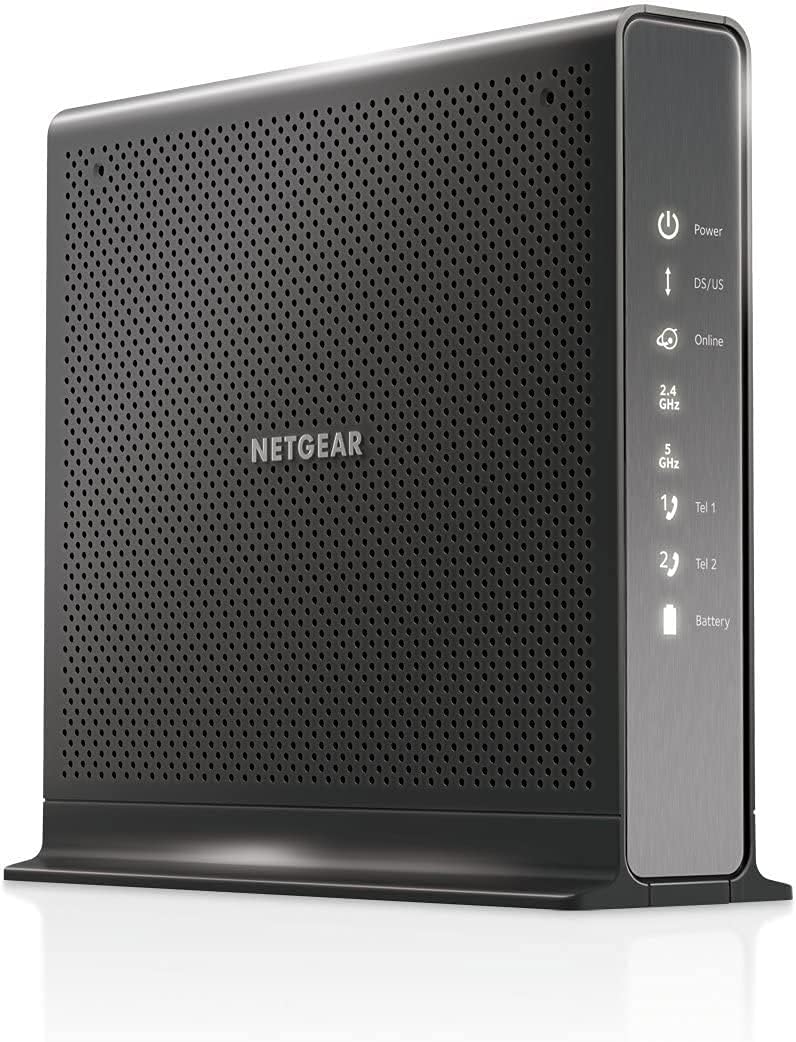

The NETGEAR CM2050V is a standalone DOCSIS 3.1 cable modem with built-in Xfinity Voice support. It holds a 4 rating and stands out for supporting cable plans up to 2.5 Gbps, two telephone lines, and a single 2.5 Gbps Ethernet connection. It is designed for households that want more modem performance than a conventional Gigabit model can provide.
We may earn a commission when you buy through this link, at no additional cost to you.
Its main strength is the combination of fast internet capability and voice functionality. A single Ethernet port can deliver true multi-gig performance to a compatible WiFi router, desktop, or other network device. Voice service includes features such as caller ID, three-way conference calling, and call forwarding, making it a practical choice for Xfinity subscribers who still rely on home telephone service.
The trade-off is that this is not an all-in-one WiFi system. You must connect a separate router if you want wireless coverage, although doing so allows you to choose WiFi 6 or WiFi 7 equipment and place access points where they are needed. Compatibility is also restricted to Xfinity Internet and Voice in the United States; it will not work with Verizon, AT&T, CenturyLink, DSL, DirecTV, or DISH.
This is our editor's choice because it addresses both sides of the category without forcing you into a dated DOCSIS 3.0 modem or a slower one-port Gigabit design. Buy it if your Xfinity plan is sufficiently fast, you need two phone lines, and you already own or plan to buy a capable router. For a comprehensive review of this product, you can also check out the top-rated options in our guide to the best cable modems for Xfinity.
Overall, the CM2050V is most attractive when your goal is to prepare for multi-gig service while retaining integrated voice. If your plan is much slower, paying for extra capacity may not produce faster real-world results, but the model remains a forward-looking option for growing Xfinity households.
The 2.5 Gbps Ethernet port allows the modem to take full advantage of compatible high-speed internet tiers. Pairing it with a current WiFi router also prevents the modem's Ethernet interface from limiting a fast fiber-like cable plan.
Two telephone ports and common calling features let the CM2050V consolidate internet and voice equipment. It is a sensible solution for subscribers who need traditional calling without adding a separate voice gateway.
We may earn a commission when you buy through this link, at no additional cost to you.
The NETGEAR CAX30 is a DOCSIS 3.1 modem-router combination with AX2700 dual-band WiFi 6. Its 4.1 rating reflects a versatile design that can serve as the central network device in a home without a separate router. However, it does not support bundled cable voice plans, which is the central limitation for shoppers searching specifically for phone support.
We may earn a commission when you buy through this link, at no additional cost to you.
As an all-in-one device, the CAX30 offers up to 2.7 Gbps combined wireless performance, coverage for as many as 25 or more connected devices, and four Gigabit Ethernet ports. It is approved for Xfinity plans up to 800 Mbps, Spectrum up to 1 Gbps, and Cox up to 1 Gbps. That provider flexibility makes it useful for households prioritizing internet and WiFi over telephone service.
Its DOCSIS 3.1 OFDMA technology is intended to improve response during congested periods, while the Nighthawk app assists with setup, guest networks, device pausing, and speed tests. Security features include WPA3, firewall protection, denial-of-service prevention, and an optional NETGEAR Armor trial. These tools improve everyday management, but none adds voice functionality.
Choose the CAX30 if your provider does not offer or require a bundled voice plan and you want one box to handle cable internet, routing, and WiFi. Do not choose it for Xfinity Voice or another traditional telephone package. Its value lies in convenience and broad provider support, not phone integration.
Combining a DOCSIS 3.1 modem with an AX2700 router reduces the number of devices connected to your coaxial outlet. It is particularly convenient for apartments and straightforward home networks that do not need a separate access point.
Compatibility with several major U.S. cable providers gives the CAX30 broader internet appeal. The Nighthawk app simplifies common tasks, although an active internet connection is required for full remote management features.
We may earn a commission when you buy through this link, at no additional cost to you.
The renewed Motorola MT7711 combines a 24×8 DOCSIS 3.0 cable modem, AC1900 dual-band router, and two Xfinity Voice ports in one enclosure. It carries a 4 rating and is recommended by Comcast for Xfinity internet service speeds up to 400 Mbps, making it a sensible all-in-one option for homes with moderate-speed plans.
We may earn a commission when you buy through this link, at no additional cost to you.
Four Gigabit Ethernet ports support wired computers, game consoles, streaming devices, and other Ethernet-capable equipment. On the wireless side, the router includes power amplifiers and AnyBeam beamforming on both 2.4 GHz and 5 GHz bands. Those features are intended to improve range and help maintain usable connections in larger homes with several connected devices.
The largest trade-off is its DOCSIS 3.0 foundation and lower supported plan tier compared with the newest DOCSIS 3.1 choices. It is also sold as a renewed product, so appearance or prior-use details may vary. A backup battery for keeping calls available during a power outage is also not included with this model.
The MT7711 is best for an Xfinity subscriber who wants internet, wireless networking, and two-line voice service in one box without a very fast internet tier. It can also make sense for backup or secondary use because of its three-function design. If your current plan exceeds its supported speed, choose a DOCSIS 3.1 modem instead.
The MT7711 reduces the number of separate boxes needed for Xfinity internet, home WiFi, and telephone service. That convenience is especially valuable in spaces where every connected device and cable must be accounted for.
Four Gigabit Ethernet ports give high-speed devices a dependable wired route, while dual-band WiFi handles phones, tablets, and laptops. The router's amplifiers and beamforming are designed to improve coverage without changing the basic service tier.
We may earn a commission when you buy through this link, at no additional cost to you.
The ARRIS T25 is a straightforward DOCSIS 3.1 modem designed for Xfinity Internet and Voice service. It has a 4.1 rating, supports approved plans up to 800 Mbps, and includes two 1 Gbps Ethernet ports plus two telephone connections. It does not include WiFi, so a separate router is required for wireless access.
We may earn a commission when you buy through this link, at no additional cost to you.
The T25 focuses on the core gateway functions rather than combining every networking feature in one enclosure. Its two Gigabit ports provide practical wired flexibility for a router and a directly connected device. DOCSIS 3.1 also provides a more modern foundation for current cable tiers and includes support for OFDM-related network efficiency improvements.
Setup involves plugging in the modem, downloading the SURFboard Central app, and following the activation process. The supplied information notes that a WiFi router should be connected for networking. Its two phone ports make it more directly relevant to the keyword than most standalone modems, although it is still limited to Xfinity Internet and Voice service.
This model makes the most sense for Xfinity subscribers with an internet plan up to 800 Mbps, two-line voice needs, and a separate WiFi router. It is less suitable for multi-gig subscribers, those who need built-in wireless networking, or anyone outside the Xfinity ecosystem. Its straightforward design makes it easier to recommend when voice and internet are the only priorities.
DOCSIS 3.1 gives the T25 a current cable-network platform and headroom for plans beyond basic Gigabit service. Actual performance still depends on your Xfinity plan, network conditions, and connected devices.
Two Gigabit Ethernet ports and two voice ports provide enough connections for a router plus a wired device, alongside a conventional telephone setup. The design is simple, but its limited Ethernet speed makes it less future-proof for multi-gig plans.
We may earn a commission when you buy through this link, at no additional cost to you.
The NETGEAR C7000 is a DOCSIS 3.0 modem-router combination with AC1900 dual-band WiFi 5. Its 4.2 rating is the second-highest among the products reviewed, reflecting its established all-in-one design. It works with Xfinity and Cox internet plans, but it is explicitly incompatible with bundled voice services.
We may earn a commission when you buy through this link, at no additional cost to you.
Internet capabilities cover approved plans up to 800 Mbps on Xfinity and 500 Mbps on Cox. Four Gigabit Ethernet LAN ports support computers, consoles, streaming players, and storage devices, while the router offers up to 1.9 Gbps combined across both wireless bands. Beamforming is included to improve range and reduce dead spots.
This is a capable internet gateway, but it does not satisfy the voice portion of the cable modem with phone category. The absence of telephone ports means Xfinity Voice subscribers need one of the explicitly voice-enabled models. Its WiFi 5 platform is also older than the WiFi 6 option in this roundup, even though it remains useful for many connected-device mixes.
Choose the C7000 for straightforward internet and wireless service in a home that does not need traditional telephone support. It is appropriate for Xfinity and Cox subscribers within the approved plan ranges who want fewer boxes and easy app-based control. If voice is a requirement, skip this model and compare the CM2050V, CM1150V, or another Xfinity Voice option.
The C7000 combines internet modem and router functions in a single unit, reducing shelf space and simplifying basic installation. It remains especially attractive to households that do not plan to use a separate mesh system.
Four Gigabit Ethernet ports and dual-band AC1900 WiFi support many common household devices. Security features include WPA/WPA2 encryption, double firewall protection, denial-of-service prevention, and automatic firmware updates.
We may earn a commission when you buy through this link, at no additional cost to you.
The NETGEAR CM1150V is a premium standalone DOCSIS 3.1 modem with Xfinity Internet and Voice certification. It has a 4.1 rating and is built for approved plans up to 800 Mbps. Its strongest distinctions are four Gigabit Ethernet ports, support for two phone lines, and the ability to combine two Ethernet ports through link aggregation.
We may earn a commission when you buy through this link, at no additional cost to you.
This model is particularly useful for homes that need several wired connections. You can connect a WiFi router, desktop, game console, printer, and other network equipment without sharing ports. The voice side includes two lines and features such as caller ID, three-way conference calling, and call forwarding, providing a full-featured alternative to a separate voice gateway.
Its internet engine uses 32×8 channel bonding, OFDM 2×2, and DOCSIS 3.1. Although it supports a fast cable plan, it does not offer the 2.5 Gbps port found on the CM2050V. Link aggregation can provide a faster combined wired connection, but it does not turn the modem into a multi-gig cable plan gateway.
The CM1150V is our premium pick because of its unusually generous port selection and integrated two-line voice support. It is a strong fit for Xfinity customers who want a separate router, several wired devices, and dependable telephone features. Buyers on multi-gig tiers should consider the CM2050V, while those who need built-in WiFi should look at a voice-enabled combo model.
Four Gigabit LAN ports are unusually useful for a standalone modem. They create dedicated wired paths for a router, computers, entertainment systems, and network storage without requiring a separate unmanaged switch.
Integrated Xfinity Voice support covers two telephone lines and common call-management functions. This makes the CM1150V attractive for households that want internet and traditional calling managed through a single approved gateway.
We may earn a commission when you buy through this link, at no additional cost to you.
The NETGEAR CM3000 is a high-performance DOCSIS 3.1 modem with a 4.3 rating, the highest among the ten products reviewed. It supports mid/high-split cable service up to 2.5 Gbps download and 1 Gbps upload, making it one of the strongest choices for Xfinity Gigabit-class and other fast provider tiers.
We may earn a commission when you buy through this link, at no additional cost to you.
Its primary Ethernet connection is a 2.5 Gbps port, supplemented by two 1 Gbps ports that can be link-aggregated for up to 2 Gbps of combined wired throughput. Mid/high-split technology, DOCSIS 3.1 Active Queue Management, and OFDMA are intended to support low latency and stable performance during busy periods.
The CM3000 supports major U.S. cable providers and remains backward compatible with DOCSIS 3.0. It does not support bundled cable-voice plans, however, and has no built-in WiFi. You will need a separate WiFi 6E, WiFi 7, or mesh router if you want wireless service, making the total setup larger than a combo device.
This is an excellent choice for fast cable internet users who do not need home telephone service. Its speed ceiling and port design make it a strong match for demanding homes, gamers, large downloads, and heavy simultaneous use. If Xfinity Voice is essential, the CM2050V offers a more direct combination of multi-gig speed and two-line calling.
The CM3000's mid/high-split support and 2.5 Gbps Ethernet port remove bottlenecks found in older Gigabit-only modems. It is best used with a router or computer capable of handling the faster connection.
Active Queue Management and OFDMA can improve response during congestion. These technologies are valuable in busy homes where gaming, video calls, streaming, and remote work overlap.
We may earn a commission when you buy through this link, at no additional cost to you.
The NETGEAR C7100V is a three-in-one DOCSIS 3.0 modem, AC1900 WiFi router, and Xfinity Voice gateway. It carries a 4.2 rating and supports approved Xfinity Internet and Voice plans up to 600 Mbps. Two phone lines make it one of the most complete options for subscribers who want internet, wireless service, and calling in one device.
We may earn a commission when you buy through this link, at no additional cost to you.
Four Gigabit Ethernet ports support computers, game consoles, and other wired equipment. Voice over IP is available through two telephone ports, while an optional battery backup can preserve calling availability during a power interruption. The product is therefore not only a convenience-focused router but also a credible choice for households that consider telephone continuity important.
Its main limitation is the older DOCSIS 3.0 platform and lower plan ceiling. Newer DOCSIS 3.1 models provide a better foundation for current and future cable tiers. The integrated WiFi also uses WiFi 5, so a large home or advanced wireless user may eventually want a newer router or mesh system.
The C7100V is a good choice for an Xfinity household with moderate speeds, two lines, and a preference for one integrated box. It is less suitable if your service plan is very fast, your home needs modern WiFi 6 or WiFi 7, or you want to choose each network component independently.
Internet, AC1900 WiFi, and Xfinity Voice are handled in one unit. Consolidation reduces the number of devices connected to the coaxial outlet and can simplify installation for compatible households.
The optional battery backup is designed to support calls when household power fails. It adds resilience for users who rely on traditional voice service, although the battery accessory is not included.
We may earn a commission when you buy through this link, at no additional cost to you.
The NETGEAR CM500V is our best budget pick for Xfinity subscribers who need basic internet and two-line home telephone service. It has a 4.2 rating, uses DOCSIS 3.0 with 16×4 channel bonding, and supports approved cable plans up to 300 Mbps. It offers a straightforward way to replace provider-supplied equipment.
We may earn a commission when you buy through this link, at no additional cost to you.
The modem includes one Gigabit Ethernet port and no built-in WiFi, so it can connect directly to a computer or a separate WiFi router. This separation gives buyers control over their wireless system and keeps the modem focused on internet and voice. Voice features include caller ID, three-way conference calling, and call forwarding across two lines.
The primary compromise is speed. A 300 Mbps plan ceiling and a single Gigabit port leave less room for future upgrades than DOCSIS 3.1 alternatives. If your household routinely streams in 4K, conducts many video calls, or has a large number of connected devices, the extra expense of a newer modem may be easier to justify.
The CM500V is best for smaller homes, basic internet use, and subscribers who specifically need two phone lines on a modest Xfinity tier. It is not appropriate for Verizon, AT&T, CenturyLink, DSL, DirecTV, DISH, or non-Xfinity voice services. Within Xfinity's lower supported tiers, it delivers a focused and economical feature set.
Two telephone ports and standard call-management features provide meaningful functionality for Xfinity Voice subscribers. It is a practical choice when calling matters but internet demand remains moderate.
The single Gigabit Ethernet port works with essentially any compatible WiFi router. That flexibility lets you use an existing router or select newer wireless hardware independently of the cable modem.
We may earn a commission when you buy through this link, at no additional cost to you.
The renewed ARRIS SVG2482AC combines an 8×4 DOCSIS 3.0 cable modem, AC1750 dual-band router, and Xfinity telephony. It has a 4 rating and is approved for Comcast Affinity internet and voice service using rdk-b technology. Its three-in-one design makes it relevant to shoppers who want telephone support without separate modem and router boxes.
We may earn a commission when you buy through this link, at no additional cost to you.
Four Gigabit Ethernet ports provide wired connections for computers, streaming equipment, consoles, and other devices. The dual-band router can support up to 1,750 Mbps of theoretical combined wireless performance, although actual results vary with distance, congestion, interference, and client capabilities. The modem also has 24 downstream and eight upstream channels for plans up to 600 Mbps.
This is a renewed product, so physical and cosmetic condition may vary. It is also approved for Comcast Affinity rather than the full range of Xfinity services, and it is not compatible with faster Gigabit Xfinity internet packages. It also does not support Xfinity home security or home control without the required Xfinity home router.
The SVG2482AC is most appropriate for a qualifying Comcast Affinity customer with an internet plan up to 600 Mbps, traditional telephone service, and a desire for integrated WiFi. Check the current service terms and compatibility before purchasing. For broader Xfinity Internet and Voice compatibility, the T25, CM2050V, CM1150V, and C7100V are clearer choices.
The SVG2482AC packages internet, dual-band WiFi, and telephony into a single renewed unit. It can simplify setups for eligible Comcast Affinity customers while reducing the number of separate home-network devices.
Four Gigabit Ethernet ports support direct connections for high-traffic equipment. The simultaneous 2.4 GHz and 5 GHz bands offer flexibility for nearby and distant wireless clients, subject to real-world interference and coverage.
We may earn a commission when you buy through this link, at no additional cost to you.
The right cable modem with phone must match your cable provider, internet tier, voice package, and preferred networking setup. The following factors are more important than marketing labels because compatibility determines whether the equipment can be activated and what performance you can expect.
Voice-equipped cable modems in this category are concentrated around Comcast Xfinity, and several products are restricted to specific Xfinity, Comcast Affinity, or even Triple Play arrangements. Some standalone models work with major cable providers for internet but deliberately exclude bundled voice plans. Check the provider list, plan limit, and service type before making a purchase. A modem that supports an internet plan but lacks voice certification cannot replace the voice gateway you need.
A modem with more channels does not automatically create faster service. Your cable plan determines the useful ceiling, while DOCSIS 3.1 offers a newer foundation than DOCSIS 3.0 and can support faster tiers. The CM500V and MT7711 target lower or moderate plans, the T25, CM1150V, and C7100V reach 600 to 800 Mbps, and the CM2050V and CM3000 support multi-gig service. Choose a model with headroom, but avoid paying for capacity your provider cannot deliver.
Most voice-enabled options support two lines, which fits couples, family members, or a home-office arrangement using two extensions. The CM2050V, CM1150V, C7100V, CM500V, MT7711, and T25 explicitly include two telephone connections. Clarify whether you need one line, two lines, or a separate analog device before installation, and remember that telephone adapters may require additional power and are not included with every model.
Standalone modems keep internet and voice processing separate from wireless networking, allowing you to use any compatible router or mesh system. Combo devices reduce the number of boxes and may suit smaller homes. Standalone models are often better for expanding coverage, faster WiFi standards, and network segmentation, while combos are convenient when a single AC1900-class router meets your needs.
The CM500V has one Gigabit Ethernet port, which is enough for a router but can be restrictive for additional wired devices. The T25 provides two Gigabit ports, the CM1150V adds four, and the CM2050V and CM3000 include 2.5 Gbps connectivity. The CM1150V and CM3000 also support link aggregation. Match wired ports to your gaming console, desktop, television, printer, and storage needs, and remember that a multi-gig internet plan also requires compatible equipment downstream.
AC1900 routers in the MT7711, C7000, and C7100V remain useful for conventional homes, while the CAX30 offers WiFi 6 and the CM3000 is designed to pair with newer WiFi 6E or WiFi 7 systems. Building materials, floor plans, interference, and the number of clients can matter more than a headline wireless total. If your existing router performs poorly, a standalone modem plus better access points may deliver a more meaningful improvement.
The Motorola MT7711 and ARRIS SVG2482AC are listed as renewed. Renewal can make an all-in-one system more approachable for budget-conscious buyers, but the exact condition, warranty, included accessories, and return terms may differ from a new unit. Because both products use older DOCSIS 3.0 platforms and have plan restrictions, renewed status is only one part of the compatibility decision.
NETGEAR products emphasize app-based management, while the ARRIS T25 uses the SURFboard Central app for activation. Features such as guest networks, device pausing, speed tests, WPA3, automatic updates, and security subscriptions can improve daily use, but they vary by model. An optional paid security service should not be confused with the hardware's built-in firewall and encryption protections.
Begin by confirming that your cable provider supports the modem on your exact internet and voice plan. Connect the device to the appropriate coaxial outlet, attach the telephone lines if included, and power it on before activating service. Use the manufacturer's app or browser-based activation process, and complete ISP activation before changing advanced network settings. A separate router is required for any modem that does not include built-in WiFi.
For the best placement, keep the modem in an open, ventilated area away from enclosed cabinets, direct sunlight, and concentrated heat. Connect the most important devices with Ethernet whenever practical, especially a gaming console, desktop, streaming television, or network storage system. Wireless performance improves when the router or access points are positioned near the center of the home and away from microwaves, cordless phone bases, and other common interference sources.
Treat telephone adapters as powered electronic devices. Install them according to the manufacturer's instructions, connect them to the modem's phone ports, and test every line before arranging furniture or hiding cables. Periodically restart the modem and router when performance degrades, check for firmware updates through the provider or manufacturer, and keep the ventilation area clear. For extended outages, note that standard phone service may stop working unless the specific modem supports an optional backup battery.
It is a cable modem that combines DOCSIS internet equipment with connectors for Xfinity Voice or another compatible cable telephone service. It can replace separate internet and voice gateway equipment while still requiring activation by the cable provider. Not every cable modem includes telephone ports, so check the specifications before ordering.
No. The modem must be certified for your provider, internet plan, and the specific voice service included in your package. Some products support Xfinity Internet but not bundled voice, while others are restricted to Comcast Affinity. Activation can also require the provider to recognize the modem's equipment profile.
It depends on the model. Standalone options such as the CM2050V, T25, CM1150V, CM500V, and CM3000 have no built-in WiFi, so they need a compatible router. Combo models such as the CAX30, MT7711, C7000, C7100V, and SVG2482AC include wireless networking in the same enclosure.
The principal voice-enabled models in the roundup support two telephone lines, including the CM2050V, CM1150V, C7100V, CM500V, MT7711, and T25. Two lines do not necessarily mean two independent conventional telephone numbers; consult Xfinity about the line assignment and calling features available in your service plan.
DOCSIS 3.1 provides a newer platform and more headroom for faster cable tiers, but it cannot exceed the speed included in your plan. A well-matched DOCSIS 3.0 model may be sufficient for a smaller home and a lower tier. For heavy streaming, gaming, work-from-home use, or a future plan upgrade, DOCSIS 3.1 is generally the safer long-term choice.
Only if it has enough available Ethernet ports or you add a network switch. The CM500V has one Gigabit port, the T25 has two, and the CM1150V has four. The CM2050V offers a 2.5 Gbps port for high-speed equipment, while the CM3000 combines one 2.5 Gbps port with two Gigabit ports and link aggregation support.
Not automatically. A conventional voice modem needs power to operate, although the C7100V supports an optional battery backup for continued calling. The MT7711 does not include a backup battery, and the other models do not list equivalent voice-power protection. Check the specifications before relying on calling during outages.
Confirm provider, internet tier, and voice compatibility first. Gather your account information, connect the coax and telephone wiring, and follow the manufacturer or provider's activation instructions. If a separate router is required, connect it to the modem's Ethernet port and configure the router after internet service is active.
The NETGEAR CM2050V is the most versatile overall choice for an Xfinity household that wants two-line voice, DOCSIS 3.1, and a 2.5 Gbps Ethernet connection. The CM1150V stands out for its four Gigabit Ethernet ports, while the CM500V provides the most focused budget option for lower-speed plans and two telephone lines.
Prioritize provider and plan approval before any other feature. If your service includes traditional calling, choose a model explicitly certified for that voice package. Then consider internet speed, Ethernet capacity, and whether you want built-in WiFi. Larger or more advanced homes usually benefit from a standalone modem paired with a modern router or mesh system.
Finally, check current product availability, warranty terms, and prices before ordering, since provider compatibility and hardware details can change. The right modem is the one that is approved for your exact service, supports your household's speed and phone requirements, and provides the wired and wireless setup you actually need.