
Samsung 990 PRO 2TB
4.7Editor score
Ultra-slim integrated heatsink
Up to 7,450MB/s read speed
PlayStation 5 compatible design
Our PS5 SSD Heatsinks guide compares 10 cooled NVMe and M.2 options by compatibility, cooling design, capacity, speed, and ease of installation.
Adding storage to a PlayStation 5 works best when the drive, heatsink, and console cooperate as a complete system. A good PS5 SSD heatsink should fit the expansion bay, transfer heat effectively, avoid obstructing nearby components, and preserve stable performance during extended gaming sessions.
This guide compares ten SSDs and standalone M.2 heatsinks selected for PS5 storage upgrades, desktop builds, and mixed-use systems. The comparison considers stated capacities, PCIe specifications, cooling construction, physical format, installation requirements, compatibility claims, endurance figures, and the practical differences between drive-and-heatsink bundles and add-on coolers.
Each review explains who the product suits, what stands out, and where compromises appear. The selections include officially licensed PS5 drives, slim desktop SSDs that can work in compatible consoles, and standalone aluminum heat spreaders. Product availability and prices change over time, so confirm current specifications and costs before ordering.
4.7Editor score

4.8Editor score
4.8Editor score
The table below compares all ten selections by product type, capacity, cooling configuration, stated speed, and key compatibility considerations. It highlights the important distinction between purpose-built PS5 storage, desktop NVMe drives with slim heatsinks, and standalone add-on heat spreaders.


The Lexar 1TB NM790 combines a PCIe Gen 4×4 NVMe drive with an integrated heatsink and carries a 4.8 rating. Its standout qualities are the stated sequential read speed of up to 7,400MB/s, write speed of up to 6,500MB/s, and a design that positions cooling as central to sustained operation rather than an optional accessory.
We may earn a commission when you buy through this link, at no additional cost to you.
The drive's 1000TBW endurance figure is particularly useful for buyers who expect sustained game installations, updates, and transfers. Lexar also states that the NM790 consumes up to 40% less power than DRAM cache-enabled PCIe Gen 4 SSDs and uses Host Memory Buffer 3.0 to activate a DRAM cache function through the host device. These features make it a compelling high-efficiency option for a console or compact gaming system.
The principal trade-off is the absence of an explicit PlayStation 5 licensing statement in the supplied specifications. Its M.2 2280 format and integrated cooler are relevant, but console fit cannot be inferred solely from being a high-speed NVMe drive. Buyers should verify the heatsink's height and the console's current system-software requirements before opening their PS5.
This is a strong general recommendation for users who want fast storage and a preattached thermal solution without moving beyond the 1TB capacity tier. It is particularly attractive for a desktop or mini-PC build, while PS5 owners who prioritize documented console compatibility may prefer the officially licensed WD_BLACK option.
The 7,400MB/s read and 6,500MB/s write specifications place the NM790 among the faster drives in this guide. More important for a PS5 is how those capabilities translate into game loading and sustained transfers, where the integrated heatsink can help the controller remain within its intended operating conditions.
The claimed power-efficiency advantage and HMB 3.0 support make this drive relevant to systems where energy use matters. They also reflect a useful compromise: a high-performance PCIe Gen 4 drive that can use host memory to smooth transfers without relying on the same DRAM-cache arrangement as every competing product.
We may earn a commission when you buy through this link, at no additional cost to you.
The WD_BLACK 1TB SN850P is one of the clearest choices for a PS5 expansion because it is described as an officially licensed M.2 SSD for PlayStation 5 consoles. It has a 4.8 rating, a console-specific integrated heatsink, and stated read speeds of up to 7,300MB/s, combining direct console relevance with strong PCIe Gen 4 performance.
We may earn a commission when you buy through this link, at no additional cost to you.
Its dedicated thermal design is intended to fit the M.2 slot without the guesswork associated with many desktop heat spreaders. The listing also emphasizes that users can play directly from the expanded storage, reducing the need to transfer or delete games when the console's original drive approaches capacity. The product is therefore more than a fast NVMe drive; it is a console-specific storage package.
The obvious limitation is capacity. One terabyte gives a new installation a meaningful amount of room, but modern game installations, system files, updates, and saved data can consume that space faster than many buyers anticipate. The specific model identifier, WDBBYV0010BNC-WRSN, is also important for shoppers comparing this licensed version with other SN850P configurations.
Choose this drive when straightforward PS5 compatibility and documented console support matter more than maximum capacity. It is our leading recommendation for a first PS5 storage upgrade because it combines an optimized heatsink, official licensing, high performance, and direct-from-drive gaming without requiring buyers to assemble a separate cooling solution.
A purpose-designed heatsink is more than a decorative plate. The SN850P's integrated cooler is optimized for the PS5 expansion position, where clearance is tight and nearby components can make a tall desktop cooler difficult or impossible to install without modification.
Official licensing gives PS5 owners a more straightforward basis for their decision. The manufacturer points buyers to its site for current PlayStation 5 system-software compatibility information, which is useful because host software requirements can change independently of the physical drive.
We may earn a commission when you buy through this link, at no additional cost to you.
The Samsung 990 PRO with Heatsink in 2TB form offers the highest stated sequential read speed in this selection, reaching up to 7,450MB/s. Its 4.7 rating, 2TB capacity, and ultra-slim integrated thermal design make it a premium option for gamers who want more storage without giving up high-end storage performance.
We may earn a commission when you buy through this link, at no additional cost to you.
Samsung states that the drive reaches up to 7,450MB/s read and 6,900MB/s write speeds, while also delivering more than a 55% improvement in random performance over the 980 PRO. Random responsiveness is especially relevant to loading and operating large game environments because sequential headline figures do not tell the entire performance story.
The integrated heatsink is designed to dissipate heat, stabilize operating temperature, and prevent performance issues. Its ultra-slim profile and stated PlayStation 5 compatibility make it a more practical console choice than many thick desktop coolers, although the final installed height and current system requirements should still be confirmed before purchase.
This is the pick for a buyer who values both capacity and top-tier specifications. The 2TB version is more forgiving than a 1TB drive when maintaining a large library, while the 990 PRO platform can also serve demanding desktop, workstation, editing, and data-analysis tasks. For a PS5, it offers a refined combination of speed, capacity, and a low-profile integrated cooler.
The 2TB capacity is a meaningful step above the 1TB options. It provides room for a broader selection of installed games without requiring constant deletion, while also leaving capacity for system data, updates, and future releases that continue to increase in size.
Samsung's integrated heatsink is built around the narrow M.2 form factor. That low-profile approach is essential in a PS5 expansion bay and also makes the drive suitable for compatible slim desktop and laptop environments where a conventional finned heat spreader may be too tall.
We may earn a commission when you buy through this link, at no additional cost to you.
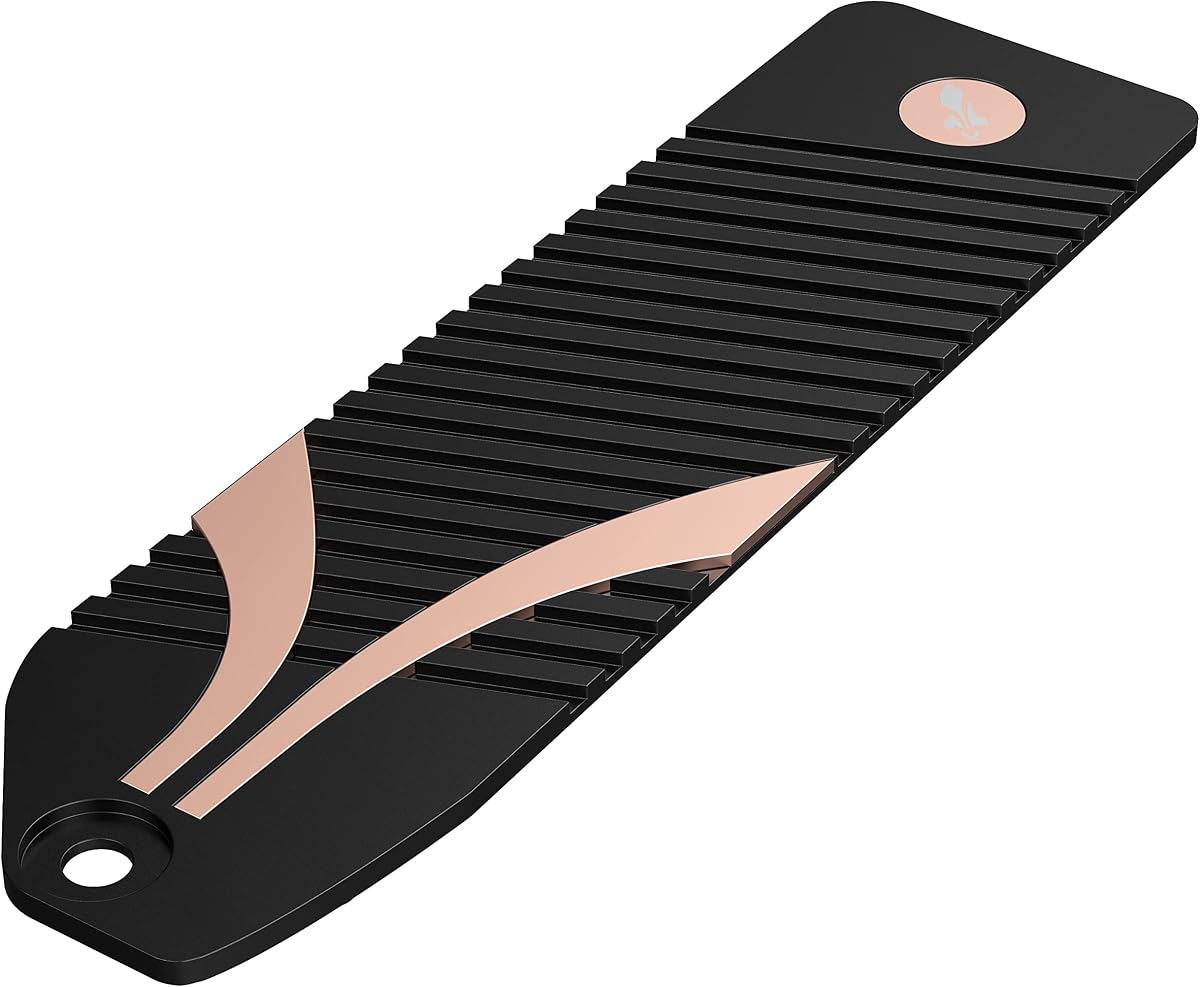
The Sabrent SB-PSHS is a standalone aluminum heatsink designed specifically for the PlayStation 5 expansion slot. It has a 4.8 rating and stands out for its compact construction, replacement-cover approach, and included installation hardware, making it a practical way to improve cooling for an existing compatible M.2 SSD.
We may earn a commission when you buy through this link, at no additional cost to you.
Rather than adding a small heat spreader above the drive and leaving the original restrictive cover in place, Sabrent designed the product to replace the native PS5 cover. Its larger heatsink can then work with the console's fan, while a sandwich design applies even pressure across the SSD for consistent thermal contact.
Because it is a heatsink rather than a storage bundle, buyers must already own a compatible M.2 drive. The included screws, thermal tape, and installation guide simplify assembly, but incorrect drive dimensions, excessive heatsink height, or unsuitable hardware can still complicate the process. The product is best viewed as a targeted upgrade rather than a complete PS5 storage solution.
This is the best budget pick for a PS5 owner who already has a suitable M.2 drive and wants improved cooling without replacing the storage itself. It is less convenient than buying a drive-and-heatsink bundle, but the dedicated PS5 engineering makes it a compelling choice for careful installers who value physical fit and comprehensive thermal coverage.
The replacement-cover design addresses a common weakness of low-profile add-on heatsinks: trapping heat between the SSD and the original metal shield. Removing that shield allows the larger Sabrent surface and the PS5's cooling airflow to work together more effectively.
Thermal tape, screws, and an installation guide are included, reducing the need to source small components separately. The sandwich design is also meaningful because consistent pressure helps the drive remain in thermal contact with the heatsink rather than resting unevenly.
We may earn a commission when you buy through this link, at no additional cost to you.
The 2TB WD_BLACK SN850P expands on the strengths of the licensed 1TB version by providing more room for games while preserving the officially licensed PS5 positioning. It has a 4.8 rating, an optimized console-specific heatsink, and stated read speeds of up to 7,300MB/s.
We may earn a commission when you buy through this link, at no additional cost to you.
Capacity is the central advantage. A two-terabyte drive makes it easier to retain several large games, keep current titles installed, and avoid frequent transfers back to the console's original storage. The listing specifically notes that expanded storage can support up to 200 games on an 8TB model, while clarifying that the actual number depends on file size, formatting, and other factors.
Thermal and mechanical fit are handled by a new heatsink designed especially for the PS5's M.2 position. That is preferable to assuming a generic desktop cooler will fit, particularly in a console where space is restricted and the native fan's airflow path matters. As with any licensed drive, current system-software compatibility should be confirmed through the manufacturer's site.
This is an excellent recommendation for a player who wants the confidence of an officially licensed package but expects to maintain a larger game library. It offers more practical breathing room than the 1TB SN850P without changing the core strengths of console-specific cooling, high PCIe Gen 4 speed, and direct play from expanded storage.
A 2TB drive reduces the frequency of the delete-and-reinstall cycle that frustrates console owners. It also makes the upgrade feel more like a long-term storage decision than a temporary solution for a handful of recent releases.
The officially licensed package pairs capacity with a heat spreader engineered for the console. Its ability to support direct play from the expanded drive means the additional storage is immediately useful for installed games rather than acting only as an archival location.
We may earn a commission when you buy through this link, at no additional cost to you.
The fanxiang S880ER 1TB is a PCIe Gen 4×4 NVMe drive with a heatsink, 7,000MB/s stated sequential read speed, and stated PlayStation 5 compatibility. Its 4.6 rating reflects a versatile product aimed not only at console expansion but also at desktops, laptops, all-in-one PCs, and professional content workflows.
We may earn a commission when you buy through this link, at no additional cost to you.
The drive uses NVMe 2.0 technology and 3D NAND flash memory, offering stated sequential speeds of up to 7,000MB/s read and 3,900MB/s write. Its more prominent strengths are versatility and cooling: the unique heatsink is designed to help reduce temperature during extended gaming or demanding data processing, supporting consistent performance.
The write-speed figure is lower than those of several competitors, and the 4.6 rating does not lead the field. Buyers concerned about maximum real-world transfer performance should distinguish between the stated headline read speed and the more modest write figure. The explicit exclusion of Mac OS also narrows the product's appeal compared with more universal choices.
This is a reasonable pick for a PS5 owner who also wants one drive for broader computing tasks, or for a desktop builder who values a preattached thermal solution. It is less compelling when official PS5 licensing, maximum endurance information, or the highest ratings are the primary criteria, but its support package and broad platform focus make it a flexible option.
The integrated thermal design is especially relevant during long gaming sessions or intensive file processing. By helping the drive remain cooler, it is intended to support consistent high performance rather than allowing heat to become the limiting factor during prolonged activity.
The stated compatibility with PS5, motherboards, desktops, laptops, and all-in-one systems makes the S880ER useful for mixed-use installations. Fast boot, application loading, and file processing claims broaden its appeal beyond games, although Mac users are explicitly excluded.
We may earn a commission when you buy through this link, at no additional cost to you.
The SIX X7400 1TB is a PCIe Gen4x4 M.2 2280 NVMe drive with a stated read speed of up to 7,350MB/s. It carries a 4.6 rating and targets console expansion as well as laptop and desktop installations, with the included heatsink and installation accessories making it a convenient all-in-one storage option.
We may earn a commission when you buy through this link, at no additional cost to you.
The product's appeal lies in the combination of a high headline speed and a broad compatibility message. It is positioned for gaming, content creation, data analysis, bootups, file transfers, and game loads, allowing the same drive to serve several classes of demanding work rather than being limited to a single console use case.
The supplied specifications do not provide a sequential write speed or endurance figure, so the drive cannot be compared as fully as products with more complete performance data. Its 4.6 rating is also below the category leaders. Physical compatibility should still be checked in laptops and other systems where M.2 clearance can be tight.
This is a sensible pick for a buyer who wants a fast Gen4 drive, a preinstalled heatsink, and the necessary small hardware in one package. It makes sense for a PS5 expansion project or a compatible desktop, particularly when simplified installation matters. Buyers who prioritize documented endurance, official console licensing, or maximum write performance should compare the alternatives first.
A stated read speed of up to 7,350MB/s positions the X7400 among the faster drives here. In a console, that capability supports the goal of short game load times, while the heatsink helps maintain operating stability during extended transfer and gaming activity.
The package includes a heatsink, screw, screwdriver, and related installation components according to the listed description. That convenience reduces assembly friction, although users should still follow the device-specific instructions and avoid forcing any component into a tight bay.
We may earn a commission when you buy through this link, at no additional cost to you.
The Lexar 4TB NM790 is the high-capacity member of the NM790 family and combines substantial storage with up to 7,400MB/s read and 6,500MB/s write speeds. Its 4.8 rating, 3000TBW endurance figure, and integrated heatsink make it a strong choice for large game collections and demanding storage expansion.
We may earn a commission when you buy through this link, at no additional cost to you.
The endurance rating grows with capacity, which helps distinguish this version from lower-capacity NM790 configurations. The drive also retains the family's claimed power-efficiency advantage and HMB 3.0 support, using the host device's DRAM cache function to smooth transfers and support seamless performance across gaming and productivity workloads.
A four-terabyte drive solves a familiar problem: a large library quickly filling a smaller expansion. However, it does not carry an explicit PlayStation 5 licensing statement in the supplied information, and buyers should verify the cooler height and any software requirements before installation. Those checks are especially important when using a desktop-style drive in a console.
This is the best NM790 choice for someone who wants maximum capacity, strong endurance, and high transfer speeds in one package. It can also serve a desktop or workstation with a compatible M.2 slot. For a PS5, it is a compelling option for informed buyers who have confirmed clearance and current compatibility rather than relying on official console certification.
Four terabytes reduces the pressure to remove older titles or move them elsewhere. It also creates room for system files and future releases, making the drive a more forward-looking choice than a smaller expansion when console game sizes continue to increase.
The listed 3000TBW figure signals that the drive is designed for a high total volume of written data. That matters for users who install and update many games, transfer large project files, or otherwise expect the SSD to perform sustained write activity over its service life.
We may earn a commission when you buy through this link, at no additional cost to you.
This double-sided M.2 2280 heatsink is a flexible standalone cooler for compatible PS5 and PC installations. It has a 4.6 rating and stands out for its aluminum alloy body, thermal silicone pads, protective silver plating, and clips that accommodate M.2 SSDs of different heights.
We may earn a commission when you buy through this link, at no additional cost to you.
The listed dimensions are 3 by 0.95 by 0.4 inches, while the double-sided clip design is intended to provide a stable installation and improve heat dissipation. The product description also states a cooling effect of 10°C to 20°C depending on the environment, although real results will vary with the drive, workload, and airflow.
This is a generic cooler rather than a console-specific replacement cover, so it may not use the PS5's available space as efficiently as the Sabrent design. Compatibility depends on the drive's physical layout, available clearance, and the console's cover arrangement. The stated compatibility list includes several Samsung 970 and 980-series models and refers to single-sided Type drives.
Choose this heatsink when you want a low-cost cooling accessory for a compatible, single-sided M.2 2280 SSD and need a flexible desktop-oriented alternative. It is particularly useful for basic PC storage builds. PS5 owners should verify every clearance dimension carefully, while dedicated console installations are better served by a purpose-built cover-replacement design.
The double-sided construction spreads cooling across the drive rather than concentrating heat transfer on a single surface. Aluminum alloy provides a conductive base, while the included low-viscosity pads are designed to transfer heat without damaging the SSD.
Clips designed for various M.2 drive heights make the cooler easier to use across different compatible models. The silver plating is also described as helping eliminate static electricity, while the anodized surface treatment supports the product's protective finish.
We may earn a commission when you buy through this link, at no additional cost to you.
The 2TB Lexar NM790 occupies a useful middle ground between a compact console upgrade and a high-capacity workstation drive. It combines a 4.8 rating with up to 7,400MB/s read speed, up to 6,500MB/s write speed, a 1500TBW endurance figure, and an integrated heatsink.
We may earn a commission when you buy through this link, at no additional cost to you.
Its capacity is well suited to a larger game collection or a mixed computing setup, while the PCIe Gen 4×4 interface provides the bandwidth expected from a modern high-performance M.2 2280 drive. The heatsink supports temperature management and power efficiency, and the claimed 40% reduction in power consumption versus DRAM cache-enabled PCIe Gen 4 SSDs may be useful in compact systems.
As with the other NM790 capacities, the supplied listing does not explicitly identify the drive as officially licensed for PlayStation 5. The integrated cooler also needs to be evaluated for physical fit in a console. These points do not erase the technical strengths, but they make advance verification more important than with a purpose-designed licensed product.
This is a strong recommendation for a buyer who wants more than 1TB, high transfer performance, and a preattached thermal solution in a standard M.2 2280 package. It can suit a PS5 when compatibility and clearance are confirmed, and it is equally attractive for a compatible gaming desktop or productivity-focused build.
Two terabytes offers a more comfortable balance between cost-conscious capacity and premium storage. It is large enough for a varied console library or a demanding desktop workload without reaching the capacity tier of the 4TB NM790.
The 7,400MB/s read and 6,500MB/s write specifications support fast file movement and game loading. HMB 3.0 and the stated power-efficiency advantage help round out a design intended to provide responsive performance without a comparatively power-hungry approach.
We may earn a commission when you buy through this link, at no additional cost to you.
A useful PS5 storage decision depends on more than headline speed. The right choice balances documented console compatibility, physical clearance, thermal design, storage capacity, endurance, and whether you want a complete SSD package or a standalone cooler.
In short, prioritize official licensing when console peace of mind is the deciding factor, and independently verify compatibility for any unlicensed alternative.
In short, verify drive length, heatsink height, connector orientation, and nearby clearance before ordering any nonlicensed option.
In short, buy a bundled drive for straightforward installation and choose a standalone heatsink when preserving an existing compatible SSD is the priority.
In short, favor full-surface contact and a design that works with console airflow, while treating stated cooling improvements as environment-dependent.
In short, estimate your current library plus future updates, then choose 1TB, 2TB, or 4TB based on how much room you want to retain.
In short, compare read, write, and random claims, but prioritize stable operation and compatibility over the highest marketing number.
In short, consider TBW alongside capacity and use TBW as a stronger basis for comparison whenever a manufacturer publishes it.
In short, value comes from the right combination of compatibility, included components, support, and workload fit rather than speed alone.
Before installation, power the PS5 down fully, disconnect the power cable and peripherals, and place the console on a stable, soft surface. Allow the system to cool before opening it. Confirm that the expansion bay is empty or properly reassembled according to the current console instructions, and make certain the selected M.2 2280 drive and heatsink match the expected dimensions and clearance.
Follow the manufacturer's installation guide for the specific drive or cooler. Remove the appropriate cover, install the drive in the correct orientation, and attach thermal material only where instructed. For a bundled SSD, check that the integrated heatsink is not loose and that any protective film has been removed. For the Sabrent replacement-cover design, position the thermal pad evenly and secure the cover with the supplied screws without overtightening. Never force a connector or heatsink into place.
After installation, boot the console and follow the on-screen storage expansion process. If the system requests an update, install it and recheck drive recognition. Give the console time to format the expanded storage, then move selected games to the new drive. Keep the console's ventilation openings unobstructed, allow space around the system, and periodically check that the storage is recognized and performing as expected. If a drive is removed, power down completely before accessing it and handle the board by its edges.
No. The PS5 uses an M.2 expansion slot, but the drive must also satisfy physical clearance, heatsink, interface, firmware, and system-software requirements. A desktop SSD with a tall heatsink may not fit, and even a slim drive may not be officially supported. The WD_BLACK SN850P options are specifically described as officially licensed for PS5 expansion, while other drives should be checked against the manufacturer's current compatibility guidance.
A thermal solution is valuable because high-speed PCIe Gen 4 SSDs generate heat during sustained transfers and writes. The PS5's expansion bay is compact, so a correctly designed heatsink helps transfer heat away from the drive and works with console airflow. The benefit depends on proper contact, clearance, and installation; a cooler that does not fit or sit flush may not provide the intended result.
The product is designed for the PS5 expansion slot, but the drive still needs to be physically and electrically suitable. Buyers should check the M.2 format, dimensions, component layout, and available clearance, and should avoid forcing the assembly. The Sabrent package includes thermal tape, screws, and a guide, making installation more convenient once compatibility has been confirmed.
Choose 1TB if you maintain a limited library and transfer or delete games regularly. A 2TB drive is a more comfortable all-round choice for a larger collection, while 4TB favors users who want to retain many games and avoid routine maintenance. Actual game counts vary by title size, system files, formatting, and other programs, so compare the drive with your current library rather than relying on a universal number.
No, not always. A faster drive can help with loading and transfers, but the overall result depends on the game, console software, storage configuration, and workload. A compatible drive that maintains stable performance is generally more important than a small difference in maximum read speed. The most important factors are correct installation, recognized firmware, and sufficient free storage for the system to operate efficiently.
Several can. The Lexar NM790, Samsung 990 PRO, fanxiang S880ER, and SIX X7400 are positioned for compatible M.2 slots in desktops or laptops, subject to dimensions and platform requirements. The generic double-sided heatsink is also designed for PC use. The WD_BLACK SN850P products are console-specific offerings, and the fanxiang listing explicitly states that its drive is not for Mac OS.
Use the thermal pad or tape supplied with the cooler when possible, as it is intended to match that product's contact area. Surfaces should be clean, and the material should be placed smoothly without folds or gaps. Do not add arbitrary layers of material that could create uneven pressure, and follow the installation guide if it specifies a particular orientation or replacement procedure.
Confirm that the console recognizes the expanded drive during startup or in the storage settings, then use the system's move or transfer function to place several games on it. Test different games and watch for unexpected slowdowns during sustained play or transfers. If the drive is not recognized, power the console down completely and reseat the assembly, then check current system-software and drive compatibility information.
The WD_BLACK SN850P 1TB is the most straightforward all-around recommendation for PS5 expansion because it combines official licensing, a purpose-designed heatsink, direct game playback, and strong stated performance. The 2TB version makes more sense for larger libraries, while the Samsung 990 PRO 2TB stands out as the premium choice with greater capacity, high sequential figures, and an ultra-slim integrated cooler.
For buyers who already own a compatible M.2 SSD, the Sabrent SB-PSHS is the focused cooling recommendation. Its replacement-cover design, even sandwich pressure, and included installation hardware make it more console-specific than a generic heat spreader. Desktop-oriented alternatives such as the Lexar NM790, fanxiang S880ER, and SIX X7400 can be excellent value, provided their physical fit and current compatibility are confirmed.
Before buying, prioritize documented console support, the right dimensions, reliable thermal contact, and enough capacity for your library. Do not let a peak speed figure obscure the practical installation requirements. Product listings, prices, and system-software guidance can change, so check current availability, specifications, and support information at the time of purchase.